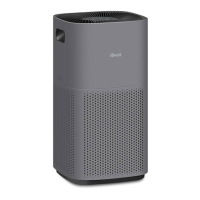
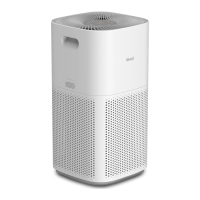
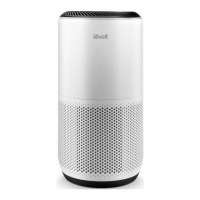
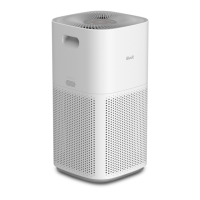
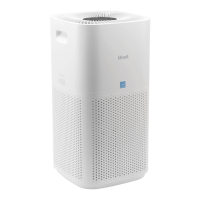
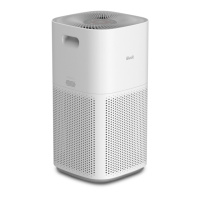
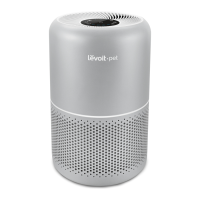
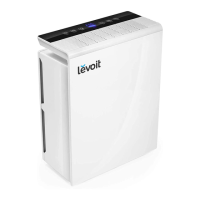
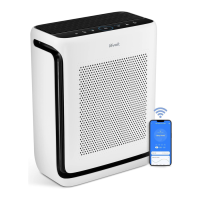
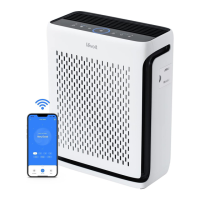
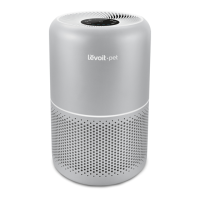
The Levoit PlasmaPro™ 600S Smart True HEPA Air Purifier is designed to improve indoor air quality through a multi-stage filtration system and smart features. Its primary function is to clean the air by removing various airborne particles and odors, making it suitable for household use.
Function Description
The air purifier operates by drawing in air through its inlets and passing it through a comprehensive 3-stage filtration system. This system includes a Pre-Filter, an H13 True HEPA Filter, and a Custom High-Efficiency Activated Carbon Filter. The Pre-Filter captures larger particles such as dust, lint, fibers, hair, and pet fur, thereby extending the life of the subsequent filters. The H13 True HEPA Filter is highly effective at trapping at least 99.97% of airborne particles as small as 0.3 microns, including fine dust, smoke particles, pollen, and pet dander. The Custom High-Efficiency Activated Carbon Filter, enhanced with Levoit's exclusive ARC Formula™, physically adsorbs smoke, odors, and fumes. This formula is particularly effective for cooking smells and pet odors, and it chemically decomposes trapped molecules to prevent oversaturation and secondary pollution. It also filters compounds like formaldehyde, benzene, ammonia, hydrogen sulfide, and volatile organic compounds (VOCs).
In addition to the physical filtration, the air purifier features an optional Plasma Function. This acts as a fourth filtration stage, generating positive and negative ions that bind with pollutants and neutralize them by breaking down their molecular structure. This further aids in neutralizing particulate matter, odorous gases, aerosols, and VOCs.
The device is equipped with an AirSight Plus™ Laser Dust Sensor, which continuously monitors the surrounding air quality. This sensor detects PM2.5 particles, providing real-time air quality updates and allowing the air purifier to adjust its operation accordingly.
Usage Features
The Levoit PlasmaPro™ 600S offers various modes and controls to customize its operation. It can be turned on and off with a dedicated button, and users can manually adjust the fan speed through low, medium, high, and turbo settings. The fan speed indicators light up to show the current setting. Turbo speed provides the quickest air cleaning, ideal for addressing specific air quality issues like smoke.
An Auto Mode utilizes the AirSight Plus™ sensor to automatically adjust the fan speed based on detected air quality. If the air quality is poor, the fan speed will increase. The air quality is visually indicated by colored rings: Blue for Very Good, Green for Good, Orange for Moderate, and Red for Bad. The display also shows the PM2.5 value, indicating the amount of airborne particles in micrograms per cubic meter.
Sleep Mode operates quietly at a fan speed lower than the lowest manual setting, making it suitable for use during rest. In this mode, the display will turn off after a few seconds to minimize light disturbance.
A Timer Function allows users to set the air purifier to operate for a specified duration, ranging from 1 to 12 hours. The display will show the selected time and count down until the air purifier automatically turns off.
The Display Off Button turns off all display lights, including button lights and indicator lights (except the Check Filter Indicator), for a completely dark environment. Tapping any button (except the On/Off button) will temporarily turn the display back on.
A Display Lock Button prevents accidental changes to settings. When activated, the display locks, and buttons will not respond to taps. The Display Lock Indicator blinks to confirm that the lock is active.
The Plasma Button allows users to turn the Plasma Function on or off. It's important to note that the Plasma Function cannot be used during Sleep Mode.
The air purifier also includes a Memory Function. When plugged in and turned off, it remembers its previous fan speed, Sleep Mode, Auto Mode, Display Lock, Display Off, Light Detection, and Plasma settings. If unplugged and turned off, it will remember its previous fan speed, Sleep Mode, Auto Mode, and Light Detection settings, but the timer will need to be restarted.
Smart features are accessible through the VeSync app, which allows for remote control of all air purifier settings, even when Display Lock is on. The app provides real-time PM2.5 updates and a history of air quality for the past four weeks. It also offers additional auto modes beyond the standard Auto Mode, such as Quiet Auto Mode (uses only low and medium fan speeds), Efficient Auto Mode (purifies air based on room size and 1 ACH, then adjusts to detected air quality), and ECO Auto Mode (intermittently turns fan on/off when air quality is Very Good to save electricity). Users can create and customize schedules for their air purifier and set timers for up to 24 hours. The app also provides information on remaining filter life and allows users to shop for replacement filters.
A Light Sensor, when enabled via the VeSync app, automatically adjusts air purifier settings based on the room's light level. In dark conditions, the display turns off, and if in Auto Mode, it avoids high or turbo fan speeds to reduce noise. When the room becomes light again, settings revert to previous states, and Auto Mode limitations are removed.
Maintenance Features
Regular maintenance is crucial for optimal performance. The air purifier should be unplugged before any cleaning. The exterior can be wiped with a soft, dry cloth, or a damp cloth followed by immediate drying. The interior of the air purifier should be vacuumed. Abrasive chemicals or flammable cleaning agents should not be used.
The outer pre-filter requires cleaning every 2-4 weeks to maintain efficiency and extend the filter's life. This can be done using a soft brush or a vacuum hose to remove hair, dust, and large particles. The main filter (True HEPA & Activated Carbon Filter) should not be cleaned with water or other liquids.
A Check Filter Indicator light will turn on as a reminder to check the filter, typically after 6–12 months of consistent daily use. While the light indicates a check is due, the filter may not always need immediate replacement. The VeSync app provides a more precise filter life percentage and sends notifications when it's time to check or replace the filter, using an algorithm based on air quality and usage. After replacing the filter, the Check Filter Indicator must be manually reset by pressing and holding the Sleep Mode button for 3 seconds. If the filter is changed before the indicator lights up, the indicator will flash three times to confirm the reset.
The AirSight Plus™ Laser Dust Sensor should be cleaned every 3 months, or more frequently in dusty environments, to ensure accuracy. This involves unplugging the air purifier, placing a vacuum cleaner over the sensor openings, and running the vacuum for at least 10 seconds to clear dust.
Filters should be replaced every 6–12 months, or sooner if decreased airflow, increased noise, unusual odors, or a visibly clogged filter are noticed. Only official Levoit filters should be used to maintain performance.
For storage, if the air purifier will not be used for an extended period, both the air purifier and the filter should be wrapped in plastic packaging and stored in a dry place to prevent moisture damage.



 To Next Page
 General