EasyManua.ls Logo

Levoit LV-PUR131 - User Manual

Levoit LV-PUR131
20 pages
Print Icon
To Next Page IconTo Next Page
Loading...
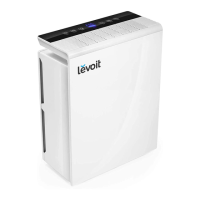
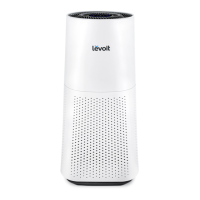
True HEPA Air Purifier
Model: LV-PUR131
Questions or Concerns?
Please contact us Mon–Fri, 9:00 am–5:00 pm PST/PDT
at support@levoit.com or at (888) 726-8520.
USER MANUAL

Other manuals for Levoit LV-PUR131

Questions and Answers

  • J
    Jill PattersonSep 23, 2025
    Why hasn't the Check Filter Indicator on my Levoit LV-PUR131 Air Cleaner turned on after 8 months?
    • P
      pwagnerSep 23, 2025
      The Check Filter Indicator on your Levoit Air Cleaner reminds you to check the filters and lights up based on air purifier usage. If you don’t use your air purifier often, the indicator will take longer to turn on.
  • J
    John RiosAug 25, 2025
    How to fix Levoit LV-PUR131 Air Cleaner that does not power on?
    • S
      Shaun HenryAug 25, 2025
      If your Levoit Air Cleaner doesn't power on, the issue might be with the power source. Check the outlet to see if it's working and try resetting the outlet if possible.
  • E
    Emily FrenchAug 25, 2025
    What to do if my Levoit LV-PUR131 Air Cleaner will not turn on?
    • L
      Lisa BarrettAug 26, 2025
      First, ensure the air purifier is plugged in. Check the power cord for any damage; if damaged, discontinue use and contact Customer Support. Make sure the filter cover is securely closed to activate the safety switch. Try plugging the air purifier into a different outlet. If the issue persists, the air purifier may be malfunctioning, so contact Customer Support.
  • J
    Joshua MarshallAug 27, 2025
    What to do if the Air Quality Indicator always stays red on my Levoit Air Cleaner?
    • R
      Rachel FinleyAug 27, 2025
      If the Air Quality Indicator remains red, clean the dust sensor lens.
  • S
    Sally ArmstrongSep 23, 2025
    How to increase airflow in Levoit Air Cleaner?
    • O
      Omar MitchellSep 23, 2025
      If the airflow of your Levoit Air Cleaner is significantly reduced: * Ensure the filters are removed from their packaging. * Increase the fan speed. * Make sure there is at least 15 in / 38 cm of clearance on all sides of the air purifier. * Replace the filters.
  • D
    Devin OrtegaSep 13, 2025
    Why is the airflow significantly reduced in my Levoit Air Cleaner?
    • G
      Gloria MartinSep 13, 2025
      Several factors can reduce airflow. First, ensure the filters are removed from their packaging. You can also press the fan speed button to increase it. Ensure there is at least 38 cm / 15 in of clearance on all sides of the air purifier. Finally, consider replacing the filters.
  • M
    Mr. Zachary HensonSep 12, 2025
    Why is my Levoit Air Cleaner making unusual noises?
    • H
      Heidi WilliamsSep 12, 2025
      If your Levoit Air Cleaner is making an unusual noise when the fan is on, check the following: * Ensure the filters are removed from their packaging and properly placed. * Consider replacing the filters.
  • J
    johnsonalexaSep 12, 2025
    What to do if my Levoit LV-PUR131 always shows that the air quality is poor?
    • M
      mgomezSep 12, 2025
      If your Levoit Air Cleaner consistently indicates poor air quality, it may be due to a malfunctioning or dirty dust sensor. Clean the dust sensor as noted in Cleaning & Maintenance. If this doesn't resolve the issue, contact customer service.
  • C
    Christine AverySep 4, 2025
    What to do if Check Filter Indicator is still on after replacing the air filters on my Levoit Air Cleaner?
    • A
      ablackburnSep 4, 2025
      If the Check Filter Indicator is still on after replacing the air filters, reset the Check Filter Indicator.
  • L
    Laura WilliamsSep 2, 2025
    How to improve the air purification quality of my Levoit LV-PUR131 Air Cleaner?
    • A
      Andrea MitchellSep 2, 2025
      To enhance the air purification quality, try the following: 1. Increase the fan speed. 2. Ensure that nothing is blocking the top or sides of the air purifier. 3. Verify the filters are removed from their packaging and correctly placed. 4. Close doors and windows while the air purifier is running. 5. Confirm the room size is smaller than 48 m² / 516 ft². 6. Clean the dust sensor lens. 7. Replace the filters.

Summary

Specifications

SAFETY INFORMATION

General Safety

Safety guidelines for operating the air purifier.

Power and Cord Safety

Guidelines for safe use of the power cord and plug.

GETTING TO KNOW YOUR AIR PURIFIER

Component Identification

Identifies all parts of the air purifier, including filters and housing.

LED Display Details

Explains the meaning of the icons and indicators on the LED display.

CONTROLS

On;Off and Display Controls

Details on On/Off and Display Off buttons.

Mode and Speed Settings

Explains Sleep Mode, Auto Mode, Fan Speed, and Timer controls.

Air Quality Indicator

Describes the air quality sensor and its color-coded indicator.

USING YOUR PURIFIER

General Operation

Steps for turning on/off and initial fan speed.

Auto Mode Functionality

How the purifier automatically adjusts fan speed based on air quality.

Sleep Mode and Timer

Explains quiet operation in sleep mode and setting timers.

Memory and Auto Shutoff

Features like remembering settings and automatic turn-off.

ABOUT THE FILTERS

Fine Preliminary Filter

Describes the function and benefits of the preliminary filter.

True HEPA Filter

Details the HEPA filter's particle removal capabilities.

Activated Carbon Filter

Explains how the carbon filter adsorbs odors and fumes.

KEEPING THINGS CLEAN

Cleaning the Air Purifier Exterior

Instructions for cleaning the outside of the unit.

Check Filter Indicator Function

How the filter indicator works and its purpose.

Cleaning the Air Filters

Guidance on cleaning the preliminary filter.

Replacing the Air Filters

Step-by-step guide for replacing the air filters.

KEEPING THINGS CLEAN (CONT.)

Filter Replacement Timing

Guidance on when to replace the air filters.

Dust Sensor Lens Cleaning

Instructions for cleaning the dust sensor lens for accurate readings.

KEEPING THINGS CLEAN (CONT.)

Resetting Check Filter Indicator

Procedure to reset the filter indicator after replacement.

Storage Guidelines

Recommendations for storing the air purifier when not in use.

TROUBLESHOOTING

TROUBLESHOOTING (CONT.)

WARRANTY INFORMATION

Warranty Terms and Policy

Details the warranty duration, coverage, and exclusions.

Additional 1-Year Warranty

Information on how to extend the product warranty.

Defective Products and Returns

Procedures for handling defective products and returns.

CUSTOMER SUPPORT

Levoit LV-PUR131 Specifications

General IconGeneral
TimerYes
Efficiency99.97 %
Noise level52 dB
CertificationCARB, FCC, ETL
Air purify rate230 m³/h
Noise level (low speed)27 dB
Timer duration (maximum)8 h
Timer duration (minimum)2 h
Operating temperature (T-T)-10 - 40 °C
Suitable for room area up to33 m²
Particle filtration0.3 µm
Filtering capabilityCigarette smoke, Fine dust, Pollen
Number of filter stages3
AC input voltage120 V
AC input frequency60 Hz
Power consumption (max)40 W
Power consumption (standby)0.8 W
Control typeTouch
Display typeLED
Product colorBlack, White
Weight and Dimensions IconWeight and Dimensions
Depth183 mm
Width371 mm
Height470 mm
Weight5210 g

Related product manuals