EasyManua.ls Logo

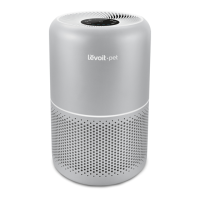
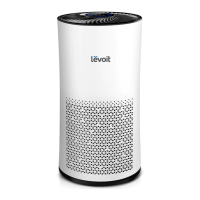
Levoit Tower Pro LV-H134 - User Manual

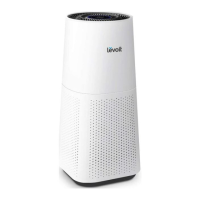
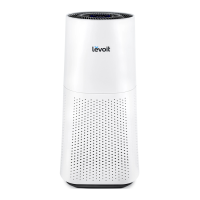
Levoit Tower Pro LV-H134
16 pages
Print Icon
To Next Page IconTo Next Page
Loading...
Tower Pro HEPA Air Purifier
Questions or Concerns?
Please contact us Monday - Friday 9:00 am - 5:00 pm PT
at support@levoit.com or (888) 726-8520.
Model No.: LV-H134

Questions and Answers

  • J
    Joshua MckeeJul 28, 2025
    Why is my Levoit Tower Pro LV-H134 Air Cleaner not turning on?
    • S
      sherry77Jul 28, 2025
      If your Levoit Air Cleaner isn't powering on, first, ensure it's plugged into a working electrical outlet. If the outlet is functional, check that the filter cover is correctly placed. If the issue persists and you suspect a damaged power cord, stop using the unit immediately.
  • P
    Paul MartinAug 6, 2025
    Why is my Levoit Air Cleaner making unusual noises?
    • C
      Christopher StanleyAug 6, 2025
      An unusual noise from your Levoit Air Cleaner could mean the air filter needs replacing or isn't fitted properly. Try replacing the air filter. Also, ensure the filter is correctly placed. If the noise continues, stop using the air purifier immediately.
  • C
    crystal12Aug 17, 2025
    What to do if my Levoit Tower Pro LV-H134 is not responding to the buttons?
    • C
      Claudia GonzalezAug 17, 2025
      If your Levoit Air Cleaner isn't responding to button controls, make sure it's properly connected to a working electrical outlet. Also, check if the filter cover is correctly placed. If the problem persists, discontinue use immediately.

Summary

Product Specifications

Safety Information

General Safety Precautions

Follow instructions, use as described, ensure proper plug fit, avoid wet hands, water, outdoor use, extreme temperature changes, or hazardous gases.

Proper Use and Care Guidelines

Place on a level surface, away from heat sources, ensure cord access, avoid routing under carpets, keep away from high-traffic areas, and do not use with solid-state speed controls.

Getting Started

Operation

General Operation Steps

Steps for placing the purifier, plugging it in, turning it on/off, and adjusting fan speed for basic use.

Safety Trigger Functionality

Explanation of the magnetic safety trigger and its importance for the air purifier to turn on.

Button Controls and Functions

Replacing the Air Filter

Air Filter Replacement Procedure

Detailed steps for unplugging, removing the old filter, cleaning, installing the new filter, and securing the cover.

Resetting the Air Purifier

Troubleshooting Common Issues

Power On Issues

Troubleshooting steps for when the air purifier fails to power on, covering outlet and connection problems.

Levoit Tower Pro LV-H134 Specifications

General IconGeneral
Efficiency99.97 %
Noise level54 dB
PM2.5 sensorYes
CertificationCARB, FCC, ETL
Air purify rate530 m³/h
Noise level (low speed)25 dB
Operating temperature (T-T)-10 - 40 °C
Suitable for room area up to66 m²
Operating relative humidity (H-H)0 - 85 %
Particle filtration0.3 µm
Filtering capabilityCigarette smoke, Fine dust, Pollen
Number of filter stages3
Control typeTouch
Display typeLED
Product colorBlack, White
AC input voltage120 V
AC input frequency60 Hz
Power consumption (max)45 W
Power consumption (standby)0.8 W
Weight and Dimensions IconWeight and Dimensions
Width326 mm
Height742 mm
Weight12200 g

Related product manuals