EasyManua.ls Logo

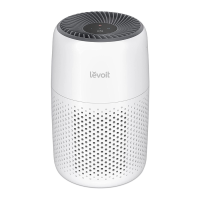
Levoit True HEPA Core 300 - User Manual

Levoit True HEPA Core 300
20 pages
Print Icon
To Next Page IconTo Next Page
Loading...
True HEPA Air Purifier
Product Series: Core 300
Models: Core 300, Core 300-RAC
USER MANUAL
Questions or Concerns?
Please contact us Mon–Fri, 9:00 am–5:00 pm PST/PDT
at support@levoit.com or at (888) 726-8520.

Questions and Answers

  • J
    Jacob WilsonAug 14, 2025
    What to do if Levoit True HEPA Core 300 will not turn on?
    • M
      Michael HernandezAug 14, 2025
      If your Levoit Air Cleaner won't turn on or respond to button presses: * First, ensure the air purifier is plugged in. * Check the power cord for any damage. If damaged, discontinue use. * Try plugging the air purifier into a different outlet. * If the issue persists, the air purifier may be malfunctioning.
  • A
    Antonio HollowayAug 18, 2025
    What to do if my Levoit True HEPA Core 300 will not turn on?
    • C
      Catherine BrownAug 18, 2025
      If your Levoit Air Cleaner won't turn on or respond to the button controls, try these steps: First, ensure the air purifier is properly plugged into a working outlet. Check the power cord for any signs of damage; if damaged, discontinue use and contact Customer Support. Try plugging the air purifier into a different outlet. If none of these steps work, the air purifier may be malfunctioning, and you should contact Customer Support.
  • K
    Kim GonzalezAug 21, 2025
    How to improve Levoit True HEPA Core 300 purification quality?
    • J
      jennajonesAug 21, 2025
      To improve the air purification quality of your Levoit Air Cleaner, try the following: * Increase the fan speed. * Ensure that nothing is blocking the sides or top of the air purifier. * Verify the filter is properly installed after removing all packaging. * Close doors and windows during operation. * Ensure the room size is appropriate (smaller than 40 m² / 431 ft²). * Consider replacing the filter.
  • W
    William DudleyAug 25, 2025
    What to do if Levoit True HEPA Core 300 Air Cleaner airflow is reduced?
    • M
      Matthew WilsonAug 25, 2025
      If the airflow of your Levoit Air Cleaner is significantly reduced: 1. Ensure the filter is properly installed and all packaging has been removed. 2. Increase the fan speed. 3. Ensure there is 38 cm / 15 in of clearance on all sides of the air purifier. 4. Clean the pre-filter if it's clogged with particles like hair or lint. 5. Replace the filter if necessary.
  • R
    Ricky DouglasAug 28, 2025
    Why is my Levoit True HEPA Core 300 Air Cleaner making unusual noises?
    • R
      Rachel HicksAug 28, 2025
      If your Levoit Air Cleaner is making unusual noises, ensure the filter is correctly placed and packaging is removed. Also, make sure the air purifier is on a hard, flat, even surface. If the noise continues, replace the filter. The air purifier may be damaged, or a foreign object may be inside.
  • B
    bvegaAug 30, 2025
    Why is the airflow significantly reduced in my Levoit Air Cleaner?
    • B
      Brandon GillespieAug 31, 2025
      If you notice significantly reduced airflow from your Levoit Air Cleaner, consider the following: Ensure the filter's packaging has been removed and that it is correctly placed. Increase the fan speed by tapping the control. Provide at least 15 inches / 38 cm of clearance around all sides of the unit. Clean the pre-filter, as it may be clogged with particles like hair or lint. Finally, consider replacing the filter.
  • M
    Mrs. Tamara SchneiderSep 3, 2025
    How to fix a Levoit Air Cleaner that makes unusual noises?
    • B
      Brian RoseSep 3, 2025
      If your Levoit Air Cleaner is making unusual noises when the fan is on, check these potential issues: Ensure the filter is correctly in place and that all plastic packaging has been removed. Verify that the air purifier is operating on a hard, flat, and even surface. It may also be time to replace the filter. If the noise persists, the air purifier may be damaged, or there could be a foreign object inside; in this case, stop using the air purifier and contact Customer Support, and do not attempt to repair it yourself.
  • B
    Brooke MartinSep 7, 2025
    Why is my Levoit Air Cleaner not purifying the air well?
    • K
      Katherine BeckSep 7, 2025
      If your Levoit Air Cleaner isn't providing adequate air purification, here are some things to try: Increase the fan speed. Ensure that nothing is blocking the sides or top of the unit. Check that the filter is properly installed and that all packaging has been removed. Close doors and windows while the air purifier is running. Keep in mind that if the room is larger than 219 ft² / 20 m², it will take longer to purify the air. Finally, consider replacing the filter.
  • N
    Nicholas ThomasSep 10, 2025
    What to do if my Levoit Air Cleaner smells strange?
    • B
      Brandi ThomasSep 10, 2025
      If you notice a strange smell coming from your Levoit Air Cleaner, try cleaning or replacing the filter. It's also important to avoid using the air purifier in areas with high humidity or while diffusing essential oils. If the smell persists, contact Customer Support.

Summary

Getting to Know Your Air Purifier

Controls Overview

On;Off Button

Turns the air purifier on and off.

Fan Speed Control

Cycles through fan speeds: low, medium, and high.

Sleep Mode Operation

Turns Sleep Mode on/off for quiet operation.

Timer Functionality

Cycles through timer options for automatic shut-off.

Display Lock Feature

Prevents current settings from being changed accidentally.

Check Filter Indicator

Lights up when the filter needs checking.

Display Off Button

Turns the display off to reduce light.

Getting Started

Filter Installation Steps

Steps for removing and installing the air purifier filter correctly.

Initial Setup Process

Instructions for preparing the air purifier for first use.

Using Your Air Purifier

Proper Placement and Airflow

Ensuring optimal airflow with proper placement and clearance.

Powering the Unit On and Off

How to turn the air purifier on and off using the power button.

Adjusting Fan Speed

How to change fan speed levels (I, II, III) for desired purification.

Sleep Mode Functionality

How to activate and use Sleep Mode for quiet operation.

Memory Function Details

Air purifier remembers previous fan speed setting upon restart.

Advanced Air Purifier Functions

Setting the Timer

How to set the timer for 2, 4, 6, or 8 hours of operation.

Canceling the Timer

How to cancel a set timer before it expires.

Operating Display Lock

How to lock and unlock the display to prevent accidental changes.

Understanding the Filter System

Filter Stages Explained

Explanation of the 3-stage filtration system: Pre-Filter, HEPA, Carbon.

Clean Air Delivery Rate (CADR)

Measures air purifier efficiency based on pollutant removal.

Air Change per Hour (ACH)

Indicates how many times air is purified in a room per hour.

Filter Usage and Care

Humidity Considerations

Importance of using the purifier in low humidity areas to protect the filter.

Essential Oils Warning

Warning against using essential oils with the purifier to prevent damage.

Levoit Replacement Filters

Core 300-RF Original Filter

Traps particles and neutralizes common household smells.

Core 300-RF-PA Pet Allergy Filter

Enhanced for pet odors and strong smells.

Core 300-RF-TX Toxin Absorber Filter

Addresses air pollution, smoke, and VOCs.

Care and Maintenance

Cleaning the Air Purifier Exterior

Instructions for wiping down the purifier's outside with a soft cloth.

Resetting the Check Filter Indicator

Procedures to reset the indicator after filter replacement.

Cleaning the Pre-Filter

How to clean the outer pre-filter to maintain efficiency and lifespan.

Filter Replacement and Storage

Filter Replacement Timing

Guidance on when to replace the air purifier filter (6-8 months).

Signs of Filter Replacement Needed

Indicators that the filter needs replacement (noise, airflow, odors).

Procedure for Replacing the Filter

Step-by-step guide for replacing the air purifier filter.

Storage Instructions

How to properly store the air purifier when not in use.

Troubleshooting Common Issues

Air Purifier Not Turning On

Solutions for power issues or unresponsive controls.

Reduced Airflow Troubleshooting

Steps to diagnose and resolve low airflow problems.

Resolving Unusual Noise

Diagnosing and fixing abnormal noises from the purifier.

Addressing Strange Odors

Solutions for unusual smells emanating from the purifier.

Advanced Troubleshooting

Improving Air Purification Quality

Tips for enhancing the air purification effectiveness.

Check Filter Indicator Issues

Troubleshooting the indicator light after filter changes.

FCC Interference Statement

Warranty Information

Warranty Terms and Policy

Details of the 2-year limited warranty for the product.

Warranty Exclusions

Conditions under which the warranty does not apply.

Contacting Support for Warranty Claims

How to contact customer support for defective product claims.

Customer Support

Contact Information and Hours

How to reach customer support via email and phone, and support hours.

Levoit True HEPA Core 300 Specifications

General IconGeneral
Product NameLevoit True HEPA Core 300
Product Dimensions8.7 x 8.7 x 14.2 inches
Filter TypeTrue HEPA Filter
Fan Speeds3
CADR141 CFM (240 m³/h)
Noise Level24 dB
Coverage Area219 sq ft / 20 m²
Voltage120V
Power Consumption45W
Warranty2-year warranty

Related product manuals