EasyManua.ls Logo

Levoit LV-H128 - User Manual

Levoit LV-H128
20 pages
Print Icon
To Next Page IconTo Next Page
Loading...
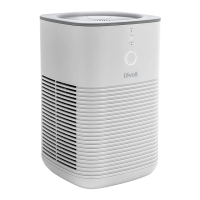
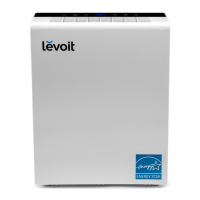
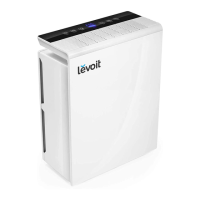
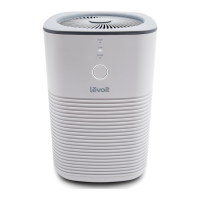
Desktop True HEPA Air Purifier
Models: LV-H128, LV-H128-RXA, LV-H128-RXB
Questions or Concerns?
Please contact us Mon–Fri, 9:00 am–5:00 pm PST/PDT
at support@levoit.com or at (888) 726-8520.
USER MANUAL

Questions and Answers

  • J
    James WilliamsAug 14, 2025
    What to do if my Levoit LV-H128 Air Cleaner won't turn on?
    • M
      melissamathewsAug 14, 2025
      First, ensure the air purifier is properly plugged into a functioning outlet. If it still doesn't turn on, try a different outlet. As an additional step, disconnect and then reconnect the AC power adapter from the air purifier. If the AC power adapter is damaged, discontinue use and contact Customer Support. It is also possible that the air purifier is malfunctioning, in which case you should contact Customer Support.
  • U
    ukellerAug 17, 2025
    What to do if my Levoit LV-H128 will not turn on?
    • E
      Eric HeathAug 17, 2025
      If your Levoit Air Cleaner isn't turning on or responding, start by ensuring it's properly plugged in, and try a different outlet. Disconnect and reconnect the AC power adapter. If the AC power adapter is damaged or the air purifier is malfunctioning, stop using the air purifier and contact Customer Support.
  • J
    jason88Aug 21, 2025
    Why is the airflow significantly reduced in my Levoit Air Cleaner?
    • D
      David ClarkAug 21, 2025
      Reduced airflow can occur for several reasons. First, check that the filters have been removed from their packaging and are correctly installed. Try increasing the fan speed by pressing the Control Button. Ensure there is at least 38 cm / 15 inches of clearance on all sides of the air purifier. The pre-filters might be clogged with particles like hair or lint, so cleaning them may help. If none of these steps work, consider replacing the filters.
  • R
    Ronald FitzgeraldAug 25, 2025
    How to fix a Levoit Air Cleaner making unusual noises?
    • B
      Billy WilliamsAug 26, 2025
      Unusual noises from your air purifier can stem from several causes. Ensure the filters are correctly placed and that all plastic packaging has been removed. Verify the air purifier is on a hard, flat, level surface. Try increasing the fan speed by pressing the Control Button. Also, make sure that no objects are blocking the sides or top of the air purifier. Close doors and windows while using the air purifier. If the room is larger than 15 m² / 161 ft², air purification will take longer. The air purifier may not be as effective in significantly larger rooms. If the noise persists, it could indicate damage or a foreign object inside, in which case you should stop using the air purifier and contact Customer Support. Replacing the filters might also resolve the issue.
  • W
    William DennisAug 28, 2025
    Why does my Levoit LV-H128 Air Cleaner have a strange smell?
    • J
      Joanne HuntAug 28, 2025
      A strange smell might be resolved by cleaning the filters and aroma pad, or replacing them if necessary. Try to avoid using your air purifier in an area with high humidity. If the smell persists, contact Customer Support.
  • J
    Jason BennettSep 1, 2025
    How to fix a Levoit LV-H128 that makes unusual noises?
    • D
      Dr. Frank CameronSep 1, 2025
      Unusual noises from your Levoit Air Cleaner during operation can be addressed by ensuring the filters are properly placed and that all plastic packaging has been removed. Also, ensure the air purifier is on a hard, flat, level surface. If the noise persists, replace the filters. If these steps don't resolve the issue, stop using the air purifier and contact Customer Support, as the unit may be damaged or have a foreign object inside.
  • F
    Francis KimSep 5, 2025
    Why did the Check Filter Indicator light turn on before 6 months on my Levoit Air Cleaner?
    • J
      Justin LeeSep 5, 2025
      The Check Filter Indicator light reminds you to check the filters and lights up based on air purifier usage. If you frequently run your air purifier, the Check Filter Indicator light will turn on sooner.
  • B
    blongSep 9, 2025
    Why hasn't the Check Filter Indicator light turned on within 8 months on my Levoit LV-H128?
    • D
      davidwrightSep 9, 2025
      The Check Filter Indicator light reminds you to check the filters and lights up based on how long the air purifier has been used. If you don’t use your air purifier often, the Check Filter Indicator light will take longer to turn on.

Summary

Safety Information

General Safety Precautions

Covers essential safety guidelines for operating the air purifier, including usage, placement, and environmental conditions.

Power Adapter and Cord Safety

Details safety guidelines for the power adapter and cord to prevent hazards like tripping, overheating, or damage.

Electromagnetic Fields (EMF) Compliance

Explains the air purifier's compliance with EMF standards and confirms its safe usage when handled according to the manual.

Getting to Know Your Air Purifier

Understanding the Air Filtration System

Describes the three-stage air filtration system, detailing the functions of the pre-filter, HEPA filter, and activated carbon filter.

Getting Started

Using Your Air Purifier

Basic Operation and Fan Speed Control

Instructions on turning on the purifier, using Sleep Mode, and adjusting fan speeds (Sleep, Low, High) for optimal air cleaning.

Essential Oils and Aroma Pad Usage

Guidance on safely adding essential oils to the aroma box and caring for the aroma pad.

Optimal Air Purifier Placement

Recommendations for ideal placement to ensure unobstructed airflow and efficient air purification.

Humidity Levels and Air Delivery Rate

Information on recommended humidity levels and an explanation of the Clean Air Delivery Rate (CADR).

Care & Maintenance

Cleaning the Air Purifier and Filters

Procedures for cleaning the exterior of the unit and maintaining the pre-filters and HEPA filters for peak performance.

Indicator Reset and Aroma Pad Maintenance

Steps to reset the filter indicator light and clean or replace the aroma pad.

Filter Replacement and Unit Storage

Guidance on when to replace filters, the replacement process, and proper storage of the air purifier.

Troubleshooting Common Issues

Power and Airflow Problems

Solutions for issues like the unit not turning on or reduced airflow, including checks for filters and power connections.

Noise and Air Quality Concerns

Addresses common problems such as unusual noises, poor air purification quality, and provides troubleshooting steps.

Smell and Filter Indicator Light Issues

Troubleshooting steps for strange smells from the unit and persistent filter indicator lights after maintenance.

Federal Communication Commission Interference Statement

Warranty Information

Customer Support

Levoit LV-H128 Specifications

General IconGeneral
TypePersonal Air Purifier
Control TypeTouch Control
Filtration System3-Stage Filtration
Power SupplyAC 120V, 60Hz
Weight3.3 pounds
Coverage Area161 sq ft
Noise Level28 dB
Filter TypeHEPA Filter
CADR (Smoke)100 CFM

Related product manuals