3
How to Install Custom Vertical Valance
TRADITIONAL VALANCE INSTALLATION
STEP 1A
Attach the valance to the headrail (outside-mount)
• Center the front panel with the headrail.
• Slide the mounting tab on the front valance panel into the valance clips until they
click into place.
STEP 1B
Attach the valance to the headrail (inside-mount)
• Center the front panel with the headrail.
• Slide the mounting tab on the front valance panel into the valance clips until they
click into place.
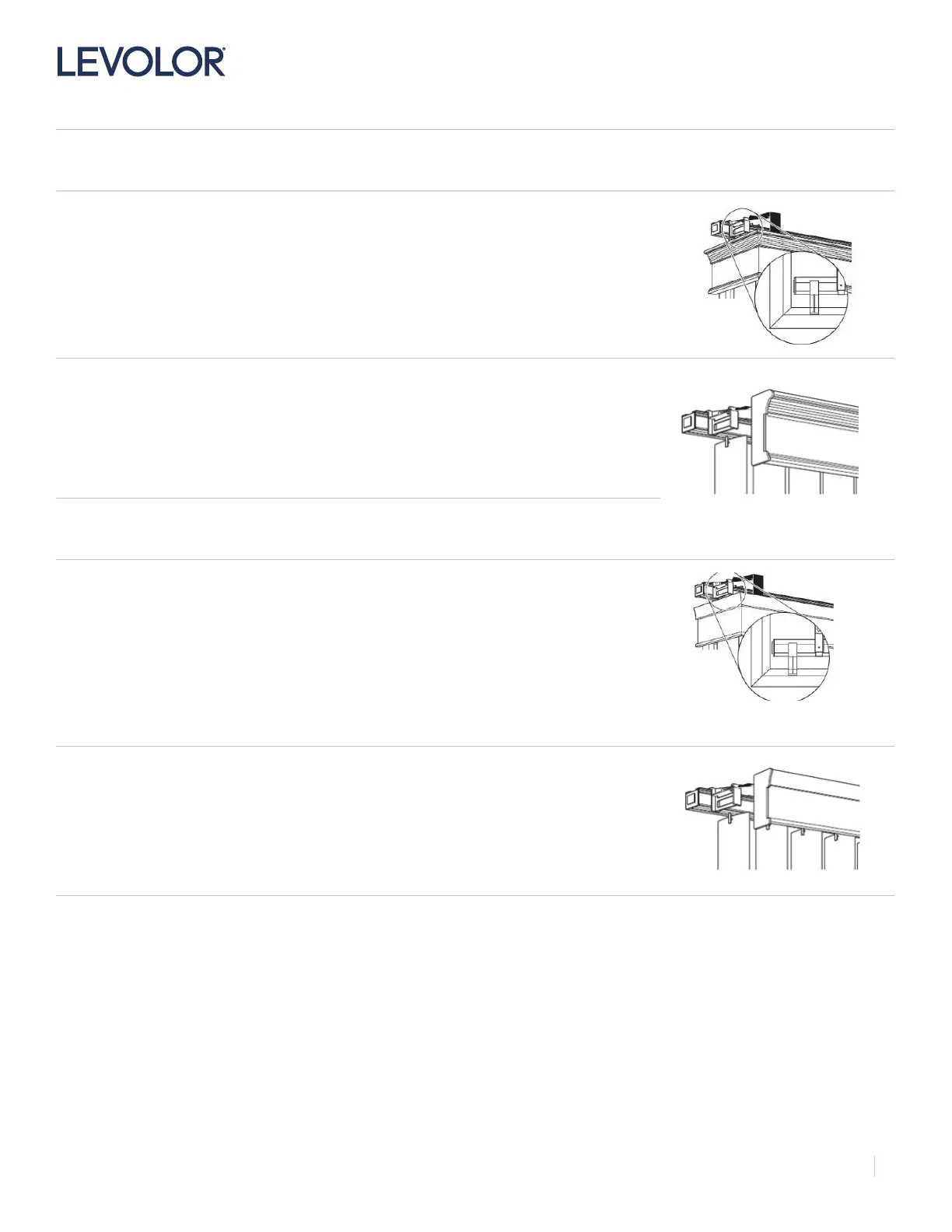
TRANSITIONAL VALANCE INSTALLATION
STEP 1A
Attach the valance to the headrail (outside-mount)
• Center the front panel with the headrail.
• Slide the mounting tab on the front valance panel into the valance clips until they click into
place.
STEP 1B
Attach the valance to the headrail (inside-mount)
• Center the front panel with the headrail.
• Slide the mounting tab on the front valance panel into the valance clips until they
click into place.


 To Next Page
 Loading...