Temperature
1.PresstheºC/ ºF button to toggle between temperature display in
Celcius(ºC)andFarenheit(ºF).
2.Temperaturewillbedetectedonceevery12seconds.Detection
rangeis:-10ºC~50ºC(14oF~122ºF)andaccuracyis:+/-1ºC.
Temperature detection will be suspended when the alarm clock is
ringing or when it is checking for RCC signal.
Alarm Mode
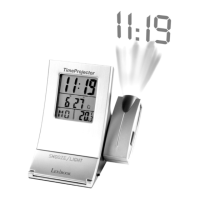
Your RLR800alarmclockhas2alarmsettings:AL1 and AL2 which
can be set independently.
Display the set times for AL1 and AL2
1.Innormalclockdisplaymode,presstheSETbuttononcetodisplay
thesettimeforALARM1.ThedisplayshowsAL1ontheright.
2.PresstheSETbuttonagaintodisplaythesettimeforALARM2.The
display shows AL2 on the right.
Adjusting the time for AL1 and AL2
Adjusting the time for AL1
1.Innormalclockdisplaymode,presstheSET button ONCE to display
thesettimeforALARM1.ThedisplayshowsAL1 on the right.
2.OncethedisplayshowsthesettimeforAL1,presstheSET button
for 2 seconds to enter in the alarm time setting mode. A bell symbol
appears on the display between the hour and the minutes.
3. You can adjust the hour and minutes by pressing the UP or DOWN
buttons and then pressing SETeachtimetoconrm.
4. The display then goes back to normal clock display mode and the bell
symbolremainsonthedisplaytosignalthatAL1ison.


 To Next Page