5.3 Bluetooth Intercom Talk
5.3.1 Pairing with other LX-FT4 headsets for intercom talk
Prior to pairing units for communications before riding, we strongly suggest that all
existing connections be cleared from each unit. To clear existing connections, simply
press and hold A button and B button together until the red LED flashes. All previous
connections will be cleared from the unit.
Tips: To start an intercom talk, you should pair the two units first.
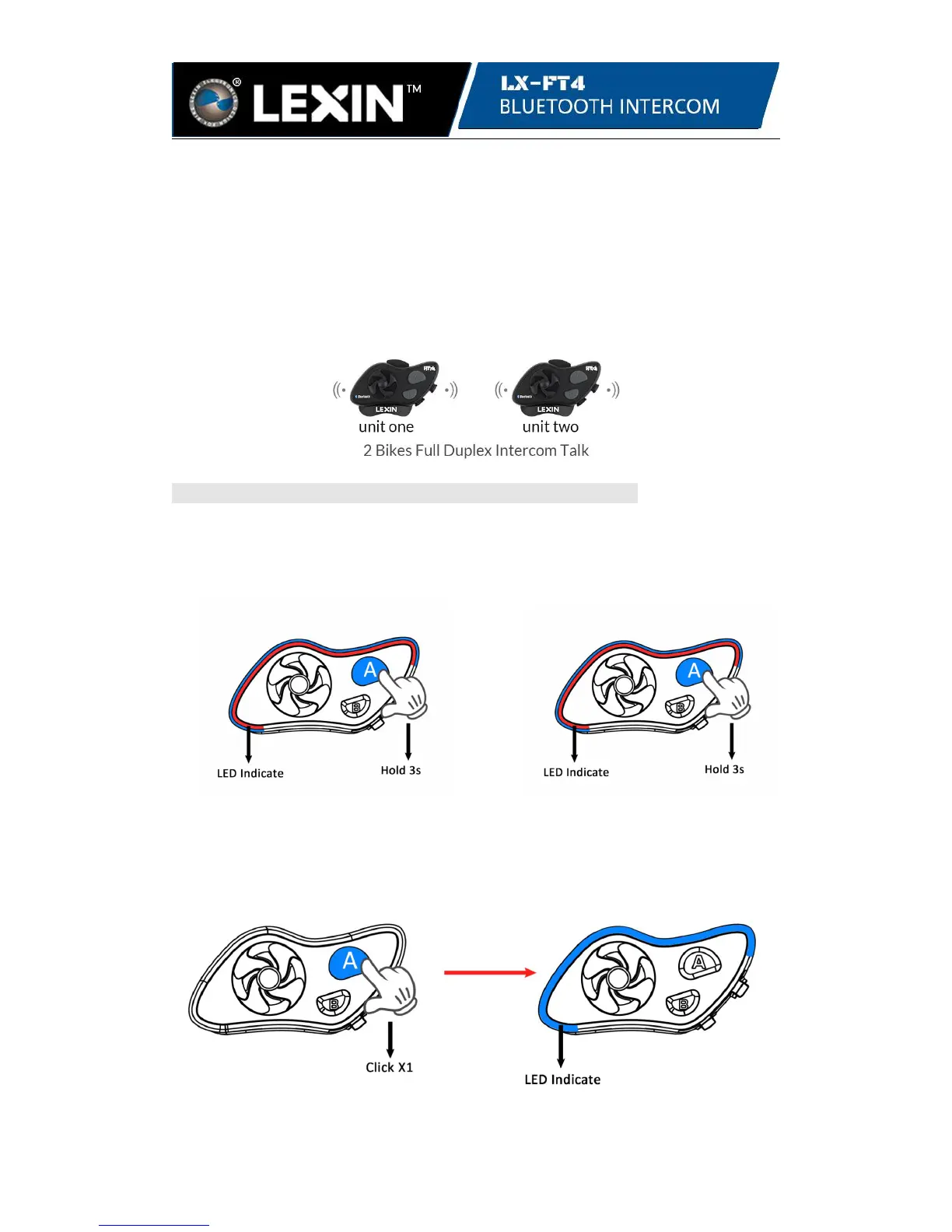
Step 1. Pairing two LX-B4FM units first
Start with both units powered off, press and hold the A button on both units for 3
seconds until the LED is flashing blue and red to enter pairing mode.
unit one unit two
Click the A button on either unit to pair. Once pairing starts, the LED on the unit
clicked will flash only blue. When the LED is blinking blue on both units, then
pairing is complete and successful.
unit one or unit two unit one and unit two


 To Next Page