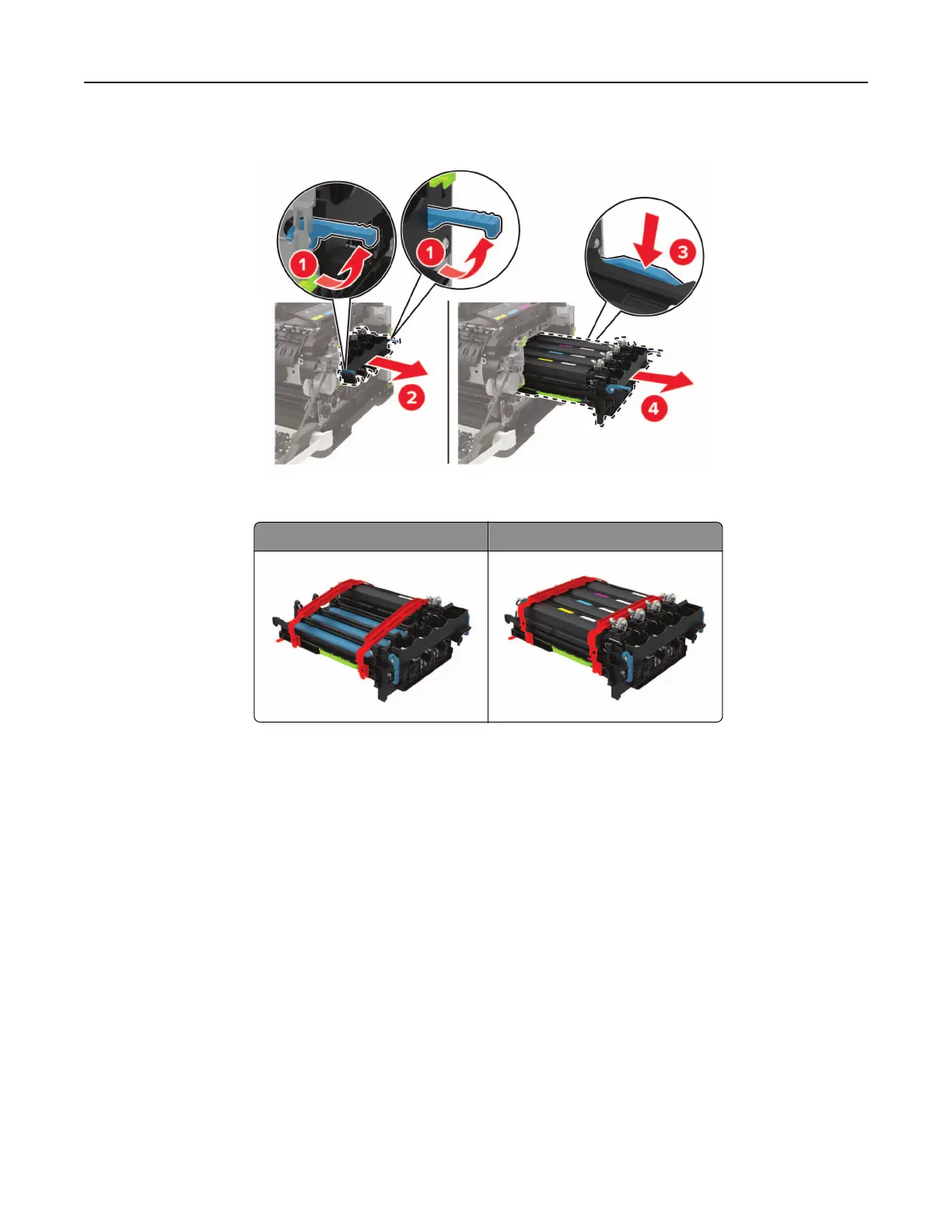
6 Remove the used imaging kit.
7 Unpack the new imaging kit.
Black imaging kit Black and color imaging kit
Notes:
• The black imaging kit includes the imaging kit and the black developer unit.
• The black and color imaging kit includes the imaging kit and the black, cyan, magenta, and yellow
developer units.
• When replacing the black imaging kit, save the cyan, magenta, and yellow developer units from the
used imaging kit.
Maintaining the printer 170




 To Next Page