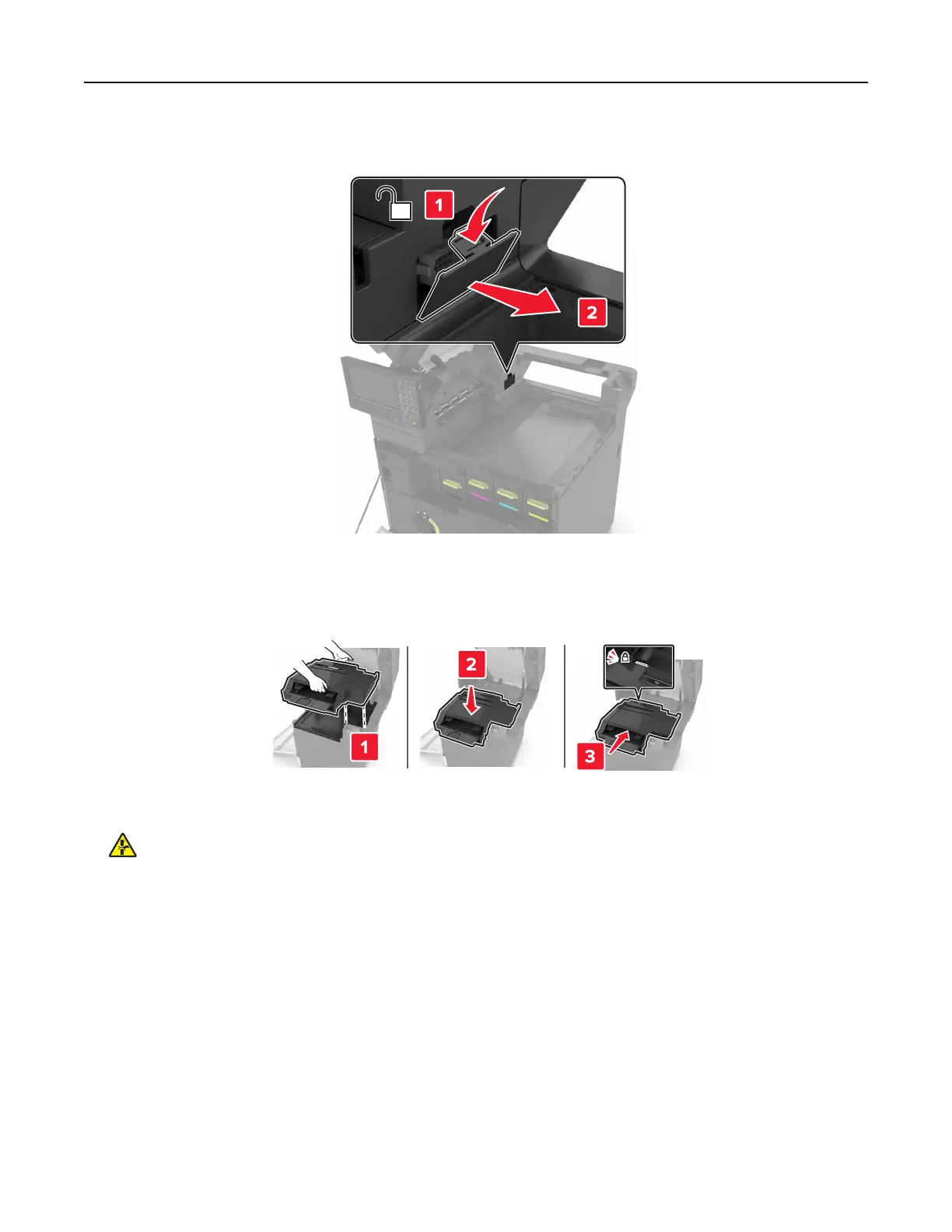
6 Remove the staple finisher connector cover.
7 Unpack the staple finisher, and then remove the packing material.
8 Insert the staple
finisher
until it clicks into place.
9 Close doors A and C.
CAUTION—PINCH HAZARD: To avoid the risk of a pinch injury, keep hands clear of the labeled area
when closing door C.
10 Turn on the printer.
Upgrading and migrating 275


 To Next Page