Understanding the printer menus
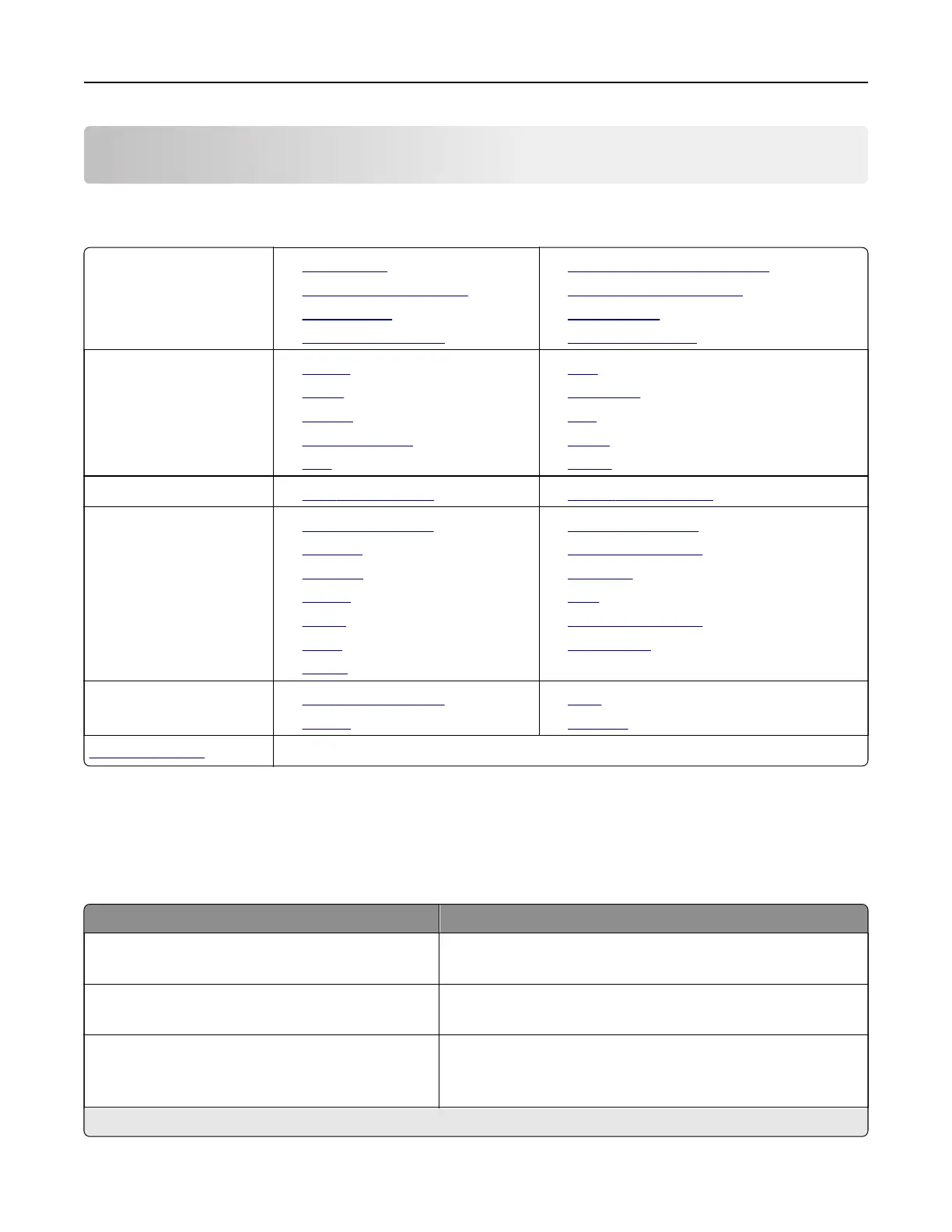
Menu map
Device
• Preferences
• Remote Operator Panel
• Notifications
• Power Management
• Information Sent to Lexmark
• Restore Factory Defaults
• Maintenance
• About This Printer
Print
• Layout
• Setup
• Quality
• Job Accounting
• XPS
• PDF
• PostScript
• PCL
• HTML
• Image
Paper
• Tray Configuration • Media Configuration
Network/Ports
• Network Overview
• Wireless
• Ethernet
• TCP/IP
• SNMP
• IPSec
• 802.1x
• LPD Configuration
• HTTP/FTP Settings
• ThinPrint
• USB
• Google Cloud Print
• Wi‑Fi Direct
Reports
• Menu Settings Page
• Device
• Print
• Network
Troubleshooting
• Print Quality Test Pages
Device
Preferences
Menu item Description
Display Language
[List of languages]
Set the language of the text that appears on the display.
Country/Region
[List of countries]
Identify the country or region where the printer is configured
to operate.
Run Initial Setup
Ye s
No
Run the setup wizard.
Note: An asterisk (*) next to a value indicates the factory default setting.
Understanding the printer menus 23



 To Next Page