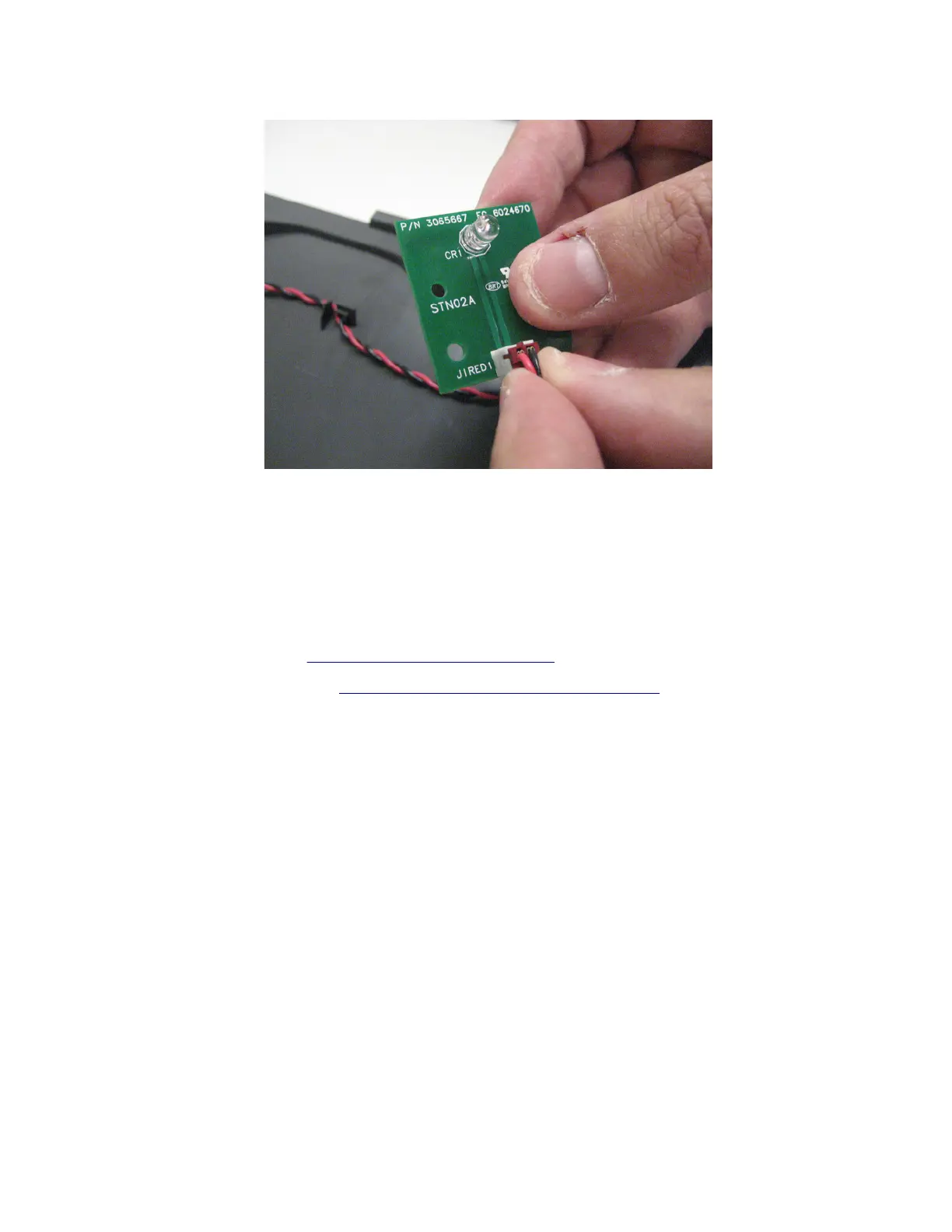
5 Disconnect the cable (J1RED1) from the sensor.
Installation note: When installing this FRU, update the
firmware
to RIP (LW20.SB7.P231) and Engine
(FDN.PIR.E310) or higher.
Installation warning: This is a mandatory
firmware
update. Failure to update the
firmware
will cause the
sensor to prematurely fail, requiring another sensor replacement. This update extends the life of the sensor.
Bin full sensor cable removal
1 Remove the top cover. See “Top cover removal” on page 351.
2 Remove the bin full sensor. See “Bin full sensor/lens removal” on page 352.
7016
Repair information
354



 To Next Page