533
3-3. Using the Lexus Display Audio system
3
Interior features
■ Managing the contacts
● Transferring a phone number
You can transfer the phone numbers in your Bluetooth
phone to the
system. Operation methods differ between PBAP compatible and PBAP
incompatible Bluetooth
phones. If your mobile phone does not support
either PBAP or OPP services, you cannot transfer contacts.
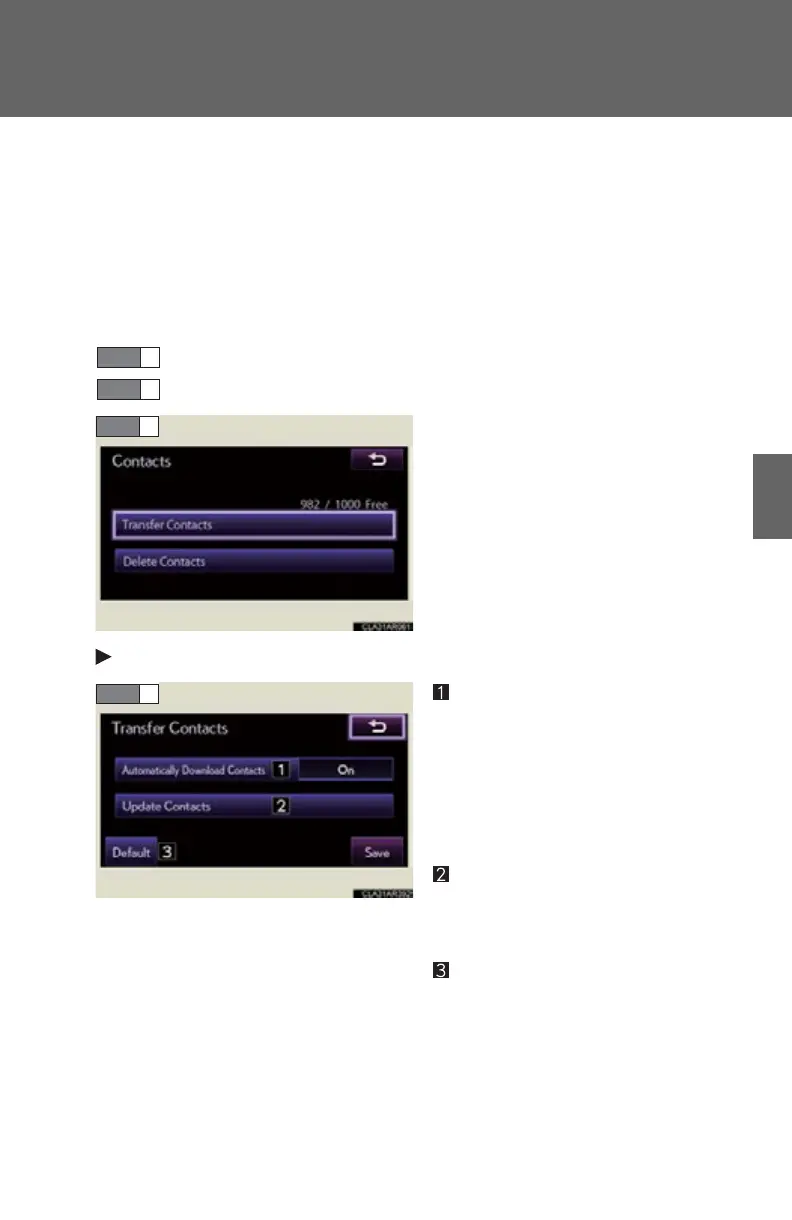
Display the “Phonebook Settings” screen. (P. 532)
Select “Manage Contacts” on the “Phonebook Settings” screen.
Select “Transfer Contacts”.
For PBAP compatible Bluetooth
phones
Automatic phonebook down-
load on/off
The phonebook data can be auto-
matically transferred.
Depending on the mobile phone,
call history will be also transferred.
Update phonebook
The phonebook data can be
updated.
Restore default settings
STEP 1
STEP 2



 To Next Page