702
6-2. Customization
CT200h_U (OM76040U)
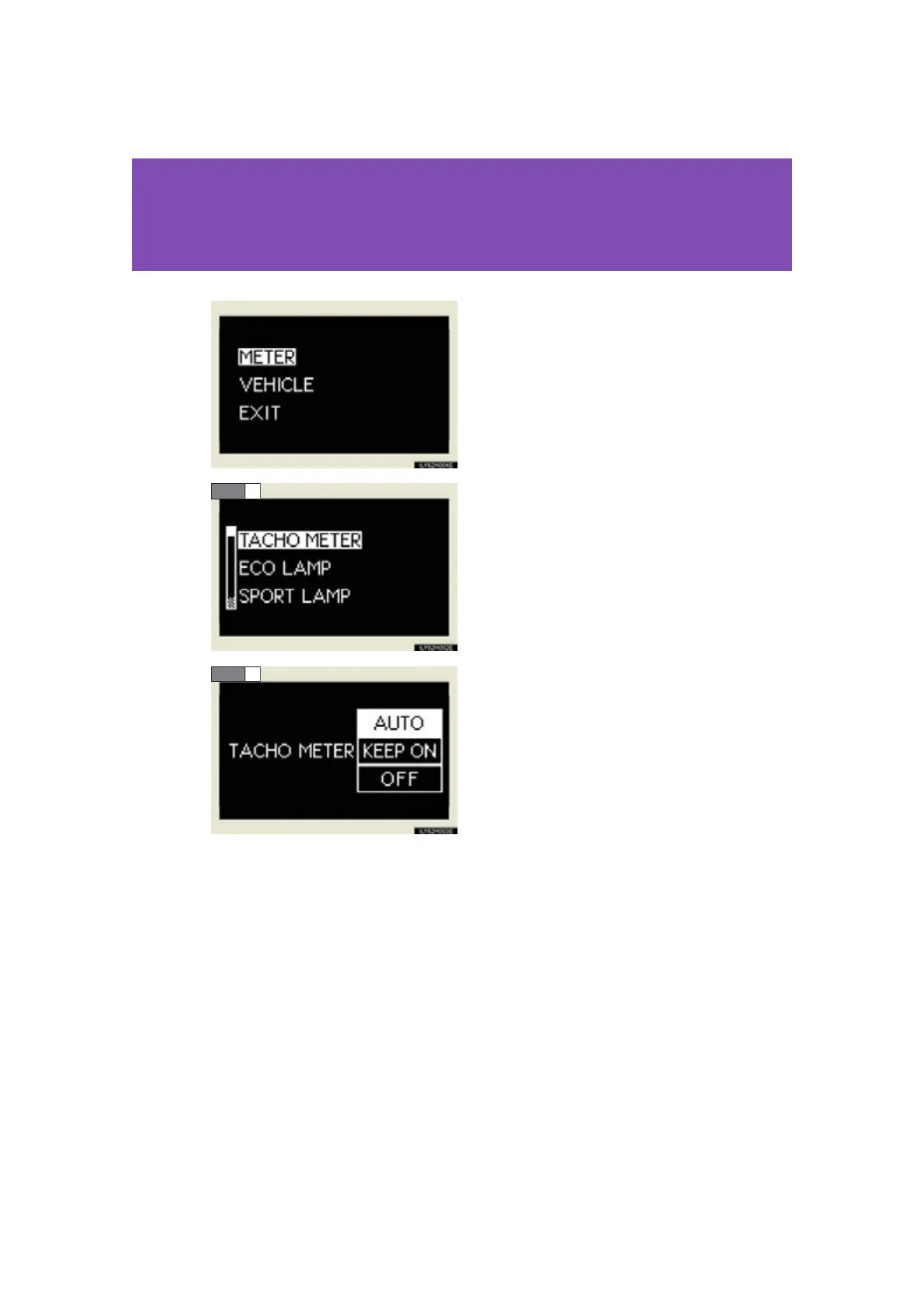
Vehicles without a navigation sys-
tem:
Press the “DISP” switch and select
the “METER” or “VEHICLE” and
press and hold the “DISP” switch.
Press the “DISP” switch and select
the item, and then press and hold
the “DISP” switch.
Press the “DISP” switch and select
the desired setting, and then press
and hold the “DISP” switch.
To go back to the previous screen or exit the customize mode, press the
“DISP” switch to select the “EXIT”, and then press and hold the “DISP”
switch.
STEP 2
STEP 3














 To Next Page