338
ES300h_OM_OM33C75U_(U)
5-7. Connecting Bluetooth
®
Steps for using Bluetooth
®
devices
The following can be performed using Bluetooth
®
wireless communication:
■ A portable audio player can be operated and listened to via the Lexus
Display Audio system
■ Hands-free phone calls can be made via a cellular phone
In order to use wireless communication, register and connect a Bluetooth
®
device by performing the following procedures.
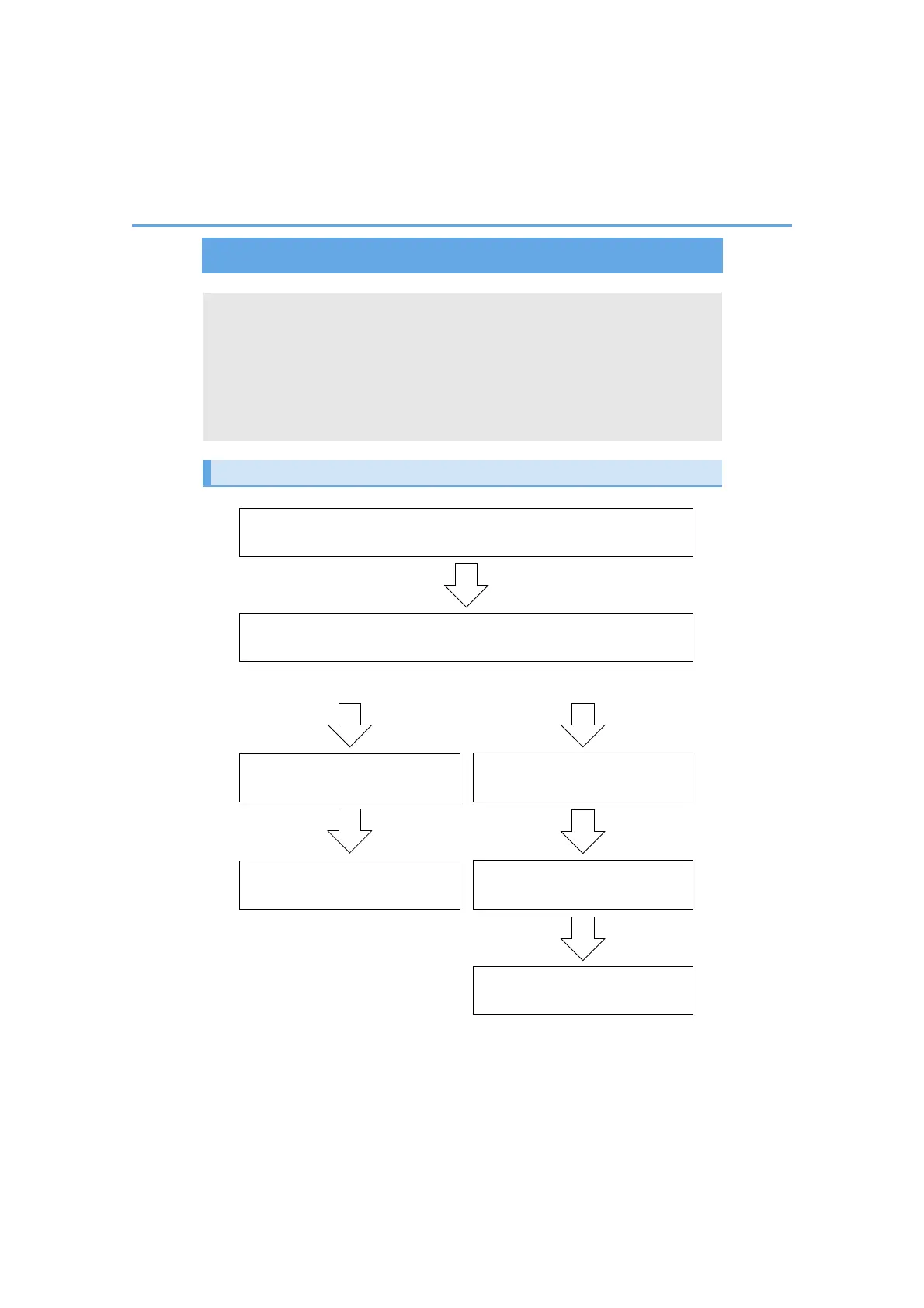
Device registration/connection flow
1. Register the Bluetooth
®
device to be used with Lexus Display
Audio system (→P. 340)
2. Select the Bluetooth
®
device to be used
(→P. 341)
Audio
Hands-free phone
3. Start Bluetooth
®
connec-
tion (→P. 342)
3. Start Bluetooth
®
connec-
tion (→P. 343)
4. Use Bluetooth
®
audio
(→P. 348)
4. Check connection status
(→P. 350)
5. Use Bluetooth
®
phone
(→P. 351)


 To Next Page