376
ES300h_OM_OM33C75U_(U)
5-12. Other function
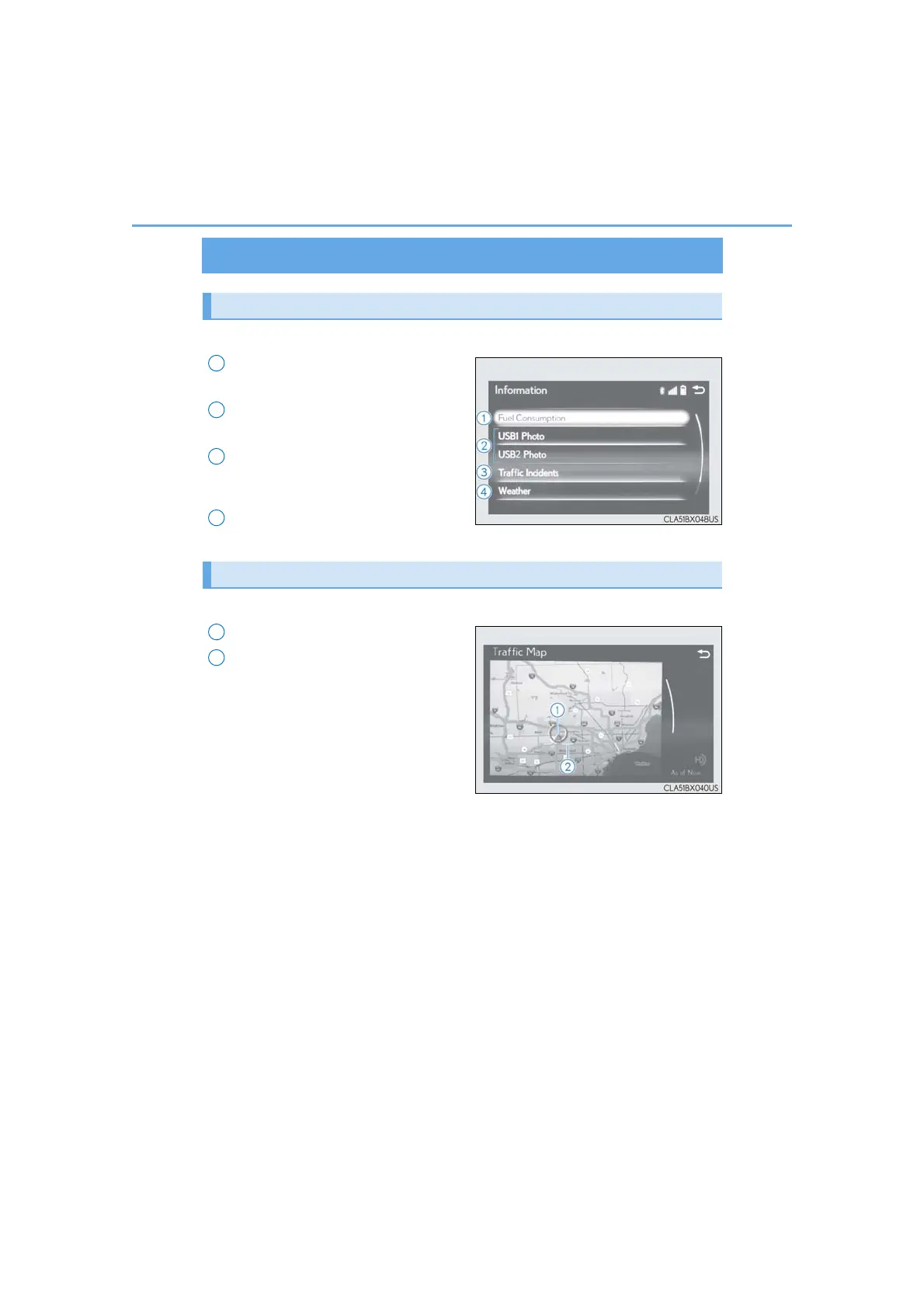
“Information” screen
Go to “Information”: “MENU” button → “Info”
Display the fuel consumption.
(→P. 96)
Display the “USB Photo” screen.
(→P. 378)
Display the Traffic Map picture.
Available when in a traffic supported
HD Radio coverage area
Display the weather information.
(→P. 380)
Go to “Traffic Map”: “MENU” button → “Info”→“Traffic Incidents”
Current position of your car
Traffic information line
The line color means the following:
Red: Heavy congestion
Yellow: Moderate traffic
Green: Free flowing traffic
Display “Information” screen
1
2
3
4
Traffic information map
1
2


 To Next Page