ES300h_OM_OM33C75U_(U)
391
6-1. Using the air conditioning system and defogger
6
Interior features
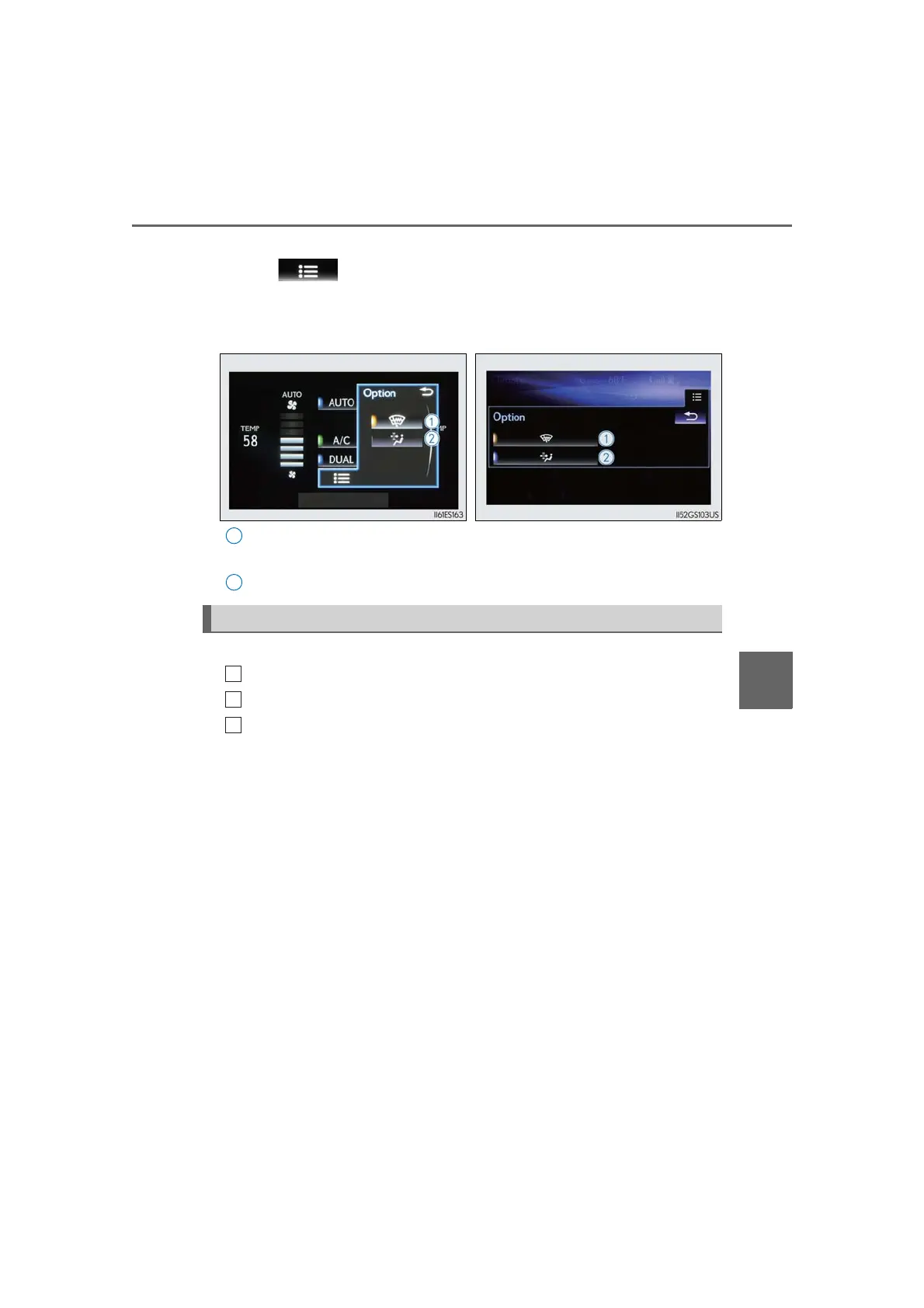
■ Option control screen
Select on the air conditioning control screen to display the option
control screen. The functions can be switched on and off.
Prevent ice from building up on the windshield and wiper blades (if
equipped) (→P. 393)
Remove pollen from the air (micro dust and pollen filter) (→P. 393)
■ Using the automatic mode
Press the “AUTO” button.
Adjust the temperature setting.
To stop the operation, press the “OFF” button.
■ Automatic mode indicator
If the fan speed setting or air flow modes are operated, the automatic mode
indicator goes off. However, automatic mode for functions other than that
operated is maintained.
Lexus Display Audio screen Navigation system screen
Air conditioning controls
1
2


 To Next Page