GS350_300_GS F_OM_OM30G34U_(U)
111
2. Instrument cluster
2
Instrument cluster
■ Lap timer
Measures and displays current lap time and previous lap times
● Reading the display
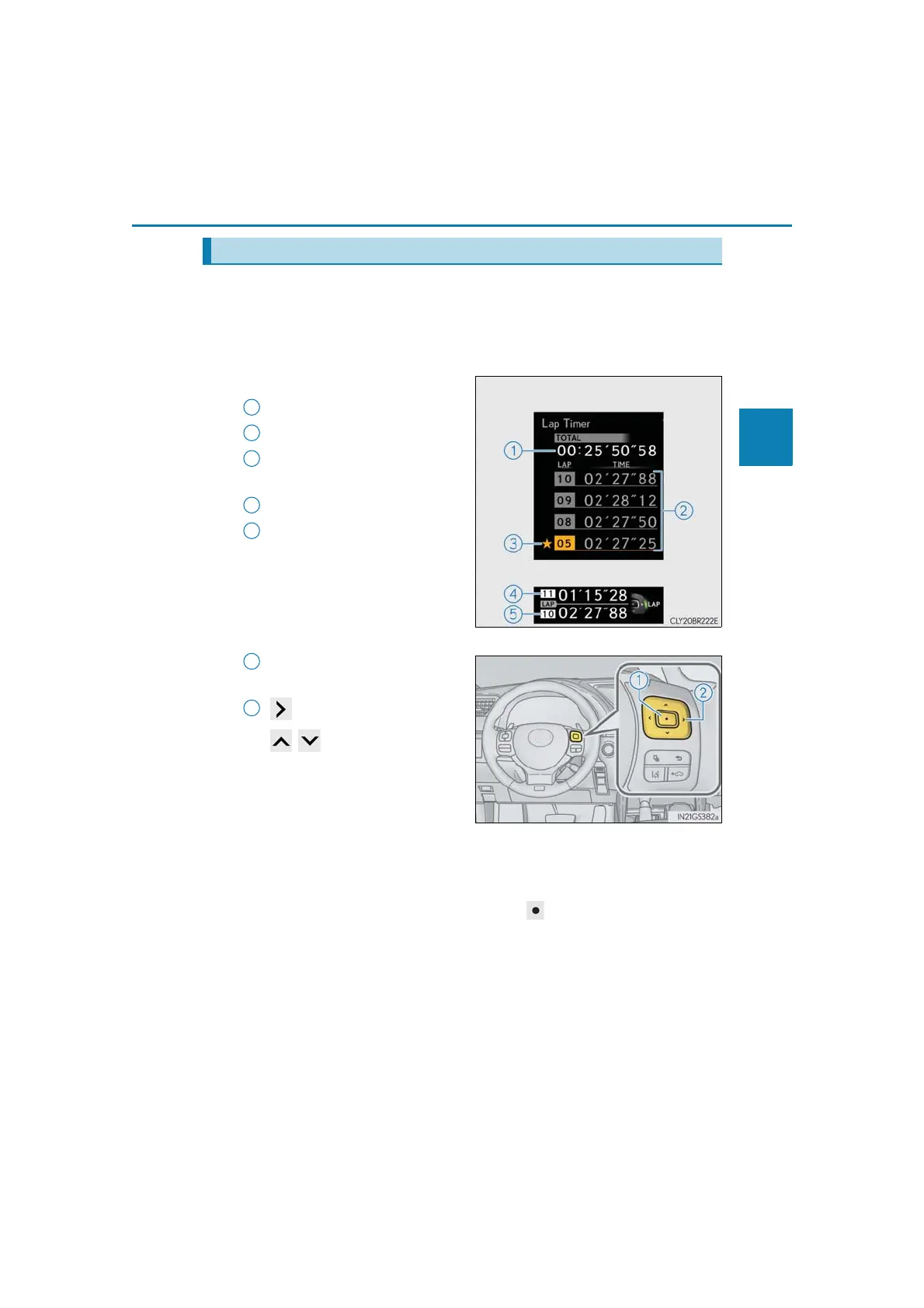
Measured lap times since the timer was last reset are displayed as follows:
• Multi-information display
Total lap time
Past lap times
Fastest lap (marked with a star)
•Main meter
Current lap time
Most recent lap time
Lap time for the most recently
completed lap.
● Operating the meter control switches
Press: Start/stop lap timer
Press and hold: Reset
: Mark off one lap
: Change displayed
content
While a lap time is being mea-
sured, the display can be changed
to show the following content:
• Torque distribution
•G-force
• Tire pressure
● Resetting/saving measured lap times
After stopping the lap timer, press and hold .
When a confirmation screen is displayed, select to reset/save the mea-
sured lap times.
When saved, the lap time data will be displayed on the history screen. (→P. 112)
“F” content
Multi-information display
Main meter
1
2



 To Next Page