266
GS350_300_GS F_OM_OM30G34U_(U)
4-5. Using the driving support systems
■ Warnings may not occur when
In the following instances, warnings may not occur even when the vehicle-to-
vehicle distance is small.
● When the speed of the preceding vehicle matches or exceeds your vehicle
speed
● When the preceding vehicle is traveling at an extremely slow speed
● Immediately after the cruise control speed was set
● When depressing the accelerator pedal
When constant speed control mode is selected, your vehicle will maintain a set
speed without controlling the vehicle-to-vehicle distance. Select this mode only
when vehicle-to-vehicle distance control mode does not function correctly due
to a dirty radar sensor, etc.
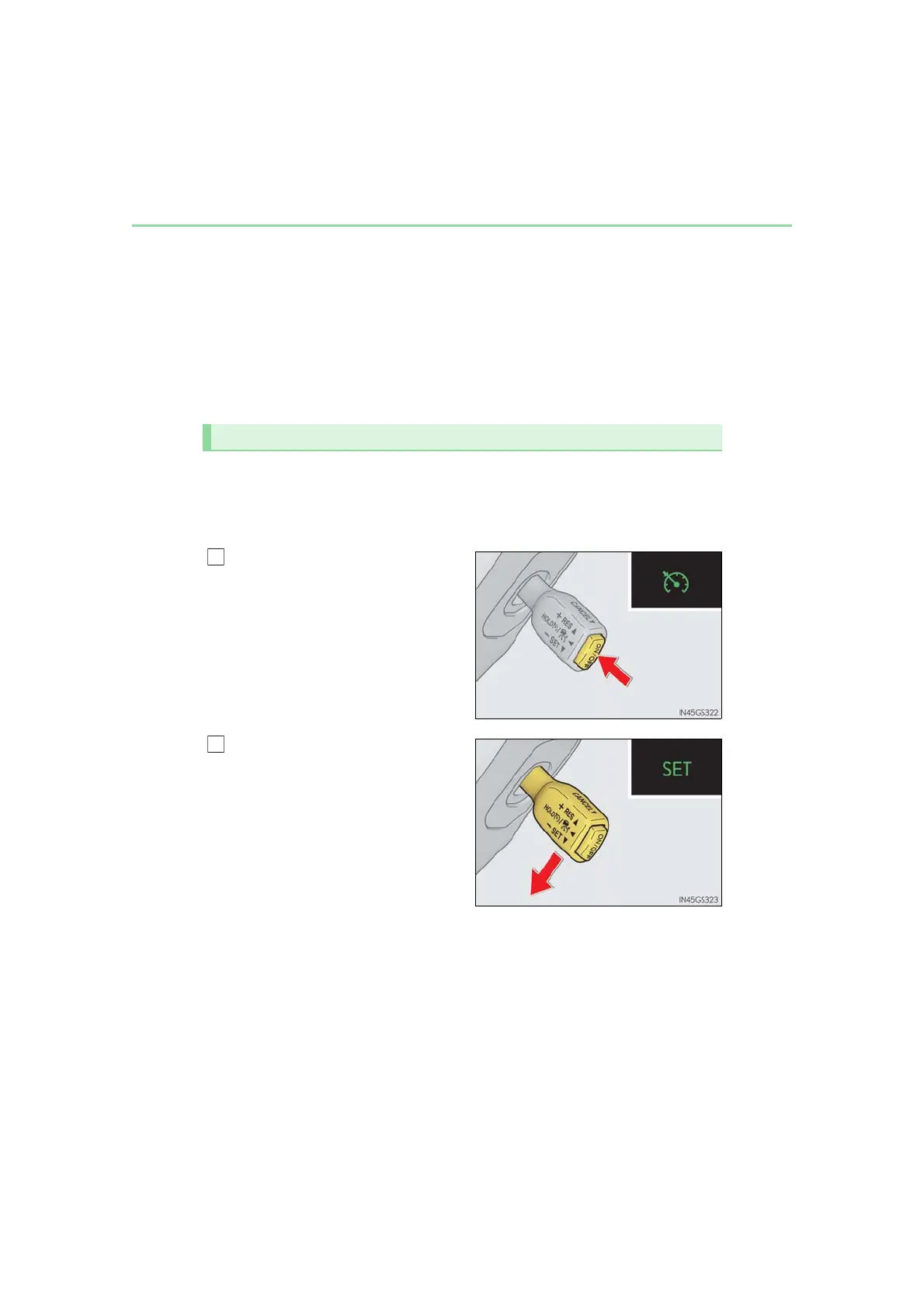
With the cruise control off, press and
hold the “ON/OFF” button for 1.5
seconds or more.
Immediately after the “ON/OFF” but-
ton is pressed, the radar cruise control
indicator will come on. Afterwards, it
switches to the cruise control indicator.
Switching to constant speed control
mode is only possible when operating
the lever with the cruise control off.
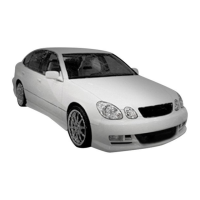
Accelerate or decelerate, with
accelerator pedal operation, to the
desired vehicle speed (at or above
approximately 30 mph [50 km/h])
and push the lever down to set the
speed.
Cruise control “SET” indicator will come
on.
The vehicle speed at the moment the
lever is released becomes the set speed.
Adjusting the speed setting: →P. 263
Canceling and resuming the speed setting: →P. 265
Selecting constant speed control mode



 To Next Page