346
GS350_300_GS F_OM_OM30G34U_(U)
5-5. Using the other interior features
■ Programming HomeLink
®
Steps through must be performed within 60 seconds, otherwise the
indicator light will stop flashing and programming will not be able to be com-
pleted.
Press and release the HomeLink
®
button you want to program and check
that the HomeLink
®
indicator light flashes (orange).
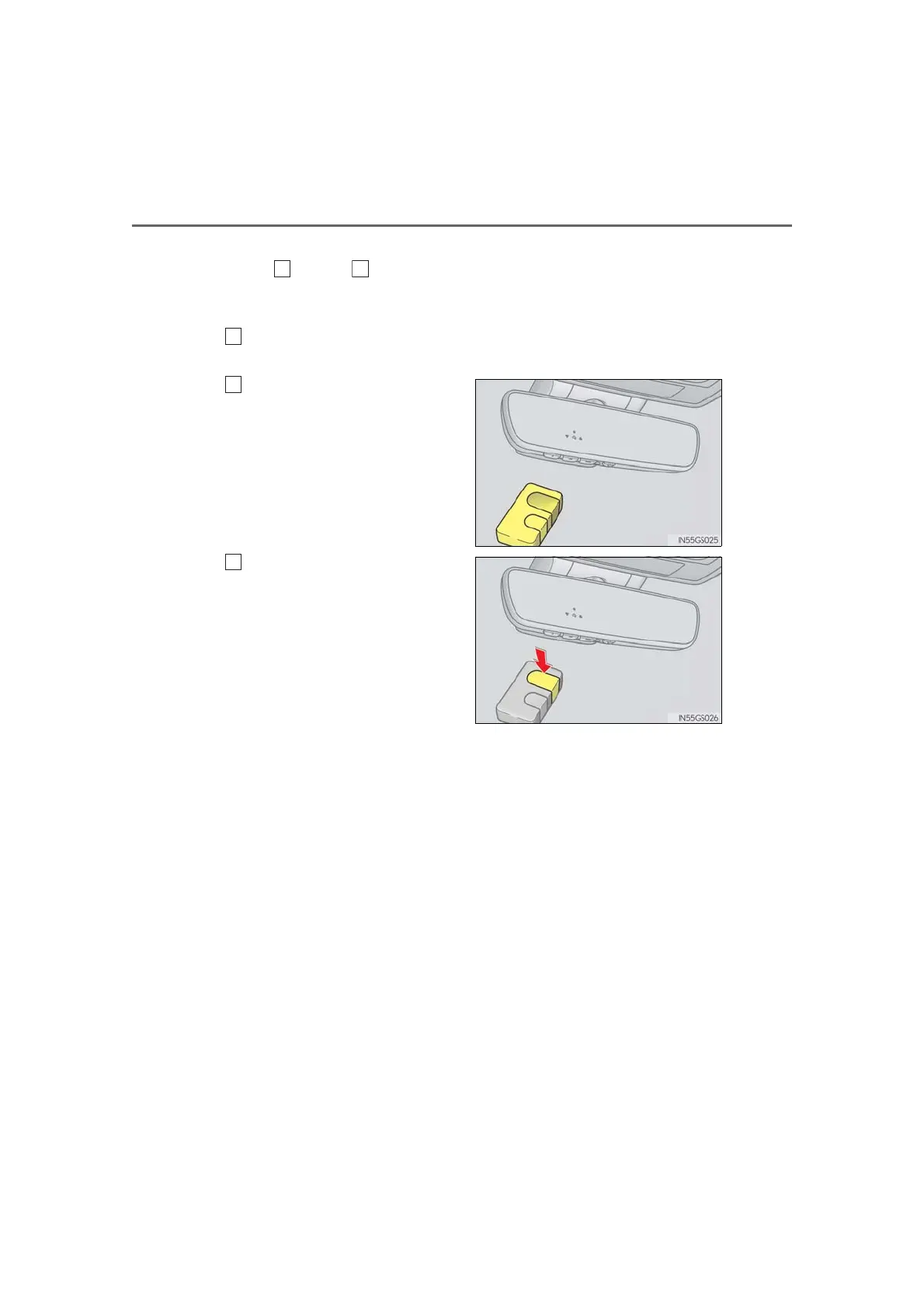
Point the remote control transmit-
ter for the device at the rear view
mirror, 1 to 3 in. (25 to 75 mm)
from the HomeLink
®
buttons.
Keep the HomeLink
®
indicator light
in view while programming.
Program a device.
Programming a device other than an entry gate (for U.S.A. owners)
Press and hold the remote control transmitter button until the HomeLink
®
indicator light changes from slowly flashing orange to rapidly flashing
green (rolling code) or continuously lit green (fixed code), then release the
button.
Programming an entry gate (for U.S.A. owners)/Programming a device
in the Canadian market
Press and release the remote control transmitter button at 2 second inter-
vals, repeatedly, until the HomeLink
®
indicator light changes from slowly
flashing (orange) to rapidly flashing (green) (rolling code) or continuously
lit (green) (fixed code).
3



 To Next Page