GX460_OM_OM60L72U_(U)
313
4-5. Using the driving support systems
4
Driving
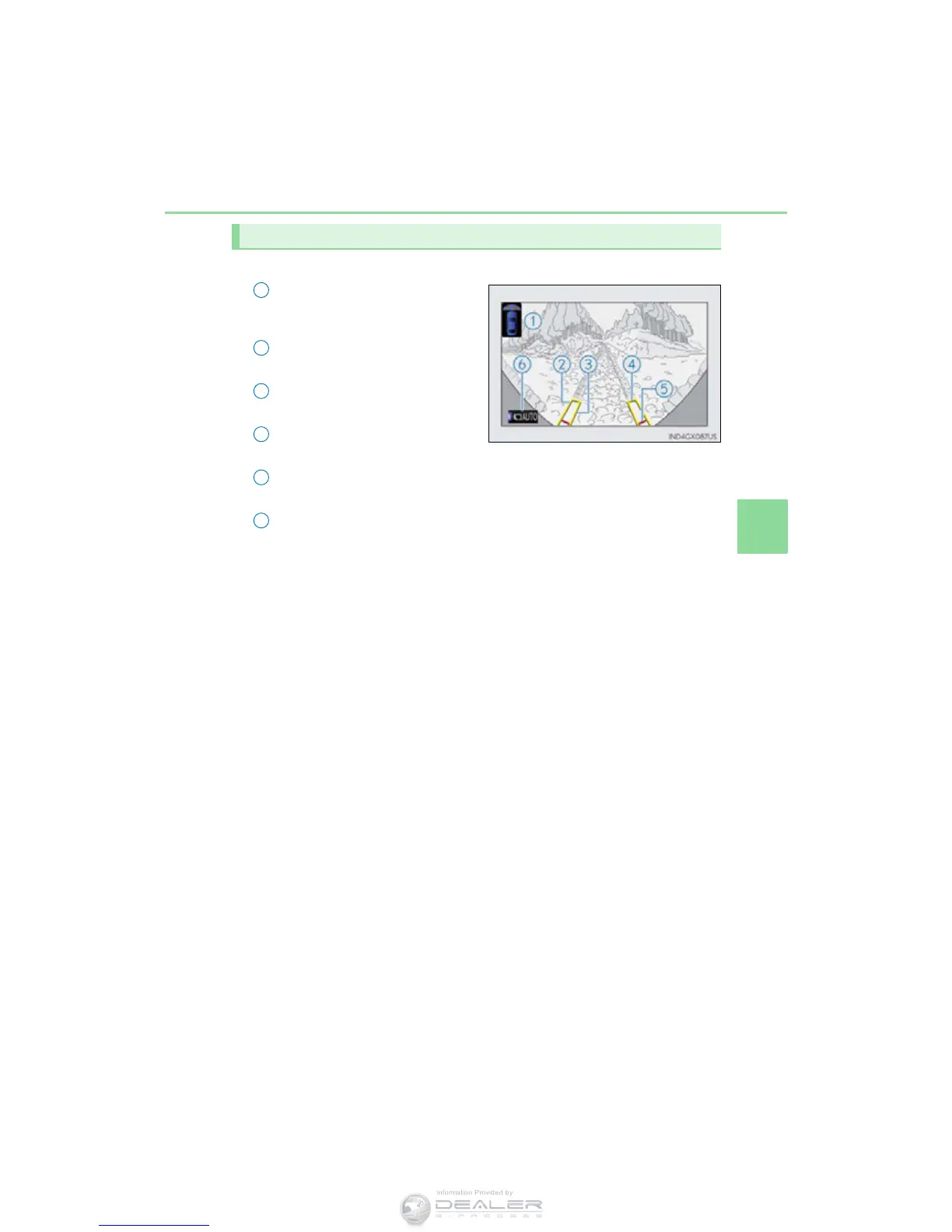
■ Front monitor
Vehicle icon
Displays the image being shown by
the front monitor.
Trajectory line* (outside)
Indicates the outer path of the tire.
Trajectory line* (inside)
Indicates the inner path of the tire.
Distance guideline (yellow)
Shows the position about 3.3 ft. (1 m) away from the front edge of the vehicle.
Distance guideline (red)
Shows the position about 1.6 ft. (0.5 m) away from the front edge of the vehicle.
Automatic display mode
Switches the projected course mode
*: The trajectory lines move according to the steering wheel position.
Using the monitor
1
2
3



 To Next Page