360
6-1. Using the air conditioning system
IS350/250_U (OM53C50U)
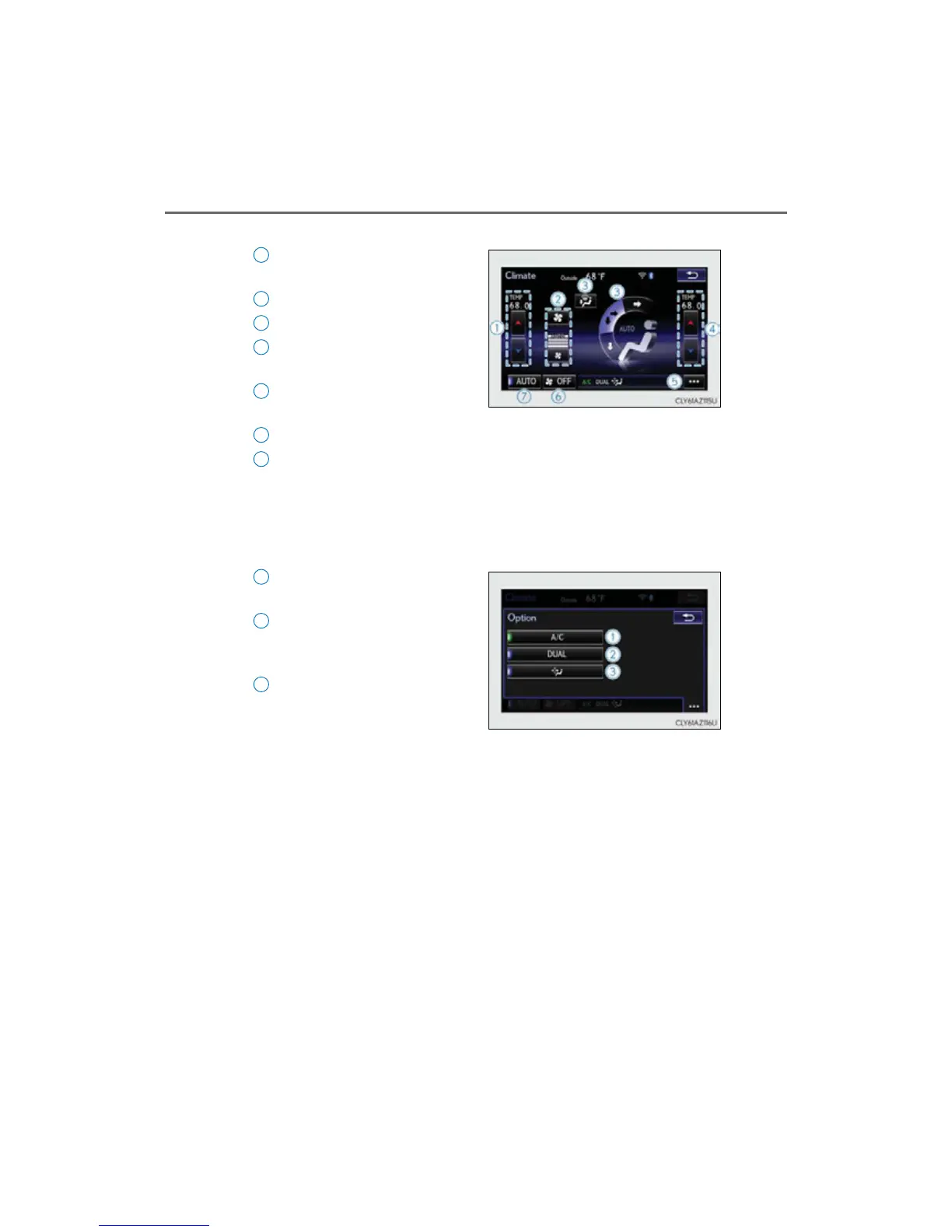
With a navigation system
Adjust the left-hand side temper-
ature setting
Adjust the fan speed setting
Select the air flow mode
Adjust the right-hand side tem-
perature setting
Display the option control screen
(P. 360)
Turn t h e fan o f f
Select to set auto mode on/off
To adjust or select settings, move the Remote Touch knob to select the screen
button, and then press the Remote Touch knob to enter the selected function.
■ Option control screen
The functions can be switched on and off.
Cooling and dehumidification
function
Adjusting the temperature for
driver and passenger seats sepa-
rately (“DUAL” mode) (P. 361)
Removing pollen from the air
(Micro dust and pollen filter)
(P. 361)
1
2
3
4
5
6
7
1
2
3



 To Next Page