125
2-2. Instrument cluster
2
When driving
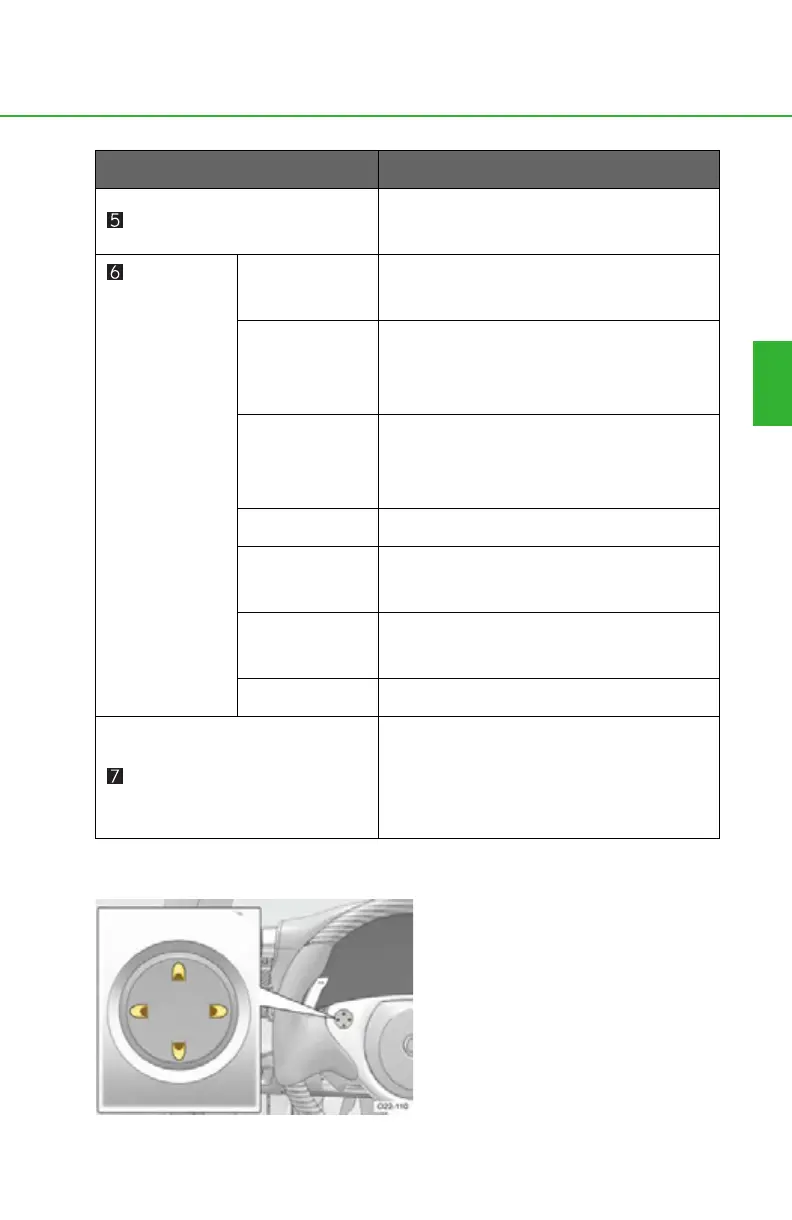
■ Control pad
Press up, down, left and right on
the control pad to select and
change menu settings.
Pressing left changes the display as
follows:
Press: Returns to the previous
screen.
Press and hold: Returns to the nor-
mal display. (P. 116)
Brightness (P. 147)
Allows driver to adjust the brightness of
the meter and interior illumination.
Settings
(P. 1 4 8)
Needle
Allows driver to change the needle
color for the tachometer.
Rev Peak
Displays an afterimage of the tachome-
ter needle at the maximum engine
speed.
Clock
Allows driver to adjust the displayed
time and choose between 12-hour (12H)
and 24-hour (24H) mode.
Shortcut Allows driver to jump to a preset display.
Units
Changes units used to indicate distance,
speed and fuel consumption.
Te m p
Changes the display temperature
between Fahrenheit and Celsius.
Language Changes the language displayed.
Warning (P. 322)
Automatically displayed when a mal-
function occurs in one of the vehicle's
systems. (“Menu” is displayed when
there is no warning occurring.)
Menu item
Function



 To Next Page