124
2-2. Instrument cluster
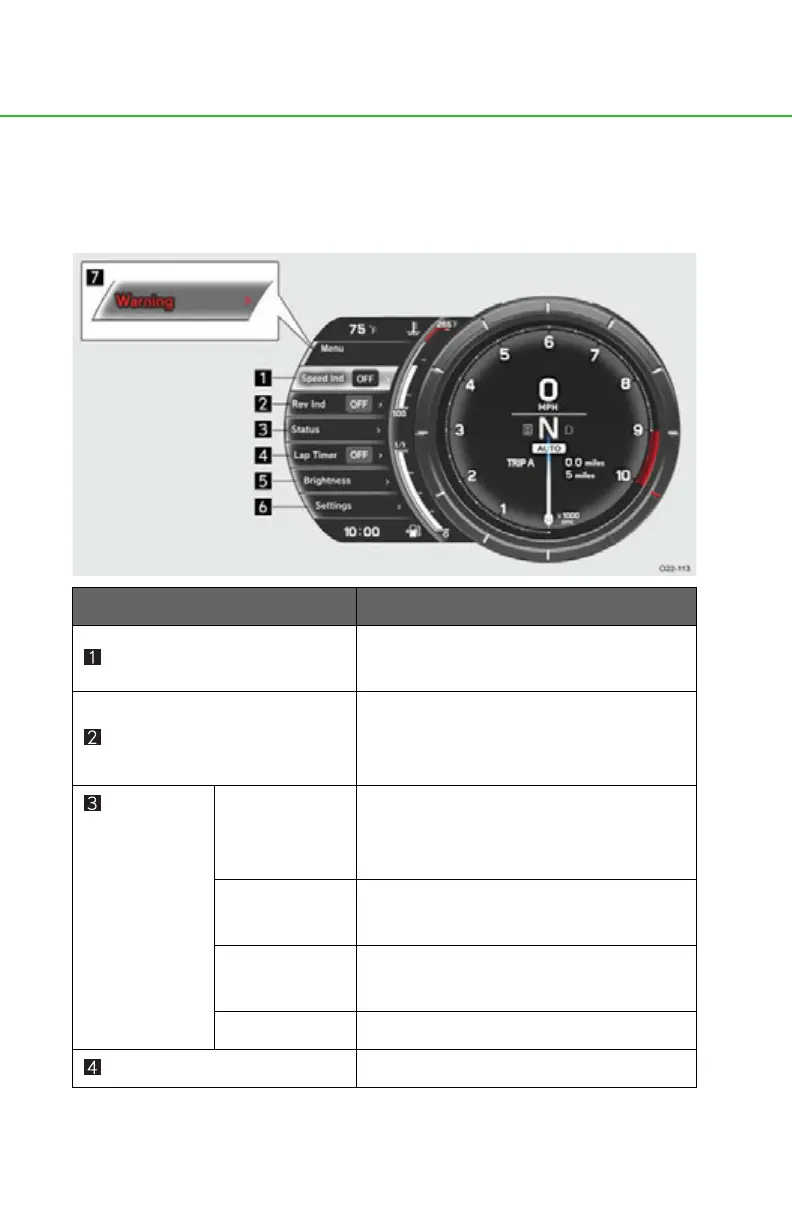
Using the menu
The meter display settings and vehicle status can be checked using the con-
trol pad located on the steering wheel and the menu display.
■ Menu structure
Menu item
Function
Speed Ind (P. 1 26)
Changes color when the vehicle
reaches a set speed.
Rev Ind (P. 129)
A ring-shaped indicator appears in the
tachometer when the engine reaches a
set speed.
Status
(P. 132) Trip Info
Indicates the current fuel consumption,
average fuel consumption, average
vehicle speed, and driving range.
Oil Level
Shows the amount of engine oil in the oil
tank.
Oil Mainte-
nance
Indicates engine oil replacement timing.
Tire Pressure Shows inflation pressure of each tire.
Lap Timer (P. 142) Measures and shows lap times.



 To Next Page