204
3-2. Using the audio system
Ty p e B
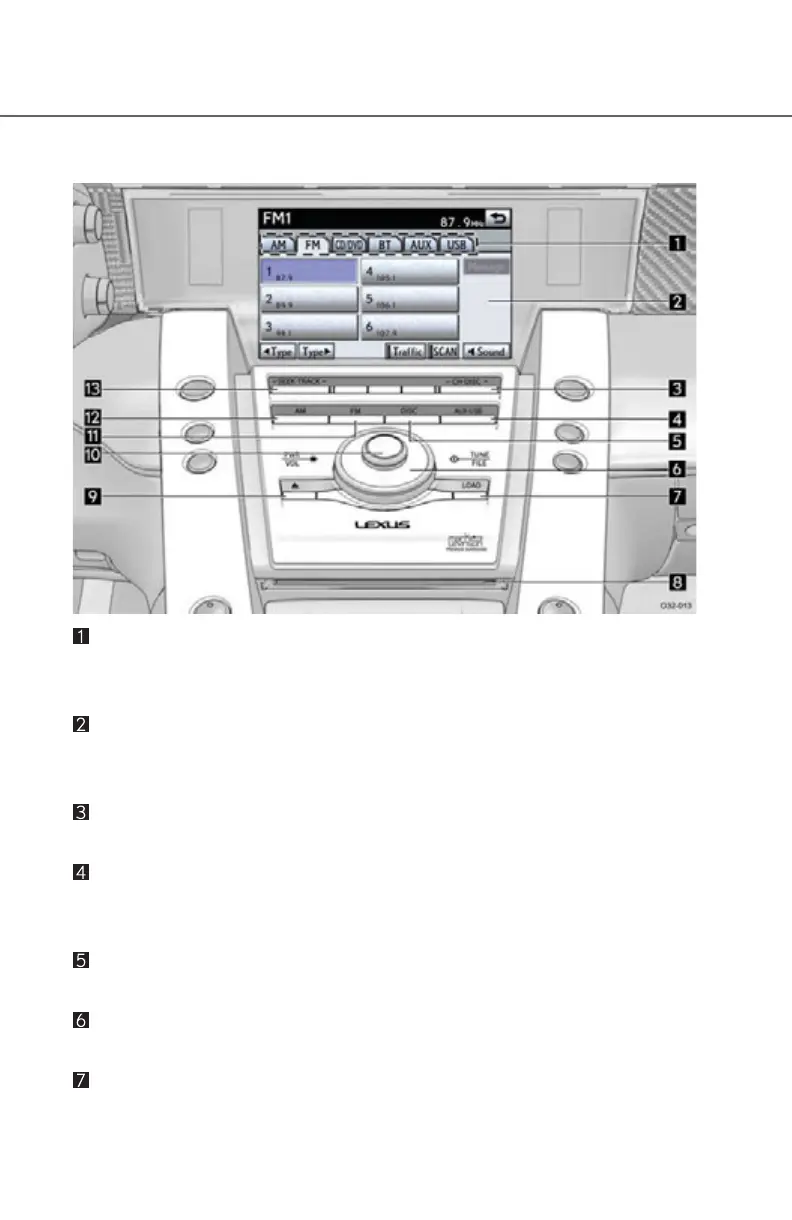
Function menu tab
To control the radio, DVD changer, Bluetooth
®
audio player, AUX,
USB memory or iPod, select the screen tabs.
Function menu display screen
To control the radio, DVD changer, Bluetooth
®
audio player, AUX,
USB memory or iPod, select the screen buttons.
“CH·DISC” button
Push the “” or “” button to select a preset station or a selected disc.
“AUX·USB” button
Push this button to turn the Bluetooth
®
audio player, AUX, USB mem-
ory or iPod on.
“DISC” button
Push this button to turn the DVD changer on.
“TUNE/FILE” knob
Turn this knob to move the station band and files up or down.
“LOAD” button
Push this button to insert the discs.



 To Next Page