443
7-2. Steps to take in an emergency
LS500h_OM_(U)_1810
7
When trouble arises
■
When the electronic key does not work
properly
●
Make sure that the smart access system
with push-button start has not been dis-
abled at your Lexus dealer. If it has been
disabled, re-enable it.
●
Check if battery-saving mode is set. If it is
set, cancel the function. (P.125)
■
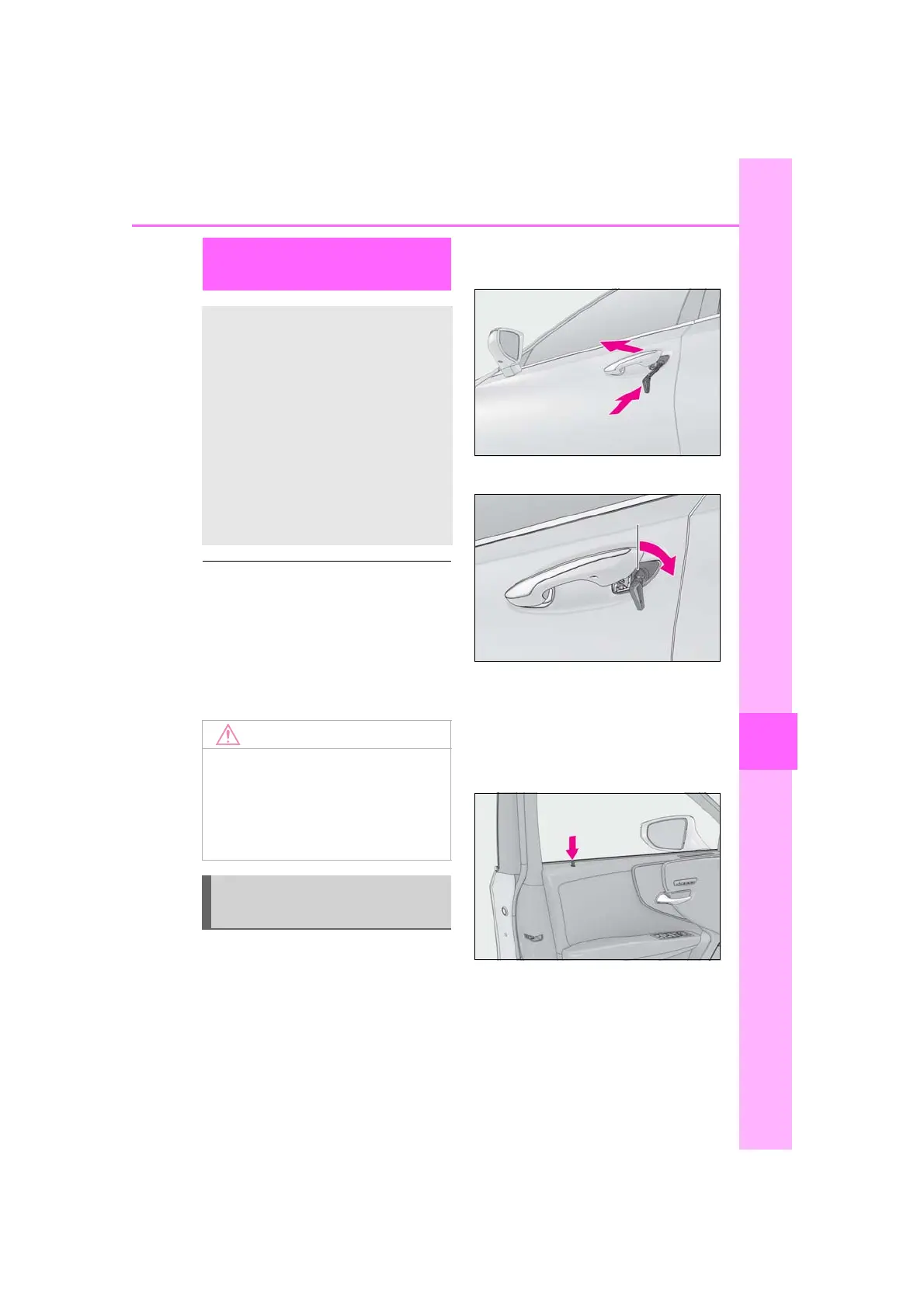
Unlocking the door
Use the mechanical key (P.110) in
order to perform the following opera-
tions:
1 Pull the driver’s door handle and
insert the mechanical key.
2 Unlock the door.
3 Remove the key, return the handle,
and then pull the handle again.
■
Locking the door
1 With the door open, push down the
inside lock button.
2 Close the door.
■
Trunk
Turn the mechanical key clockwise to
open. (P.73)
If the electronic key does not
operate properly
If communication between the
electronic key and vehicle is inter-
rupted (P.125) or the electronic
key cannot be used because the
battery is depleted, the smart
access system with push-button
start and wireless remote control
cannot be used. In such cases, the
doors and trunk can be opened and
the hybrid system can be started by
following the procedure below.
■
In case of a smart access system with
push-button start malfunction or
other key-related problems
Take your vehicle with all the electronic
keys provided with your vehicle to your
Lexus dealer.
Locking and unlocking the
doors, unlocking the trunk











 To Next Page