326
3-3. Using the audio system
Loading, ejecting and selecting MP3 and WMA discs
P. 317
Selecting a folder
■ Selecting a folder
Touch “FOLDER ” or “ ” on the screen to select the next/
previous folder.
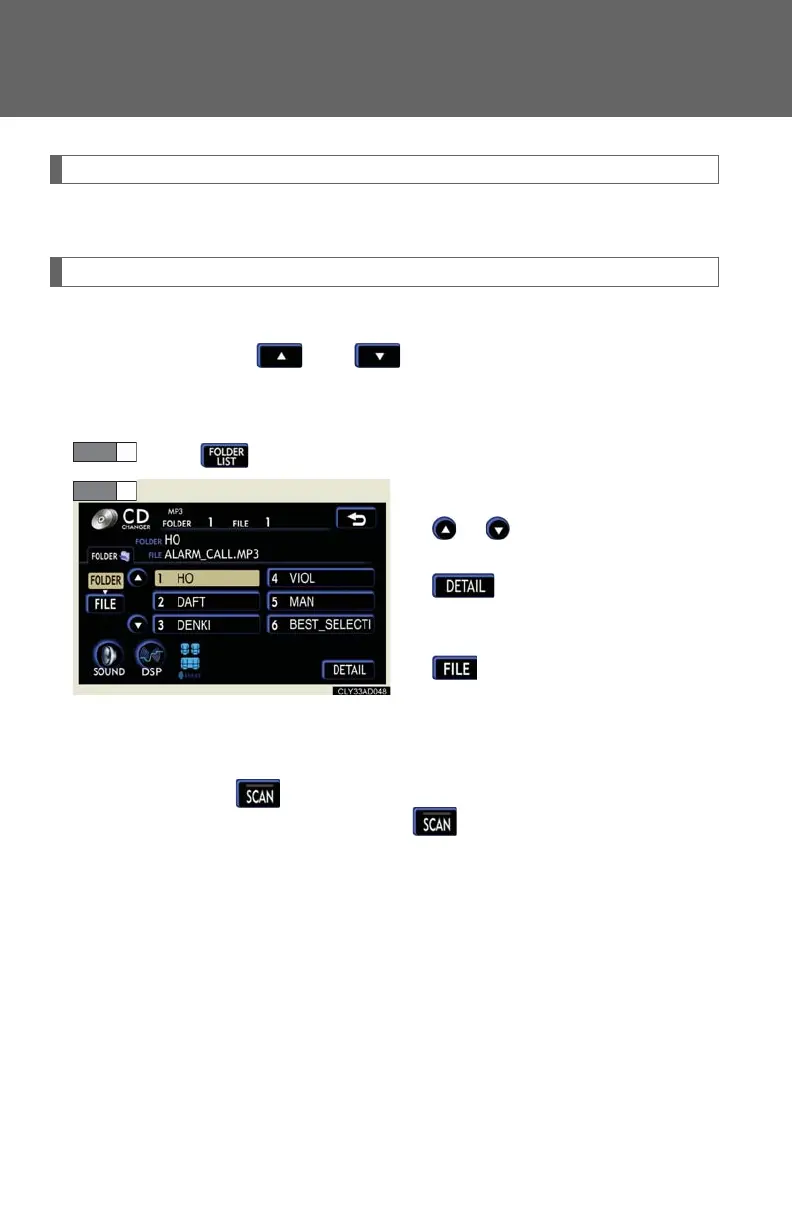
■ Selecting a folder from the folder list
Touch on the screen.
Touch the desired folder number.
or : changes the list by 6
folder groups
: displays the details of
the file currently play-
ing
: displays the file list
This function is available only when
the vehicle is not moving.
■ Selecting the desired folder by cueing the first file of each folder
Touch and hold on the screen until “FLDSCAN” appears. When
the desired folder is reached, touch once again.














 To Next Page