292
3-3. Using the audio system
Using the CD player
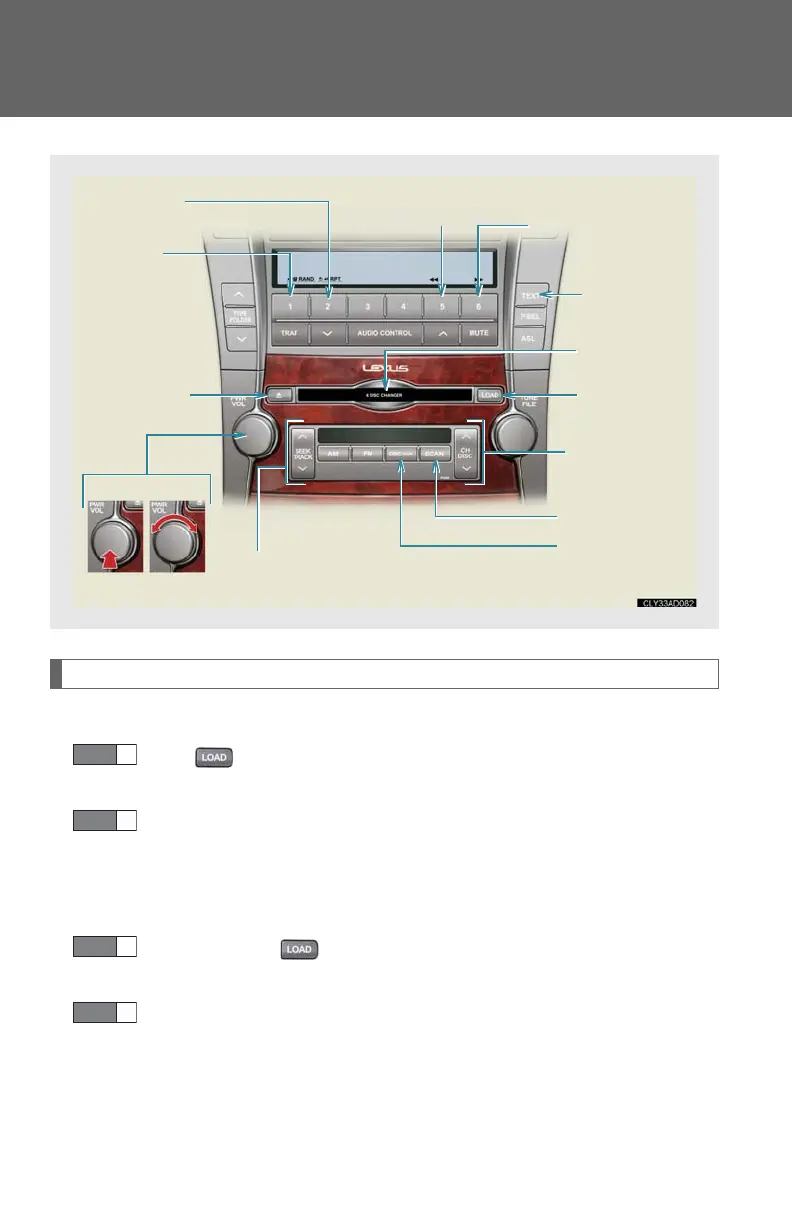
Loading discs
■ Loading a disc
Press .
“WAIT” is shown on the display.
Insert a disc when the indicator on the slot turns from amber to
green.
The display changes from “WAIT” to “LOAD”.
■ Loading multiple discs
Press and hold until you hear a beep.
“WAIT” is shown on the display.
Insert a disc when the indicator on the slot turns from amber to
green.
The display changes from “WAIT” to “LOAD”.
The indicator on the slot turns to amber when the disc is inserted.
Power Volum e
Track selection
Disc eject
Playback
Search playback
Disc load
Disc change
Random
playback
Repeat play
Displays text
message
Disc slot
Fast forward
Reverse














 To Next Page