362
3-3. Using the audio system
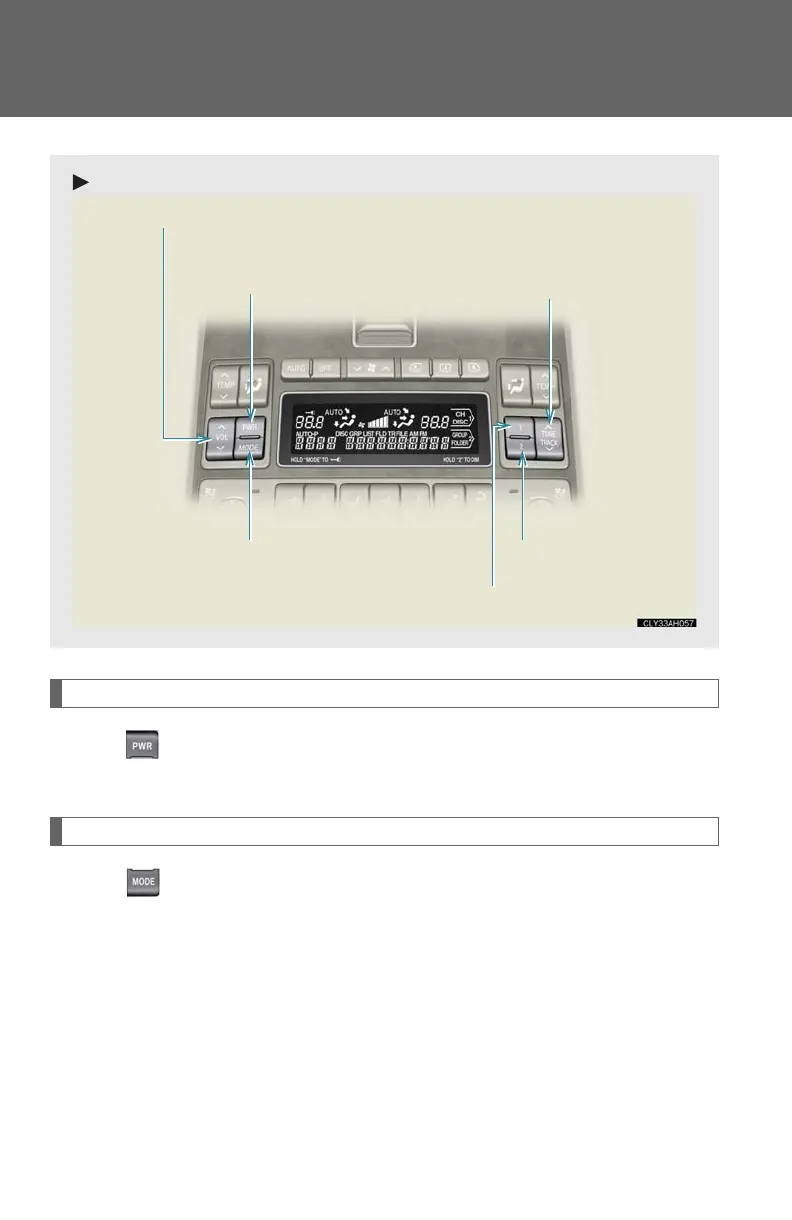
Turning the power
Press to turn the front audio system on.
Pressing the button again turns the system off.
Changing the audio source
Press to change the audio source. The audio source changes as fol-
lows each time the button is pressed. If a CD or DVD is not inserted, that
mode will be skipped.
With CD player:
AM FM1 FM2 CD player AUX AM
With DVD player:
AM FM1 FM2 DVD player AUX AM
Volu me up/down
Power on/off
Selecting a folder
Selecting a disc
Selecting an audio source
Radio: Selecting a station
Audio CD or DVD audio: Selecting a track
Video CD or DVD video: Selecting a chapter
MP3 CD or WMA CD: Selecting a file














 To Next Page