442
3-5. Using the hands-free system (for cellular phone)
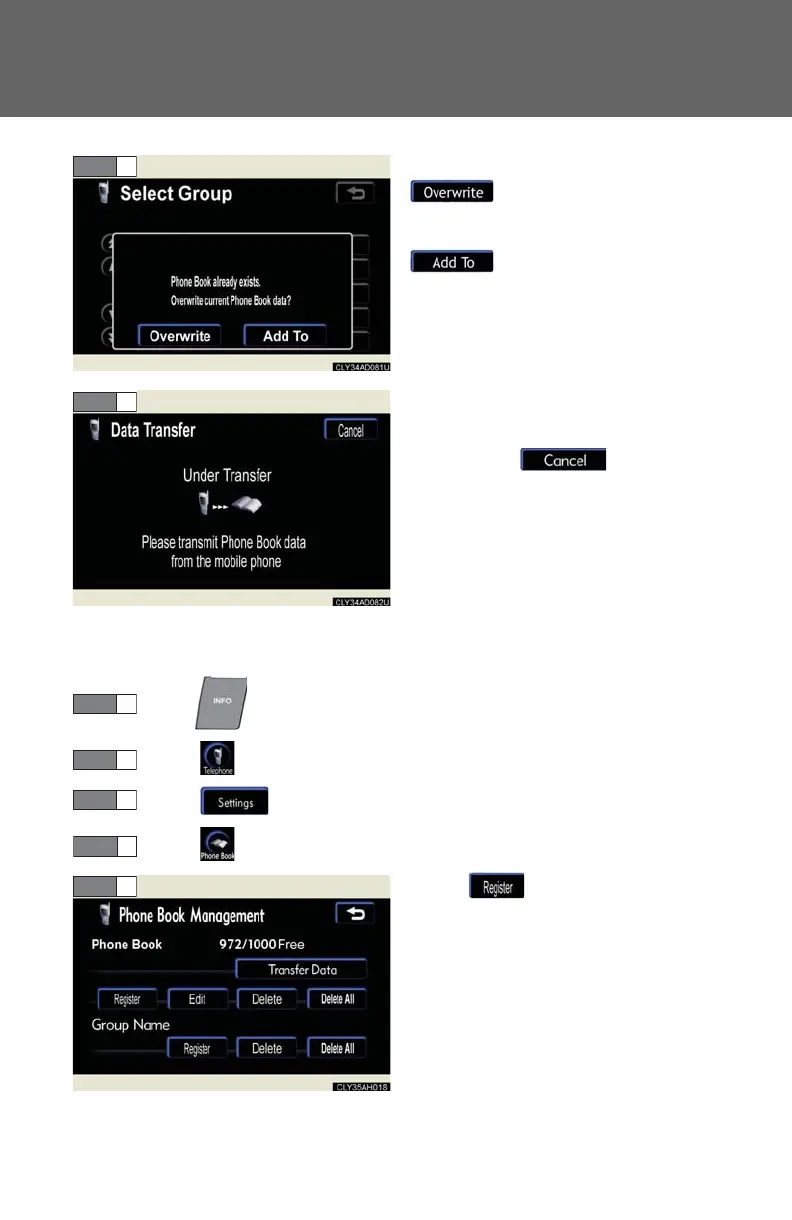
To overwrite data, touch
.
To add to existing data, touch
.
Transfer will begin. If you wish to
cancel the transfer before it is fin-
ished, touch .
Transfer is complete when
“Transfer completed” is displayed.
If “Transfer failed” is displayed,
restart the process from the begin-
ning.
■ Registering by input
Press .
Touch on the “Information” screen.
Touch on the “Telephone” screen.
Touch on the “Settings” screen.
Touch in the “Phone Book”
section.














 To Next Page