203
LS460_Navi_U (L/O 0609)
AUDIO/VIDEO SYSTEM
2007 LS460L/LS460 Navigation from Aug. ’06 Prod. (OM50750U)
(d) Operating an audio CD
D Playing an audio CD
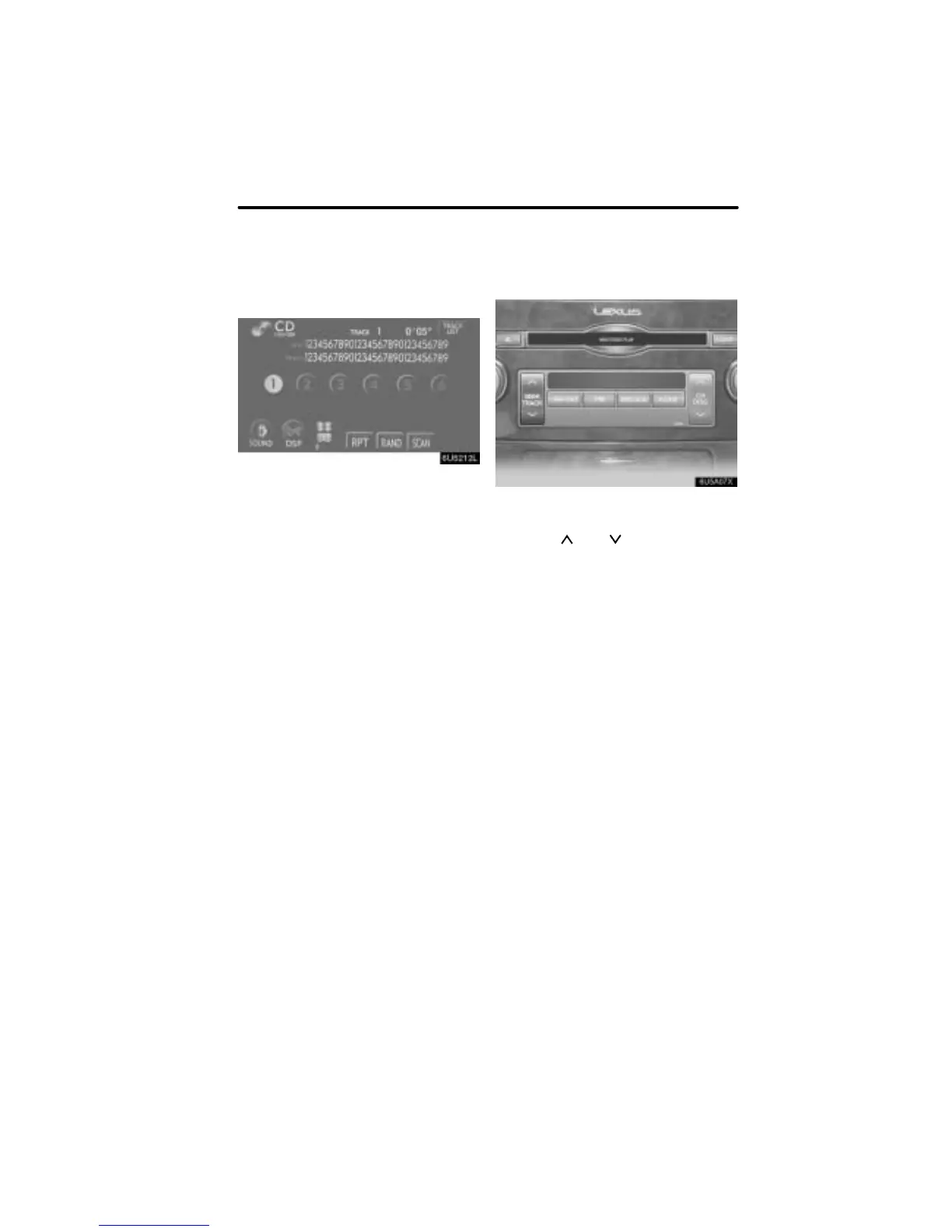
Push the “AUDIO” button to display
this screen.
CD text only — The disc title and track title
will appear on the screen when pushing
the “DISC·AUX” button.
You can operate the touch−screen buttons
and choose the number of the disc you
want to play. The selected disc is automat-
ically played.
D Selecting a desired track
“SEEK/TRACK” button: Use for a direct
access to a desired track.
Push the “
” or “ ” button of “SEEK/
TRACK” and repeat it until the desired
track number appears on the screen. As
you release the button, the changer will
start playing the selected track from the
beginning.
“TRACK LIST”: The desired track can be
selected from a list. This function is avail-
able only when the vehicle is not moving.
Touch “TRACK LIST”. The track list is
displayed.


 To Next Page