431
5-1. Remote Touch screen
5
Interior features
LS600h/LS600hL_EE(OM50D61E)
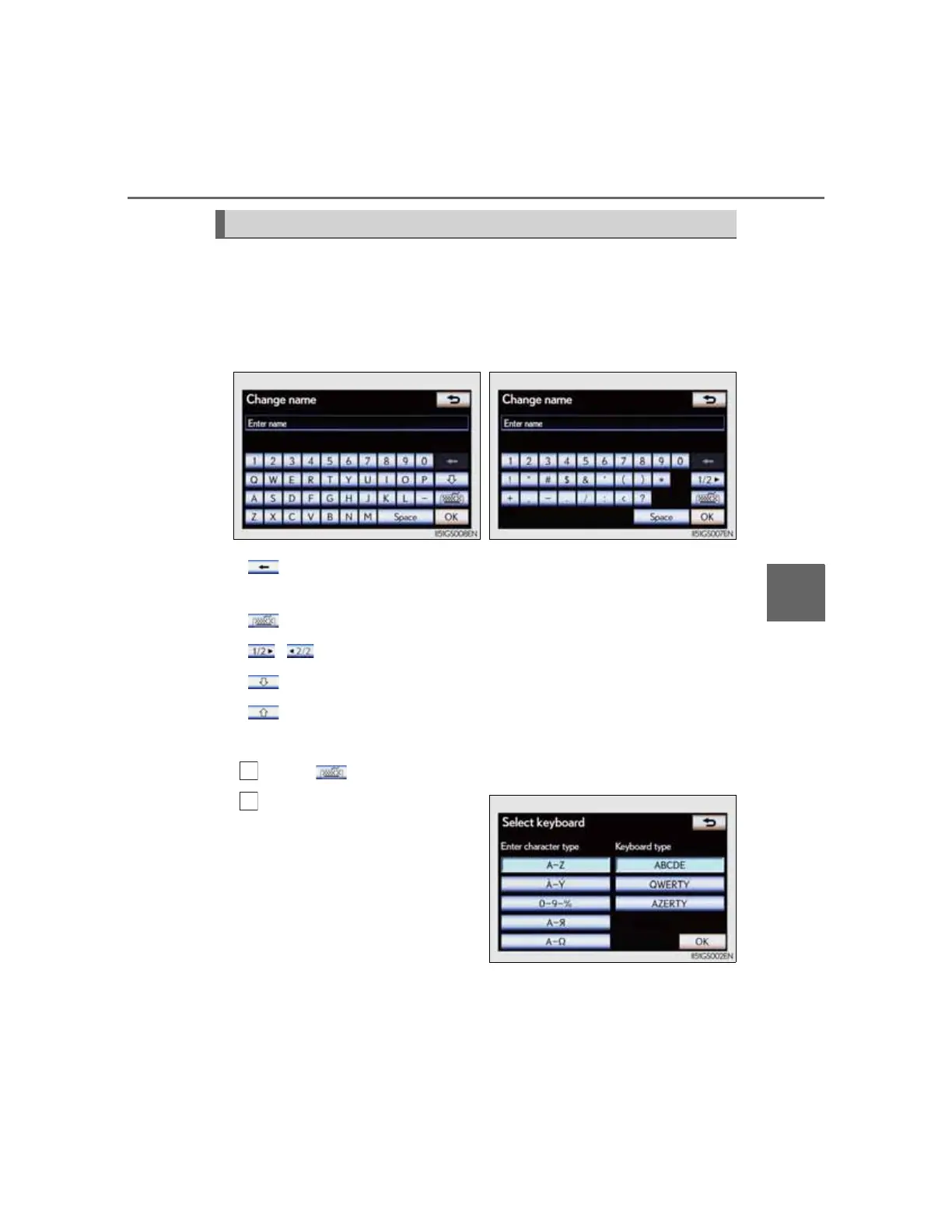
Letters and numbers can be input via the screen.
To input letters and numbers/symbols
Select the keys directly to enter letters, numbers or symbols.
:Select to erase one character. Select and hold to continue
erasing characters.
:To change letters, numbers or symbols
, :To display other symbols
:To enter in lower case
:To enter in upper case
To change character and keyboard type
Select on the screen.
Select desired character and
keyboard and select “OK”.
Inputting letters and numbers/list screen operation
Letters and numbers Symbols


 To Next Page