109
2
2-1. Instrument cluster
Vehicle status information and indicators
■ Suggestion to turn off the head-
lights
If the headlights are left on for a certain
amount of time with the headlight
switch in or position after the
engine switch has been turned off, a
suggestion message will be displayed
asking if you wish to turn the headlights
off.
To turn the headlights off, select “Yes”.
If a front door is opened after the engine
switch is turned off, this suggestion mes-
sage will not be displayed.
■ Suggestion to close the power win-
dows (linked to windshield wiper
operation)
If the windshield wipers are operated
with a power window open, a sugges-
tion message will be displayed asking if
you wish to close the power windows.
To close all of the power windows,
select “Yes”.
■ Customization
Some functions can be customized.
(P.466)
*
:If equipped
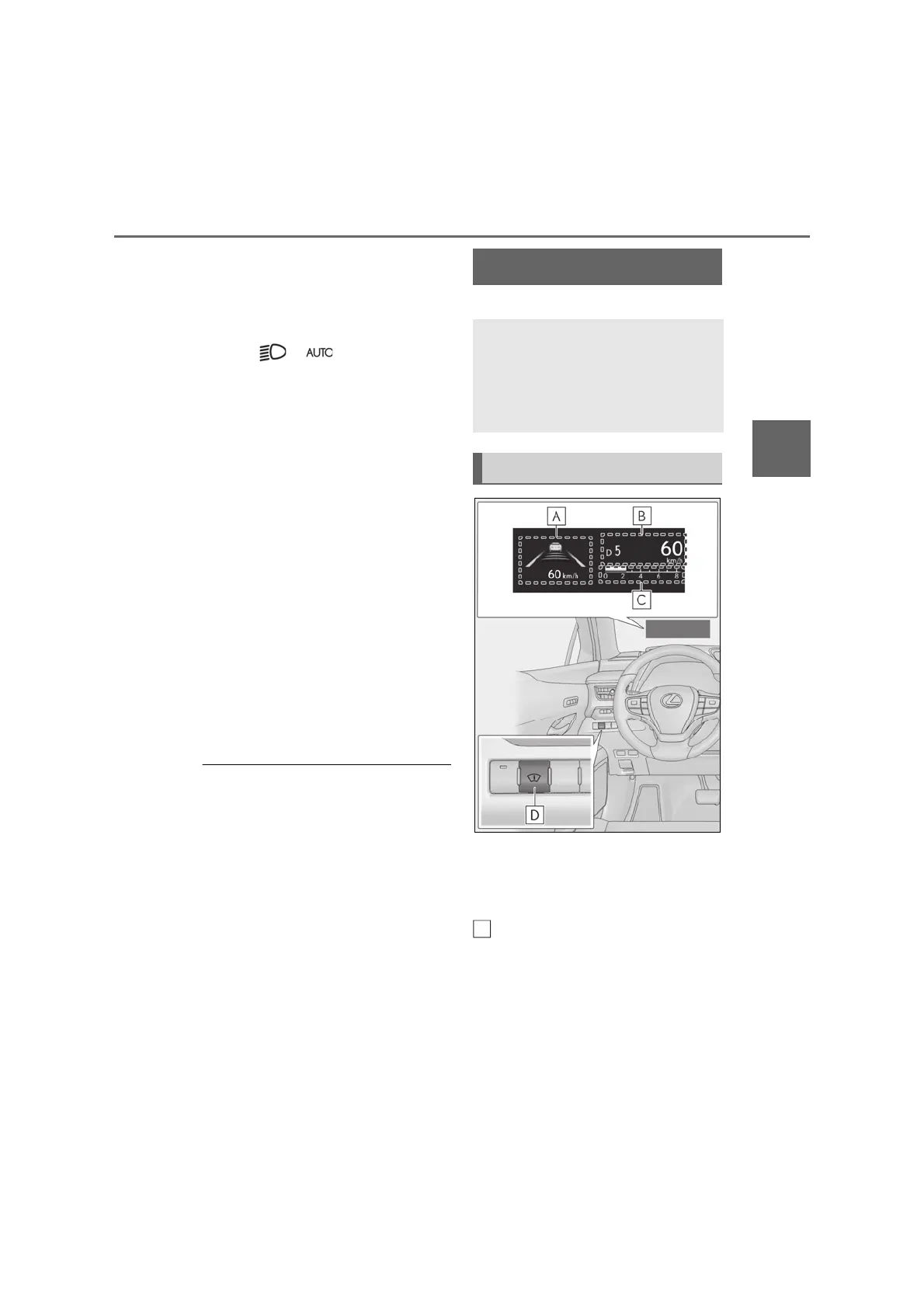
Illustrations used in this text are intended as
examples, and may differ from the image
that is actually displayed by the head-up
display.
Driving support system display
area (P.112)
Navigation system-linked display
area (if equipped)
Displays the following items which are
linked to the navigation system:
• Route guidance to destination
Head-up display
*
The head-up display projects a vari-
ety of driving-related information
and the operating state of the driv-
ing support systems on the wind-
shield.
System components
A


 To Next Page