281
4
4-5. Using the driving support systems
Driving
*
: If equipped
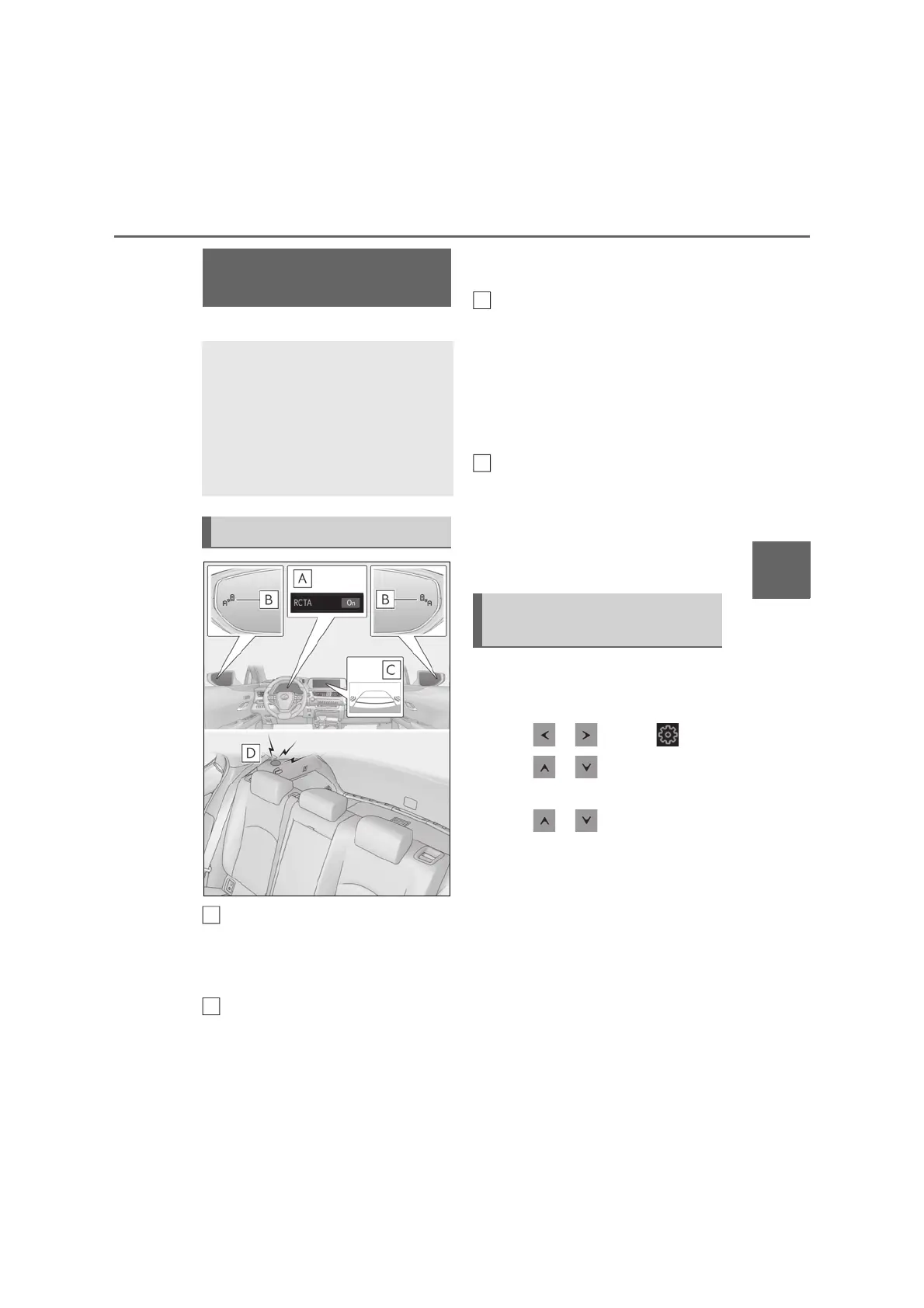
Multi-information display
The RCTA function can be turned on/off.
When the RCTA function is disabled, the
RCTA OFF indicator illuminates.
Outside rear view mirror indicators
When a vehicle approaching from the right
or left at the rear of the vehicle is detected,
both outside rear view mirror indicators
will flash.
Center Display
If a vehicle approaching from the right or
left at the rear of the vehicle is detected,
the RCTA icon (P.282) for the detected
side will be displayed on the Center Dis-
play. This illustration shows an example of a
vehicle approaching from both sides of the
vehicle.
RCTA buzzer
If a vehicle approaching from the right or
left at the rear of the vehicle is detected, a
buzzer will sound. The buzzer also sounds
for approximately 1 second immediately
after the RCTA function is turned on.
Use the meter control switches to
enable/disable the RCTA function.
(P.104)
1 Press or to select .
2 Press or to select “PKSA”
and then press “OK”.
3 Press or to select “RCTA”
and then press “OK”.
Each time the engine switch is turned off
then changed to ON, the RCTA function
will be enabled automatically.
RCTA (Rear Cross Traffic
Alert) function
*
The RCTA function uses the BSM
rear side radar sensors installed on
the inner side of the rear bumper.
This function is intended to assist
the driver in checking areas that
are not easily visible when backing
up.
System components
A
B
Turning the RCTA function
on/off
C
D



 To Next Page