115
2
2-1. Instrument cluster
Vehicle status information and indicators
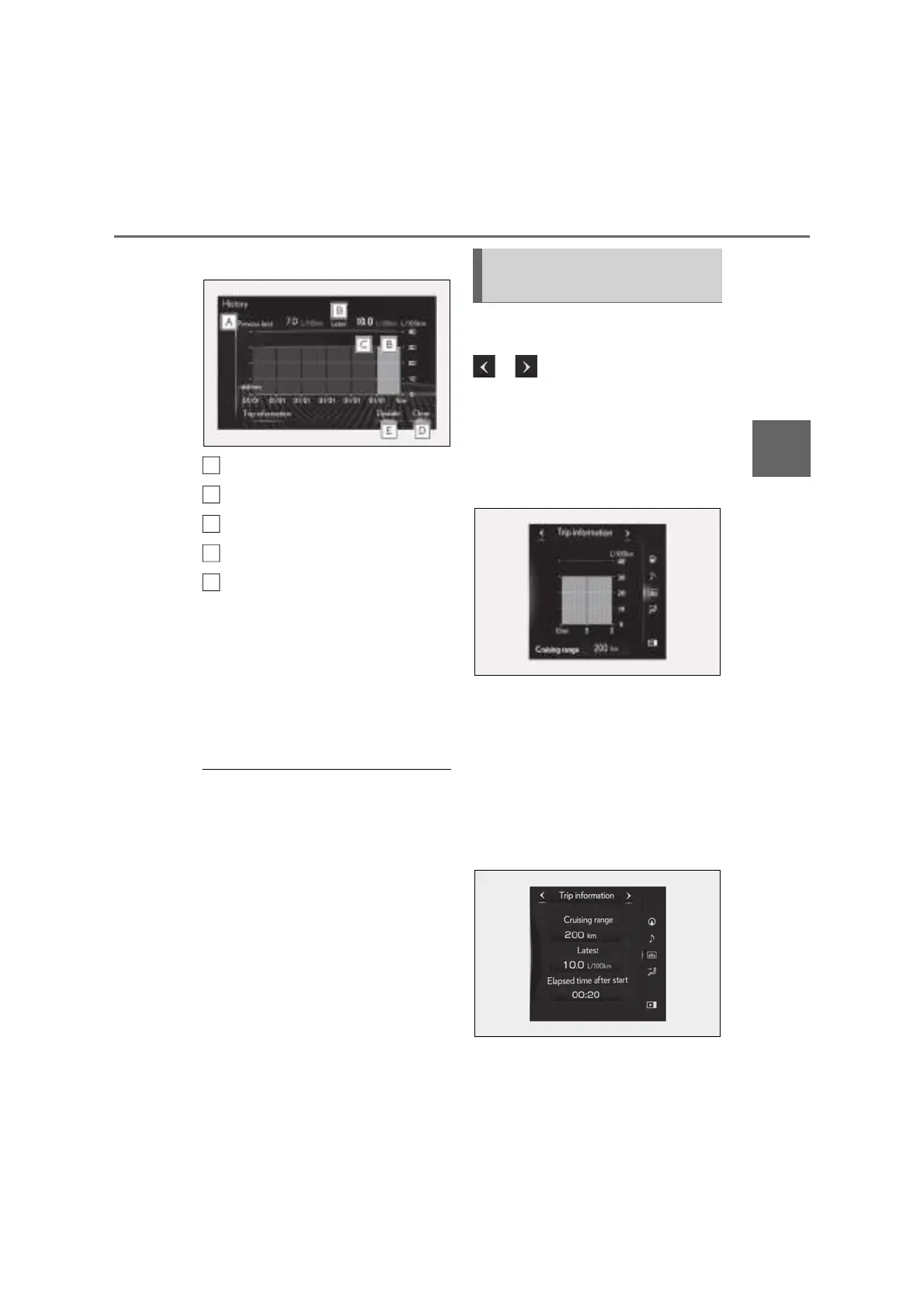
played, select “History”.
Best recorded fuel consumption
Latest fuel consumption
Previous fuel consumption record
Resetting the history data
Updating the latest fuel consump-
tion data
The latest fuel consumption history is
divided by color into past averages and the
average fuel consumption since the last
updated. Use the displayed average fuel
consumption as a reference.
The image is an example only, and may
vary slightly from actual conditions.
■ Updating the history data
Update the latest fuel consumption by
selecting “Update” to measure the current
fuel consumption again.
■ Resetting the data
The fuel consumption data can be deleted
by selecting “Clear”.
■ Cruising range
Displays the estimated maximum distance
that can be driven with the quantity of fuel
remaining.
This distance is computed based on your
average fuel consumption. As a result, the
actual distance that can be driven may differ
from that displayed.
Display the vehicle information on the
side display (P.317), and then select
or to display the desired
screen.
■ Trip information (type A)
Displays the average fuel consumption
for the past 10 minutes in 1 minute
intervals, as well as the cruising range.
The image is an example only, and may
vary slightly from actual conditions.
Use the displayed average fuel consump-
tion as a reference.
■ Trip information (type B)
Displays the cruising range, latest fuel
consumption and the amount of time
elapsed since the engine was started.
The image is an example only, and may
A
B
C
D
E
Using the side display (10.3-inch
display model)


 To Next Page