Thermal protection circuit: Lezyne LED Lights are protected by a thermal detection system. If the
operating temperature of the light gets too high, the light will automatically change to the lowest
setting. After five (5) minutes, you can ten change the light back to the previous mode setting.
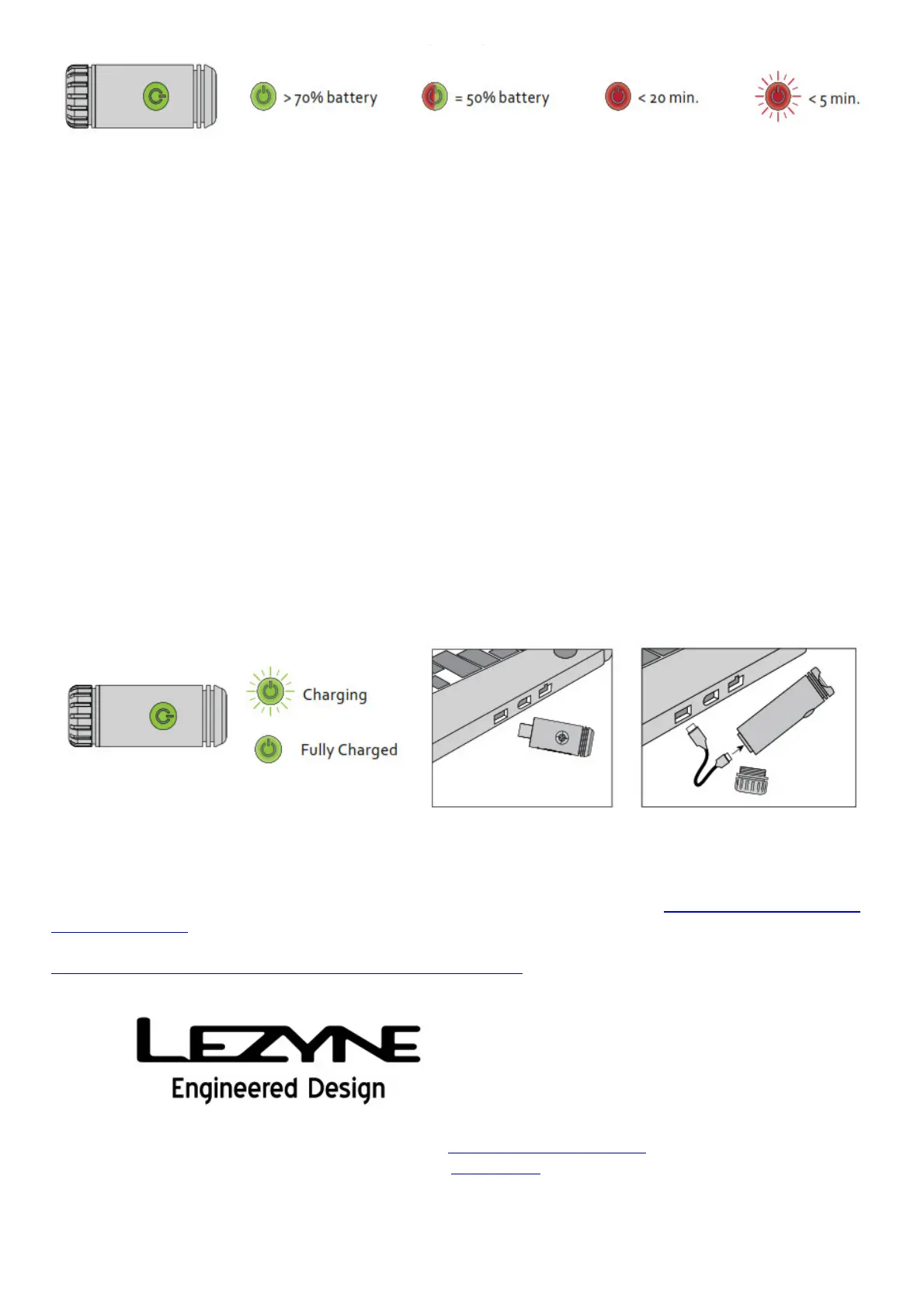
Charging:
Before using your Lezyne LED light for the first time, fully charge the battery.
To charge your light:
1. Turn the light off.
2. Locate and open the light’s rear cap.
3. For the MicroDrive LED Light directly insert the USB thumbstick into a powered USB port. For the
Macro drive insert the small end of the USB cable into the light and the other end of the cable into
a powered USB port.
4. Once charging, the green LED will flash.
5. If the LED light does not flash when plugged in, the USB port you have selected may not be a
powered port. Please try another USB port that is a powered source.
6. The light will be fully charged in 3-4 hours, or when the green LED becomes solid.
7. Remove the light from the charger and reinstall the rear cap. Be certain it is tight to assure water
tightness.
8. If there is a problem with the battery both, the red and green LED will light up.
More Information:
For more information and instructional videos about Lezyne LED Lights, visit: http://lezyne.com/led-
lights-category
For Lezyne LED Light accessories and replacement parts, visit:
http://magshop.lezyne.com/ledlights/led-extras.html
Lezyne Micro Drive Front LED Light User Manual – Download [optimized]
Lezyne Micro Drive Front LED Light User Manual – Download
Related Manuals:
1. Lezyne LZ7 Micro LED Light User Manual User Manual READ ENTIRE MANUAL BEFORE OPERATION to



 To Next Page
 Loading...