When minute flashes, press 【WIND/+】 or 【BARO/-/ 】 to adjust the minute.
Press 【SET】to select temperature unit.
When ℉ flashes, press 【WIND/+】 or 【BARO/-/ 】 to change between ℉ and
℃. Press 【SET】to select pressure unit.
When pressure unit flashes, press 【WIND/+】 or 【BARO/-/ 】 to change
between hPa, inHg and mmHg. Press 【SET】to select relative pressure calibration.
When Relative Pressure flashes, press 【WIND/+】 or 【BARO/-/ 】 to adjust the
relative pressure. Press 【SET】to select Light intensity unit.
When Light intensity unit flashes, press 【WIND/+】 or 【BARO/-/ 】 to change
unit between Klux, fc and w/m
2
. Press 【SET】to select rainfall unit.
When Rain unit flashes, press 【WIND/+】 or 【BARO/-/ 】 to change unit
between in and mm. Press 【SET】to select windspeed unit.
When Windspeed unit flashes, press 【WIND/+】 or 【BARO/-/ 】 to change
unit between in and mm. Press 【SET】to select hemisphere.
When NTH flashes, press 【WIND/+】 or 【BARO/-/ 】 to change hemisphere
between NTH (northern) and STH (southern). Press 【SET】to save and exit the
setting. It will return to the normal mode display.
11.)
12.)
13.)
14.)
15.)
16.)
17.)
18.)
22
10
10
10
10
10
10
10
10
14
13
14
13
14
13
14
13
14
13
14
13
14
13
14
13
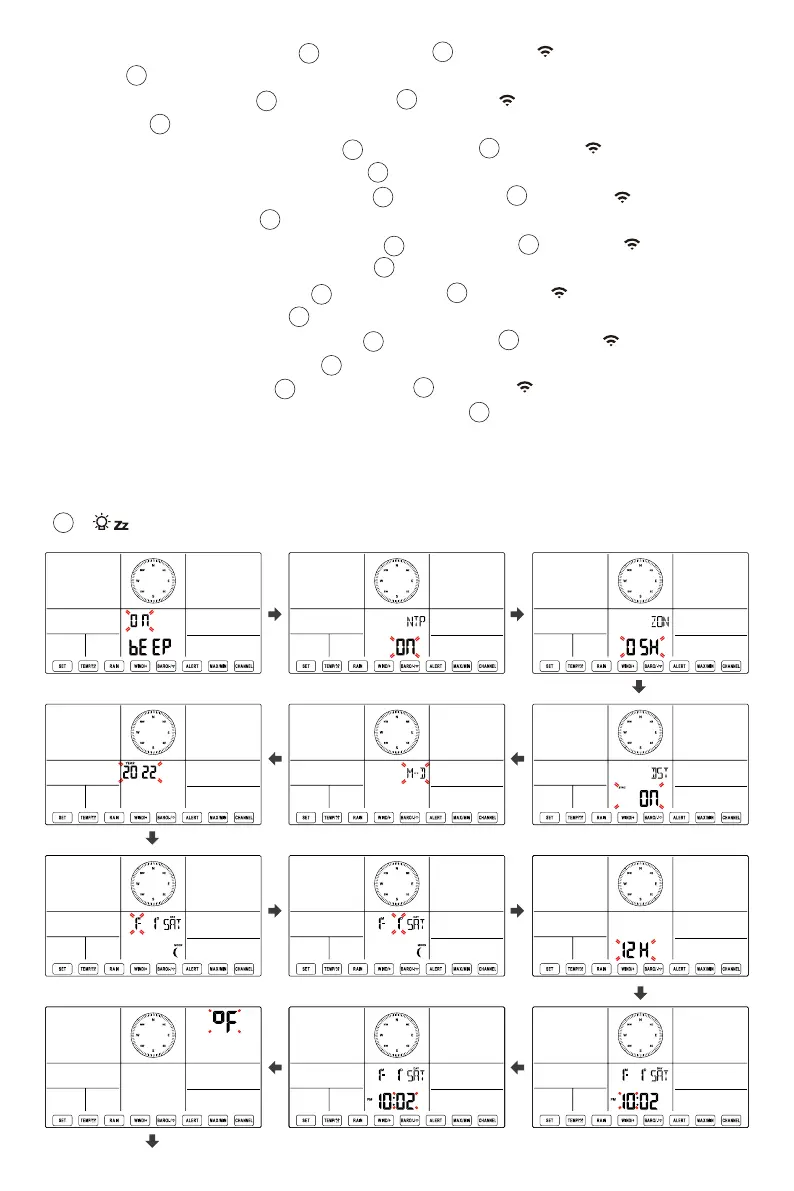
NOTE: If there is no valid operation within 20 seconds, it will automatically return to the
normal display mode from the setting mode. While adjusting settings, you can press
【 LIGHT/SNOOZE】button to return to normal display mode.
18


 To Next Page
 Loading...


