In alarm time display, press 【TEMP/ 】button to select the Alarm on or off.
If the alarm is on, its corresponding alarm icon will be shown on the display.
When the alarm is ringing, press any buttons except 【 LIGHT/SNOOZE】button to
stop the alarm signal. It is not necessary to reactivate the alarm. It will ring again this
time next day.
24
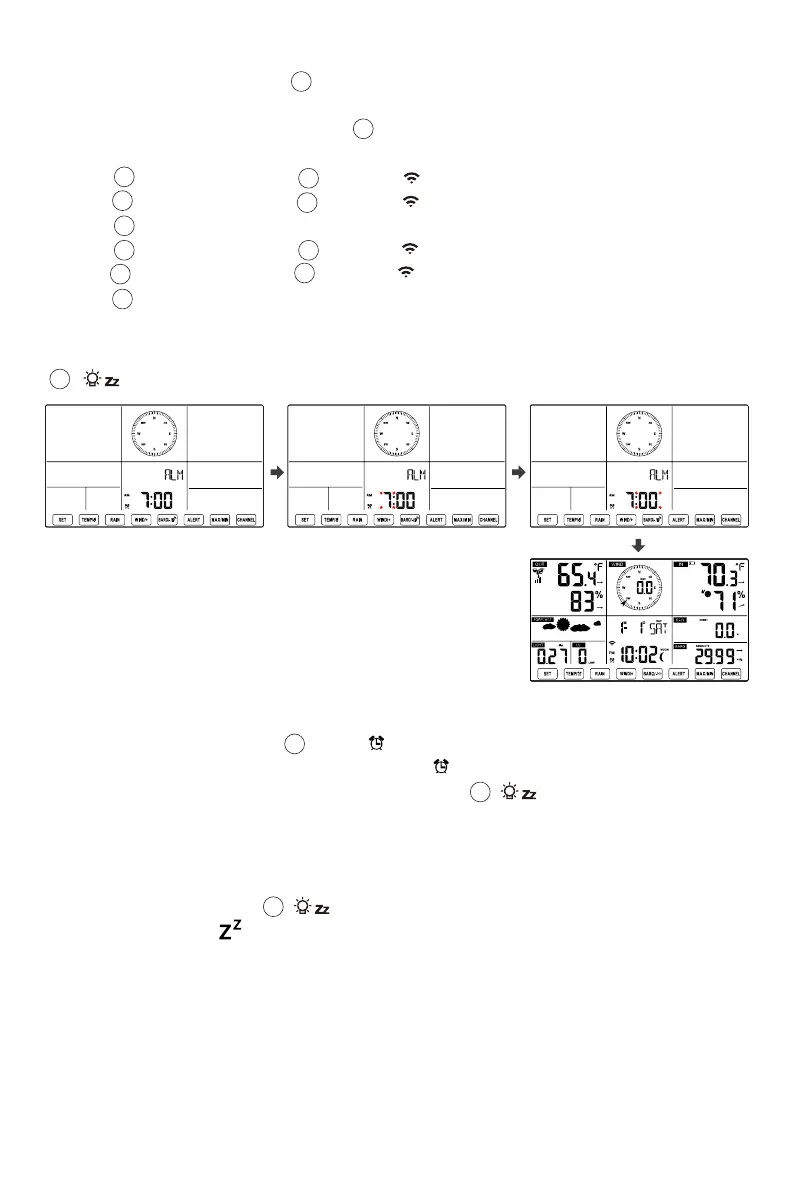
Setting the Alarm
In normal time display, press 【SET】button to switch display alarm time (alarm time
mode).
In alarm time display, press and hold 【SET】button over 2 seconds to enter alarm
setting mode. Hour of alarm starts to flash.
Press 【WIND/+】button or 【BARO/-/ 】 button to set required alarm hours.
Hold 【WIND/+】button or 【BARO/-/ 】 button to adjust alarm hours quickly.
Press 【SET】button to select minute of Alarm. Minute of alarm starts to flash.
Press 【WIND/+】button or 【BARO/-/ 】 button to set required alarm minutes.
Hold 【WIND/+】button or 【BARO/-/ 】 button to adjust alarm minutes quickly.
Press 【SET】button to save all settings and exit to normal display mode.
NOTE: If there is no valid operation within 20 seconds, it will automatically return to the
normal display mode from the setting mode. While adjusting settings, you can press
【 LIGHT SNOOZE】button to return to normal display mode.
●
●
●
●
●
●
10
11
10
10
10
13
13
13
13
14
14
14
14
18
18
Deactivate/Activate Alarm
●
●
●
Snooze Function
When the alarm rings, press 【 LIGHT/SNOOZE】button to pause the alarm. The
snooze indicator icon keep flashing. The alarm will resume after 5 minutes.
18
Tendency arrows allow you to quickly determine of temperature and humidity are rising and
falling in a one-hour update period.
Temperature/Humidity Trend
TEMPERATURE



 To Next Page
 Loading...

