Need help?
Do you have a question about the LG Chem RESU HV and is the answer not in the manual?
Explanation of customizable backup features in the RESU-Span integration.
How the Span panel streamlines RESU installations.
Information on how to learn more or inquire about product availability.
Updates on third-party service providers and support specialists.
Changes to the Return Material Authorization (RMA) process.
Critical information regarding firmware update failures for specific models.
List of inverters compatible with RESU HV in North America.
Detailed specifications for the RESU10H Type-R model.
Detailed specifications for the RESU10H Type-C model.
Installation manual for RESU HV and RESU 10H (Type R).
Visual safety symbols and their meanings.
General and specific safety guidelines for handling and installation.
Identification of warning labels on the battery pack.
Requirements and skills for authorized installers.
Specifications including dimensions, weight, and electrical characteristics.
Key features and benefits of the RESU HV battery system.
Details on product packaging, materials, and dimensions.
Procedures for unboxing, checking items, and general installation requirements.
Step-by-step guide to unboxing the RESU battery pack.
List of components included in the RESU battery package.
Recommended and required locations for installing the battery pack.
Required clearances around the battery for ventilation and access.
Required tools and personal protective equipment for installation.
Guidelines for securely mounting the battery pack using a bracket.
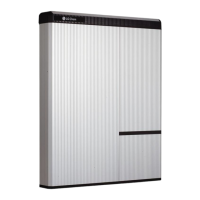
Details on the physical appearance and dimensions of the battery pack.
Minimum clearances required for system configuration and airflow.
Step-by-step instructions for physically installing the battery pack.
Procedures for connecting power and communication cables.
Details on auxiliary power switch and terminal block specifications.
Explanation of LED status lights and their meanings.
Steps to safely turn on and initialize the battery system.
Procedures for safely powering down the battery system.
General guidance for diagnosing and resolving system issues.
A checklist to verify correct installation before operation.
Detailed guidelines for common error scenarios and their solutions.
Procedures for uninstalling the battery and information on returns.
Step-by-step guide to safely remove the battery from its mounting.
Contact details for technical assistance and support.
Manual for installing RESU10H as a secondary unit in a Type-R system.
Diagram illustrating system connection for two RESU batteries.
Procedures for checking battery pack voltage status.
Guide on how to check RESU battery pack fuses.
Steps for performing forced external charging of RESU HV batteries.
Manual and precautions for forced charging of RESU HV.
Information on the solution for the deep discharge issue.
Guide on how to interpret RESU serial numbers and manufacturing dates.
 General
| Brand | LG Chem |
|---|---|
| Model | RESU HV |
| Category | Camera Accessories |
| Language | English |

 To Next Page