EasyManua.ls Logo

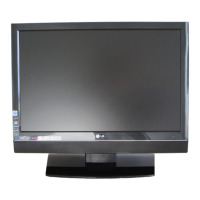
LG 20LS1R Series - User Manual

LG 20LS1R Series
44 pages
Print Icon
To Next Page IconTo Next Page
Loading...
LCD TV
Please read this manual carefully before operating your set.
Retain it for future reference.
Record model number and serial number of the set.
See the label attached on the back cover and quote
this information to your dealer when you require service.
OWNER’S MANUAL
MODELS: 15LS1R
*
20LS1R
*
20LS2R
*
23LS2R
*
15LC1R
*
20LC1R
*

Questions and Answers

  • M
    Michael ThomasAug 17, 2025
    How to fix no or poor color or poor picture on LG LCD TV?
    • Z
      zrodriguezAug 17, 2025
      Try adjusting the color settings in the menu options of your LG LCD TV. Ensure there's sufficient distance between the TV and any VCRs. Test with another channel to eliminate broadcast issues. Check that the video cables are correctly installed and try activating a function to restore picture brightness.
  • K
    kristin32Aug 20, 2025
    What causes horizontal/vertical bars or picture shaking on LG LCD TV?
    • Q
      qdaughertyAug 20, 2025
      If you observe horizontal or vertical bars, or shaking picture on your LG LCD TV, check for any local interference from electrical appliances or power tools.
  • L
    Lisa PinedaAug 23, 2025
    What to do if there is no picture and no sound on my LG LCD TV?
    • H
      howardkathrynAug 23, 2025
      First, ensure that the LG LCD TV is turned on. Then, try switching to another channel to rule out a broadcast issue. Check if the power cord is properly inserted into the wall outlet and test the outlet with another device. Also, verify the antenna's direction and location for optimal signal reception.
  • H
    hannah41Aug 26, 2025
    Why does the audio function not work on my LG 20LS1R?
    • L
      llewisAug 26, 2025
      First, try pressing the VOL (or Volume) button on your LG LCD TV remote. If that doesn't work, check if the sound is muted and press the MUTE button to unmute it. Try tuning to another channel to ensure the problem isn't with the broadcast. Finally, check that the audio cables are correctly installed.
  • N
    Nicholas CampbellAug 28, 2025
    What to do if the remote control doesn’t work with my LG 20LS1R?
    • J
      Jean LeonardAug 28, 2025
      First, verify that there are no obstructions between the remote control and the LG LCD TV. Ensure the batteries are installed correctly, matching + to + and - to -. Check that the remote is set to the correct operating mode (TV, VCR, etc.). If these steps don't work, try installing new batteries.
  • T
    teresa28Aug 31, 2025
    Why does my LG 20LS1R LCD TV power off suddenly?
    • M
      Maureen BlairAug 31, 2025
      Check if the sleep timer is enabled on your LG LCD TV. Also, examine the power control settings to ensure there are no interruptions. Note if there is no broadcast on the tuned station with auto off activated.
  • H
    Heather AbbottSep 2, 2025
    Why is the reception poor on some channels on my LG 20LS1R?
    • E
      Eric NewmanSep 2, 2025
      If you're experiencing poor reception on certain channels with your LG LCD TV, try tuning to another station to rule out issues with the current station or cable provider. If the station signal is weak, try reorienting the antenna. Also, check for any potential sources of interference.
  • C
    Christian KellySep 5, 2025
    Why is the screen color unstable or a single color on my LG LCD TV?
    • S
      Sara ThompsonSep 6, 2025
      If the screen color on your LG LCD TV is unstable or displays a single color, inspect the signal cable. If the issue persists, try reinstalling the PC video card.
  • M
    Mr. Anthony Jones DDSSep 8, 2025
    How to resolve vertical bar or stripe on background & horizontal noise & incorrect position on LG 20LS1R LCD TV?
    • H
      Heather MurphySep 8, 2025
      If you encounter a vertical bar or stripe on the background, horizontal noise, or incorrect positioning in PC mode on your LG LCD TV, use the auto configure function or manually adjust the clock, phase, or H/V position settings.
  • S
    Sarah MillsSep 12, 2025
    What to do if there is a problem in PC mode on my LG 20LS1R LCD TV?
    • B
      Bradley BoothSep 12, 2025
      If you are experiencing issues in PC mode with your LG LCD TV, try adjusting the resolution, horizontal frequency, or vertical frequency. Also, verify that the input source is correctly selected.

Summary

Installation

Stand Installation

Steps for installing the TV stand onto the product base.

Detaching Stand

Procedure for safely removing the TV stand from the product.

Unfolding the Stand Base

Instructions for unfolding the TV's attached stand base.

TV Connection

Guide for connecting the aerial cable and power cord to the TV.

Basic Cable Connection

Steps for connecting necessary cables for basic TV operation.

Wall Mount Installation

Guidelines for mounting the TV horizontally on a wall.

Location and Function of Controls

Remote Control Overview

Identification and basic functions of remote control buttons.

Remote Control Functions

Detailed explanation of each button on the remote control handset.

Rear Panel Connections

Continuation of rear panel connection diagrams for specific models.

Basic Operation

Setting Up TV Stations

Auto Programme Tuning

Process for automatically scanning and storing TV stations.

Manual Programme Tuning

Procedure for manually tuning and arranging TV stations.

Picture Adjustment

PSM (Picture Status Memory)

Recalling and setting predefined picture configurations.

Manual Picture Settings

Adjusting contrast, brightness, colour, sharpness, and tint.

XD Functionality

Utilizing LG's XD technology for enhanced picture quality.

Sound Adjustment

SSM (Sound Status Memory)

Selecting and adjusting predefined sound profiles.

Connection of External Equipment

DVD Input Connections

Connecting DVD players via Euro scart, Component, or HDMI inputs.

Connection of PC

PC RGB Input

Connecting a PC using RGB signal cable.

PC HDMI;DVI Input

Connecting a PC using HDMI/DVI interface.

PC Setup and Configuration

Adjusting auto-configure, manual settings, and reset for PC input.

Troubleshooting Checklist

Remote Control and Power Issues

Solutions for non-responsive remote and sudden power off.

Video Function Problems

Troubleshooting no picture, no sound, poor color, or picture shaking.

Signal Reception Issues

Addressing poor reception, lines, or streaks in the picture.

Audio Function Problems

Resolving issues with sound output or speaker problems.

PC Mode Troubleshooting

Diagnosing issues related to PC signal range, bars, or color instability.

Product Specifications

LG 20LS1R Series Specifications

General IconGeneral
Screen Size20 inches
Display TypeLCD
Weight5.7 kg
Speakers2 x 3W
Refresh Rate60 Hz
Sound Output6W
Viewing Angle160°
InputsComposite

Related product manuals