EasyManua.ls Logo

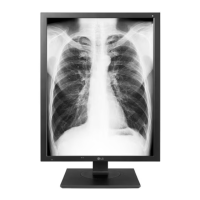
LG 21HK512D - User Manual

LG 21HK512D
26 pages
Print Icon
To Next Page IconTo Next Page
Loading...
* LG LED Monitor applies LCD screen with LED backlights.
Please read this manual carefully before operating your set and retain it for future reference.
21HK512D
www.lg.com
Copyright © 2019 LG Electronics Inc. All Rights Reserved.
OWNER’S MANUAL
IPS LED Monitor
(LED Monitor*)
*MFL71428805*
(1909-REV00)

Questions and Answers

  • J
    John SimsAug 8, 2025
    What to do if the [No Signal] message is displayed on my LG 21HK512D?
    • Y
      ycookAug 9, 2025
      If the message '[No Signal]' appears on your LG Medical Equipment, ensure the signal cable is securely connected to the computer. Also, verify that the computer is not in power-saving mode by touching the keyboard or mouse.
  • K
    Kristin HardyAug 14, 2025
    How to troubleshoot a blank screen on LG 21HK512D?
    • L
      luismurrayAug 14, 2025
      If nothing is displayed on the screen of your LG Medical Equipment, ensure the signal cable is completely connected to the display card or computer and that the display card is properly seated in its slot. Check that the AC switch, OSD Control Knob, and computer power switch are all in the On position. Verify that a supported mode is selected on the display card or system, and confirm the monitor and display card are compatible with recommended settings. Finally, inspect the signal cable connector for bent or pushed-in pins.
  • R
    rtaylorAug 19, 2025
    Why is the image unstable on my LG Medical Equipment?
    • A
      Alan RollinsAug 19, 2025
      If the image on your LG Medical Equipment is unstable, unfocused, or swimming, ensure the signal cable is fully attached to the computer. Check the compatibility of the monitor and display card, paying attention to recommended signal timings. If the text appears garbled, switch the video mode to non-interlace and use a 50Hz refresh rate.
  • O
    Omar LozanoAug 25, 2025
    How to fix image persistence on LG Medical Equipment?
    • G
      gaguilarAug 25, 2025
      To alleviate image persistence (image sticking) on your LG Medical Equipment, turn off the monitor for the same duration the previous image was displayed. Also, avoid operating the LCD with a fixed image on the screen for more than thirty minutes.
  • J
    Jamie WallerAug 29, 2025
    How to adjust OSD size on LG 21HK512D Medical Equipment?
    • B
      bradyryanAug 29, 2025
      If the OSD (On-Screen Display) is not sized properly on your LG Medical Equipment, use the OSD Image Adjust controls to increase or decrease the coarse total. Also, ensure that a supported mode has been selected on the display card or system you are using.
  • K
    Kyle MartinSep 3, 2025
    Why does my LG 21HK512D screen have defective pixels?
    • T
      tiffany49Sep 3, 2025
      The screen of LG Medical Equipment may have defective pixels (slightly light or dark) due to the characteristics of the panel itself, which is not a defect of the LCD product.

LG 21HK512D Specifications

General IconGeneral
Model21HK512D
ManufacturerLG
Screen Size21.3 inches
Panel TypeIPS
Contrast Ratio1000:1
Viewing Angle (H/V)178°/178°
CategoryMedical
Display Size21.3 inches
Input PortsDisplayPort, DVI-D
Power Consumption45W
CertificationsCE

Related product manuals