EasyManua.ls Logo

LG 27HJ710S-W.AEULMPX - User Manual

LG 27HJ710S-W.AEULMPX
47 pages
Print Icon
To Next Page IconTo Next Page
Loading...
www.lg.com
Copyright 2019 LG Electronics Inc. All Rights Reserved.
Please read this manual carefully before operating
your set and retain it for future reference.
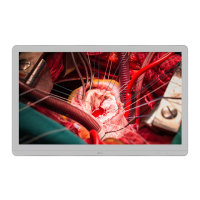
OWNER’S MANUAL
MEDICAL
MONITOR
27HJ710S

Questions and Answers

  • J
    James HernandezAug 18, 2025
    How to fix a blank screen on my LG 27HJ710S-W.AEULMPX Medical Equipment?
    • V
      Veronica HernandezAug 18, 2025
      If nothing is displayed on your LG Medical Equipment screen, ensure the power cord is properly connected to the power outlet and the power switch is turned on. Also, verify that the input setting is correct by navigating to MENU > Quick Settings > Input. If the issue persists, check the signal cable connection between your PC and the monitor and reconnect it if necessary. If you are using a Mac product, DisplayPort 1.2 may not be supported, so please contact the manufacturer.
  • M
    Melissa GoodmanAug 21, 2025
    Why is the color on my LG Medical Equipment display abnormal?
    • S
      Steven SmithAug 21, 2025
      If the display color on your LG Medical Equipment appears abnormal, first, set the number of colors to 24-bits (True Color) or above by navigating to Control Panel > Display > Settings > Color Quality in Windows (the settings may differ depending on your operating system). Next, check the connection status of the signal cable and ensure it is properly connected; you may also try reinserting your PC's graphics card. Note that pixelated spots (red, green, blue, white, or black) may appear on the screen, which is normal for an LCD screen and not related to the monitor's performance.
  • C
    Carol WaltersAug 23, 2025
    What to do if the 'Unknown Monitor' message appears on my LG 27HJ710S-W.AEULMPX Medical Equipment?
    • B
      btorresAug 23, 2025
      If the 'Unknown Monitor' message appears when your LG Medical Equipment is connected, install the monitor driver provided with the monitor or download and install it from the LG Electronics homepage (http://www.lg.com). Also, check your graphics card user manual to verify if the Plug and Play function is supported.
  • J
    Jacqueline ClarkAug 26, 2025
    Why is my LG 27HJ710S-W.AEULMPX Medical Equipment screen shaky and unstable?
    • J
      James RossAug 26, 2025
      If the screen display on your LG Medical Equipment is unstable, shaky, and images leave shadow trails, and if the selected resolution is HDMI 1080i 60/50 Hz (interlaced), the screen may be flickering. Try changing the resolution to 1080P or the recommended resolution.
  • K
    Kim ZimmermanAug 28, 2025
    How to prevent image retention on my LG 27HJ710S-W.AEULMPX Medical Equipment screen?
    • T
      Tracy FigueroaAug 28, 2025
      If your LG Medical Equipment screen retains an image, it may be due to displaying a still image for a prolonged period, which can cause image sticking. To extend the monitor's lifespan, use a screensaver.
  • G
    griffinalexanderAug 30, 2025
    How to fix LG Medical Equipment when nothing is displayed on the screen?
    • T
      Thomas HughesAug 30, 2025
      If nothing is displayed on your LG Medical Equipment screen, start by ensuring the power cord is securely plugged into the power outlet. Also, verify the power cable connection and make sure the power switch is turned on. Check that the input setting is correct (Menu > Quick Settings > Input) when your PC and the equipment are connected. If the issue persists, the signals from your PC (graphics card) might be outside the monitor's frequency range; refer to the "Product Specification" section of the manual to set the appropriate frequency. Finally, check and reconnect the signal cable between the PC and the monitor if it's missing or disconnected. Note that DisplayPort 1.2 may not be supported depending on your Mac product, so contact the manufacturer if applicable.
  • A
    Anne SalazarSep 2, 2025
    What to do if the screen display is unstable and shaky on LG Medical Equipment?
    • K
      Kathleen OchoaSep 2, 2025
      If your LG Medical Equipment screen displays an unstable and shaky image, or if images leave shadow trails, it might be due to the resolution being set to HDMI 1080i 60/50 Hz (interlaced). To resolve this, change the resolution to 1080P or the recommended resolution.
  • P
    petersonkatelynSep 4, 2025
    How to prevent screen burn-in (image retention) on LG Medical Equipment?
    • C
      Catherine JohnsonSep 4, 2025
      Displaying a still image on your LG Medical Equipment for an extended period can cause image sticking. To prevent this and prolong the monitor's lifespan, it's recommended to use a screensaver.
  • B
    Brandon CrawfordSep 7, 2025
    How to troubleshoot a blank screen on my LG Medical Equipment?
    • D
      Denise HartmanSep 7, 2025
      If nothing appears on your LG Medical Equipment screen, ensure the power cord is correctly plugged into the outlet and the power switch is turned on. Verify the input setting is correct (MENU > Quick Settings > Input) when connected to a PC. If the signal cable is disconnected, check and reconnect it. For Macs, DisplayPort 1.2 may not be supported; contact the manufacturer.
  • M
    Marissa HaasSep 9, 2025
    Why does the display color look wrong on my LG Medical Equipment?
    • T
      Tyler AtkinsonSep 9, 2025
      If the display color on your LG Medical Equipment appears abnormal, set the number of colors to 24-bits (True Color) or above via Control Panel > Display > Settings > Color Quality in Windows. Also, check the signal cable connection and reinsert your PC's graphics card. Note that pixelated spots (red, green, blue, white, or black) are normal for an LCD screen and not related to the monitor's performance.

LG 27HJ710S-W.AEULMPX Specifications

General IconGeneral
Display Size27 inches
Panel TypeIPS
Contrast Ratio1000:1
Response Time5 ms (GtG)
Aspect Ratio16:9
Viewing Angle178° (H) / 178° (V)
Color GamutsRGB 99%
Brightness350 cd/m²
ConnectivityHDMI, DisplayPort
CertificationsCE, FCC, CB, UL
FeaturesFlicker Safe, Reader Mode, Black Stabilizer

Related product manuals