ENGLISH
26
MAKING CONNECTIONS
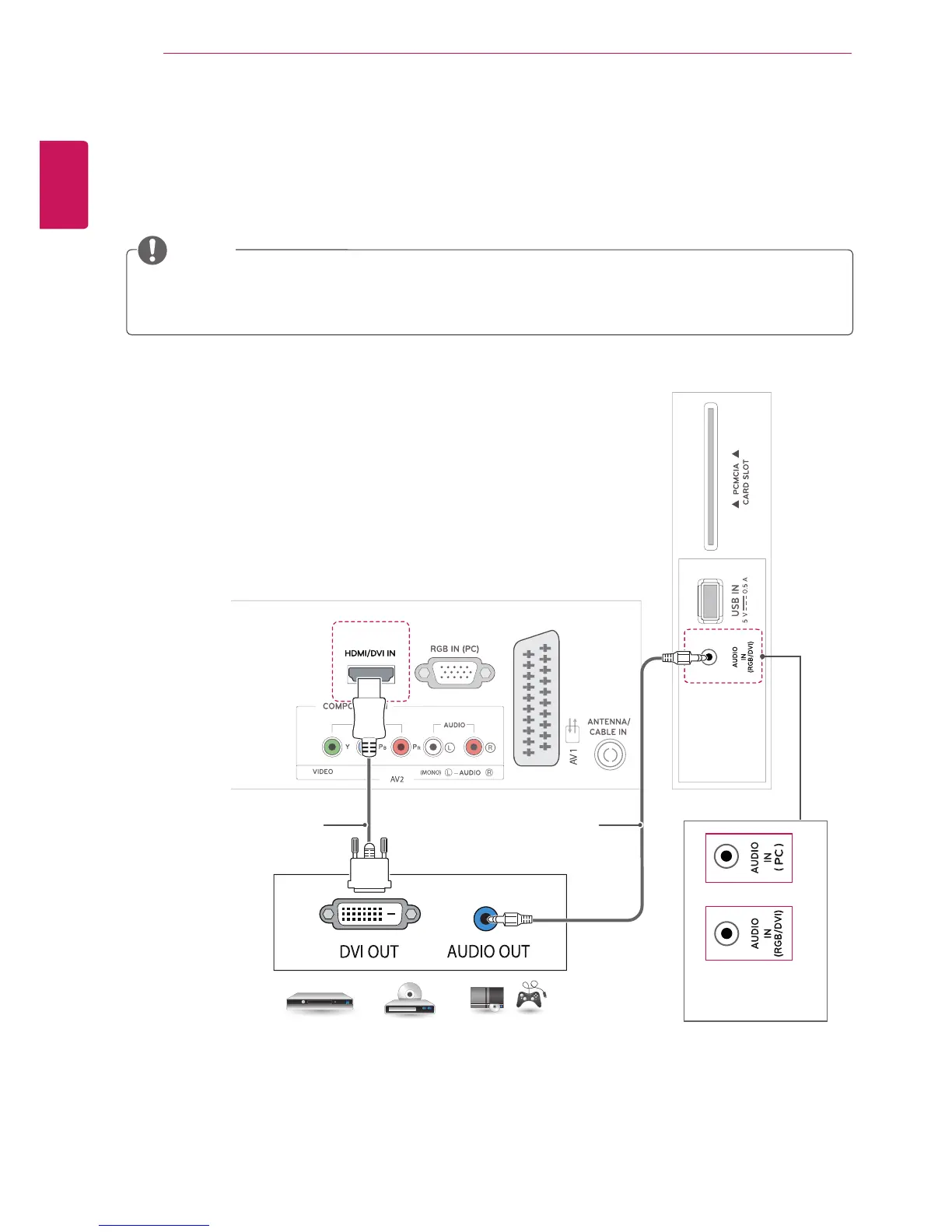
HDMI to DVI connection
Transmits the digital video signal from an external device to the TV. Connect the external device and the TV
with the HDMI to DVI cable as shown in the following illustration. To transmit an audio signal, connect an
optional audio cable.
DVD / Blu-Ray / HD Cable Box /
HD STB / Gaming device
If you do not use an optional external speaker, connect the external device to the TV with the optional
audio cable.
NOTE
(Not Provided)(Not Provided)
or
(Depending on the
model)


 To Next Page