3. Abnormal/No screen (All input)-Main PCBA
Put into LVDS cable completely?
LVDS cable have damage?
Abnormal/No screen
(all input)
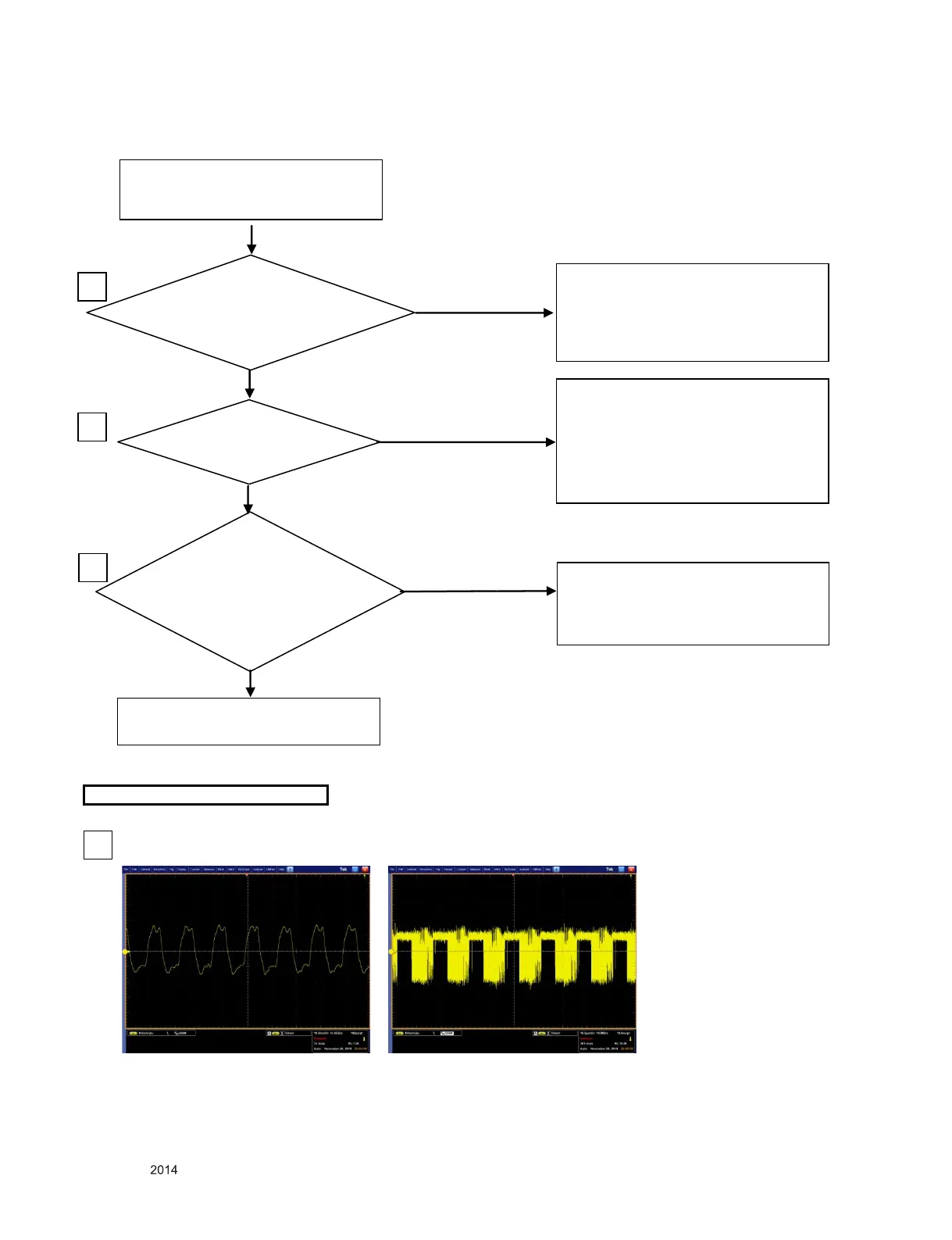
Check waveform at signal
line of P101 (Clock:9,10
Data: 6,7,12,13,15,16,18,19)
YES
NO
YES
NO
YES
If LVDS cable isn’t insulted enough,
Insult LVDS cable until locking hook.
If LVDS cable have damage,
Change LVDS cable
1
Change module
WAVEFORMS
3
Is 12V at 1pin of P101?
If is not under 1.5V at R722,
change Q721 or check open and short
of Line among Q720 and Q721.
If is under 11V at L110,
Check open and short
Of line between L110 and P101.
2
3
NO
Check open and short
Of line between Q720 and P101.
Or Check LVDS cable have damage.
Another is change IC501.
6,7,12,13,15,16,18,19 Pin of 1201
(Data Line)


 To Next Page