EasyManua.ls Logo

LG 23MB35PY-W - User Manual

LG 23MB35PY-W
28 pages
Print Icon
To Next Page IconTo Next Page
Loading...
www.lg.com
OWNER’S MANUAL
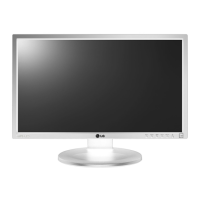
IPS LED MONITOR
22MB35PY
23MB35PY
Please read this manual carefully before operating
your set and retain it for future reference.
IPS LED MONITOR MODEL
ENGLISH

Questions and Answers

  • A
    Adrian HartAug 11, 2025
    What to do if my LG Monitor has no image?
    • B
      Beth PriceAug 11, 2025
      If no image appears on your LG Monitor, ensure the power cord is properly connected to the outlet and that you've pressed the power button. Also, adjust the brightness and contrast settings. If the display is in power saving mode, try moving the mouse or pressing a key on the keyboard. Make sure your PC is turned on. If the signal from the PC is out of the monitor's frequency range, consult the 'Specifications' section of the manual to configure your display accordingly. Also, the monitor goes to DPM mode when it is on "No-Signal" in 5 minutes.
  • M
    Marie LeblancAug 18, 2025
    How to fix a blinking screen on my LG 23MB35PY-W?
    • J
      Julie RiversAug 18, 2025
      If your LG Monitor screen is blinking, check if the screen is set to interlace mode. If it is, change it to the recommended resolution.
  • J
    James KennedyAug 26, 2025
    What to do if I see an "OSD LOCKED" message on my LG Monitor?
    • S
      Stephanie SweeneyAug 26, 2025
      If you see an "OSD LOCKED" message on your LG Monitor, it means the current control settings are secured. To unlock the OSD controls, push the MENU button for several seconds until the message “OSD UNLOCKED” appears.
  • N
    nallenSep 2, 2025
    What to do if I see an "Unrecognized monitor, Plug&Play (VESA DDC) monitor found" message on my LG 23MB35PY-W?
    • S
      sandovalkathySep 2, 2025
      If you see an "Unrecognized monitor, Plug&Play (VESA DDC) monitor found" message on your LG Monitor, install the display driver from the CD or diskette that came with your display. Also, ensure that your video card supports the Plug&Play function.

LG 23MB35PY-W Specifications

General IconGeneral
BrandLG
Model23MB35PY-W
CategoryMonitor
LanguageEnglish

Related product manuals