EasyManua.ls Logo

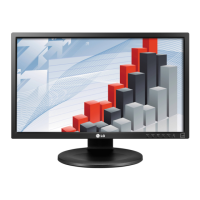
LG 23MP48D - User Manual

LG 23MP48D
45 pages
Print Icon
To Next Page IconTo Next Page
Loading...
www.lg.com
IPS LED MONITOR MODEL
Please read this manual carefully before operating
your set and retain it for future reference.
Owner's Manual
IPS LED MONITOR
(LED MONITOR*)
*LG LED Monitors are LCD Monitors with LED Backlighting.
20MP38A
20MP38H
20MP38HQ
22MP48A
22MP48D
22MP48HQ
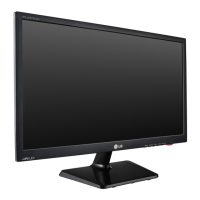
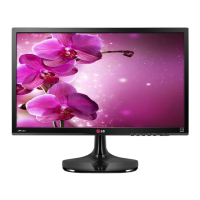
23MP48D
23MP48HQ
20MP48A 24MP48HQ 27MP48HQ

Other manuals for LG 23MP48D

Questions and Answers

  • L
    lisaphamSep 18, 2025
    What to do if my LG 23MP48D Monitor shows 'Unrecognized monitor, Plug&Play (VESA DDC) monitor found'?
    • D
      Dylan JohnsonSep 18, 2025
      If you see an 'Unrecognized monitor, Plug&Play (VESA DDC) monitor found' message on your LG Monitor, install the display driver from the CD (or diskette) that came with your display. Also, make sure to check if the video card supports Plug&Play function.
  • A
    Amanda GrantAug 25, 2025
    Why is my LG Monitor screen flickering?
    • B
      Brooke HawkinsAug 25, 2025
      If the screen of your LG monitor is flickering, and the resolution is set to HDMI 1080i 60/50 Hz, this could be the cause. Try changing the resolution to the recommended setting of 1080P to resolve the flickering.
  • E
    Erica AndersonAug 25, 2025
    How to fix an LG 23MP48D when no image appears?
    • M
      Megan CharlesAug 26, 2025
      If no image appears on your LG Monitor, ensure the power cord is properly connected to the outlet and that you've pressed the power button. If the monitor is in power saving mode, move the mouse or press a key on the keyboard. Also, verify that the PC is turned on and the signal cable is securely connected. If the PC's video card signal is out of range, consult the 'Specifications' section of the manual to reconfigure your display.
  • A
    Alexis BishopAug 26, 2025
    Why does my LG 23MP48D have no image?
    • C
      chaleyAug 26, 2025
      If your LG monitor displays no image, ensure the power cord is properly connected to the outlet and that the power button is pressed. If the monitor is in power saving mode, move the mouse or press a key. Also, verify that the PC is turned on and the cable is correctly connected. If a message appears indicating the signal is out of range, consult the 'Specifications' section of the manual to reconfigure the display.
  • F
    fmoralesSep 22, 2025
    What to do if horizontal noise appears on my LG 23MP48D?
    • R
      Ryan Herrera DVMSep 22, 2025
      If you notice horizontal noise or unclear characters on your LG Monitor, try the following: 1. Press the AUTO button to automatically adjust the display image. 2. Check Control Panel ? Display ? Settings and adjust the display to the recommended resolution. 3. Ensure the color setting is higher than 24 bits (true color).
  • N
    Nicole RamirezSep 23, 2025
    What to do if my LG 23MP48D Monitor displays 'Unrecognized monitor, Plug&Play (VESA DDC) monitor found' message?
    • E
      emosesSep 23, 2025
      If your LG Monitor displays an 'Unrecognized monitor, Plug&Play (VESA DDC) monitor found' message, ensure you install the display driver from the LG website. Also, verify that your video card supports the Plug&Play function.
  • R
    ronaldowenSep 9, 2025
    How to fix no image on LG 23MP48D Monitor?
    • M
      Michael MooreSep 10, 2025
      If no image appears on your LG Monitor, ensure the power cord is properly connected to the outlet and that the monitor is turned on using the Power button. If the monitor is in power saving mode, try moving the mouse or pressing a key on the keyboard. Also, verify that your PC is turned on and the signal cable between the PC and the monitor is securely connected. If the signal from the PC is out of the display's frequency range, consult the 'Specifications' section of the manual to configure your display.
  • C
    Catherine GrantSep 12, 2025
    What to do if display image is incorrect on LG Monitor?
    • M
      Mary TaylorSep 12, 2025
      If the display image on your LG Monitor is incorrect, press the AUTO button to automatically adjust the display image to the ideal setting. Alternatively, check Control Panel ? Display ? Settings and adjust the display to the recommended resolution, ensuring the color setting is higher than 24 bits (true color).
  • K
    Kimberly VillegasSep 3, 2025
    How to correct display image on LG 23MP48D?
    • C
      Cassandra NavarroSep 3, 2025
      If the display image on your LG Monitor is incorrect, try pressing the AUTO button to automatically adjust the display to the ideal setting. Alternatively, check the display settings in your computer's Control Panel under Display ? Settings. Adjust the display to the recommended resolution or manually adjust the image settings. Also, ensure that the color setting is higher than 24 bits (true color).
  • D
    Danielle DiazSep 1, 2025
    How to fix LG Monitor when no image appears?
    • W
      Wendy RichardSep 1, 2025
      If your LG Monitor isn't displaying an image, ensure the power cord is correctly plugged into the power outlet. Also, press the power button to turn on the monitor. If it's in power saving mode, try moving the mouse or pressing a key on the keyboard. Confirm that your PC is turned on, too. If the issue persists, the signal from your PC might be outside the monitor's frequency range. Refer to the 'Specifications' section of the manual to reconfigure your display settings.

LG 23MP48D Specifications

General IconGeneral
BrandLG
Model23MP48D
CategoryMonitor
LanguageEnglish

Related product manuals