EasyManua.ls Logo

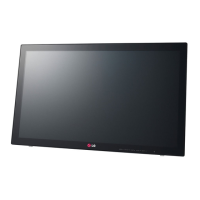
LG 23ET83V-W - User Manual

LG 23ET83V-W
27 pages
Print Icon
To Next Page IconTo Next Page
Loading...
www.lg.com
OWNER’S MANUAL
LED MONITOR
(LED TOUCH MONITOR)
23ET83V
Please read this manual carefully before operating
your set and retain it for future reference.
LED MONITOR(LED TOUCH MONITOR) MODEL LIST
ENGLISH

Other manuals for LG 23ET83V-W

Questions and Answers

  • A
    Aaron ElliottAug 9, 2025
    What to do if nothing is displayed on my LG 23ET83V-W Monitor screen?
    • T
      Tony LongAug 9, 2025
      If nothing is displayed on your LG Monitor screen, try these steps: Ensure the power cord is correctly plugged into the outlet. Check the power cable connection and press the power button. Verify the connected input is enabled via the Menu. If the monitor is in power-saving mode, move the mouse or press any key. Confirm the computer is turned on. If the signals from the PC are out of range, refer to the 'Product Specification' section to set the appropriate frequency. Also, check the signal cable between the PC and monitor to ensure it is properly connected.
  • W
    William BurkeAug 13, 2025
    How to display picture in full screen in HDMI mode on LG Monitor?
    • R
      reedtimothyAug 13, 2025
      If the picture is not displayed in full screen in HDMI mode on your LG monitor, check if you have changed the Scaling Options for your video card. You can also run Catalyst Control Center and set the Scaling Options to 0% Overscan.
  • L
    Linda WarnerAug 18, 2025
    Why does my LG Monitor screen retain an image?
    • K
      Katelyn ElliottAug 18, 2025
      If your LG Monitor screen retains an image, it may be due to displaying a still image for a prolonged time, which can cause damage to the screen. Use a screen saver to protect the screen when using the monitor for extended periods.
  • M
    Michelle MathewsAug 25, 2025
    How to fix 'Unrecognized monitor, Plug&Play (VESA DDC) monitor found' message on LG 23ET83V-W?
    • T
      Theresa JonesAug 25, 2025
      To resolve the 'Unrecognized monitor' message on your LG Monitor, install the display driver from the CD or diskette that came with your display, or download it from the LG website. Also, ensure that your video card supports the Plug&Play function.
  • W
    Wanda LeeAug 28, 2025
    What to do if touch doesn't work on my LG Monitor?
    • E
      Erica SheltonAug 28, 2025
      If touch is not working normally on your LG Monitor, check whether the USB cable is properly connected to the PC. Also, confirm that your operating system is Windows 7 or Windows 8, as the touch function is only supported on these operating systems.
  • S
    Samantha MooreSep 2, 2025
    How to unlock OSD controls on LG 23ET83V-W?
    • J
      Jeffrey WilsonSep 2, 2025
      To unlock the OSD controls on your LG Monitor when you see an 'OSD LOCKED' message, push the MENU button for several seconds until the message 'OSD UNLOCKED' appears.

Summary

ASSEMBLING AND PREPARING

Monitor Table Setup and Power Connection

Guides on placing the monitor on a table and connecting power.

USING THE MONITOR

Connecting Monitor to PC

Explains Plug & Play connection of the monitor to a computer.

CUSTOMIZING SETTINGS

TROUBLESHOOTING

Resolving No Display Issues

Troubleshooting steps for a blank screen.

Addressing Image Retention

Addresses image sticking and screen burn issues.

Fixing Screen Image Distortion

Solutions for image distortion in analog mode.

Troubleshooting Touch Input

Troubleshooting steps for touch input issues.

Correcting Color Display Problems

Steps to resolve color display problems.

Eliminating Screen Flickering

Fixes for screen flickering issues.

SPECIFICATIONS

LG 23ET83V-W Specifications

General IconGeneral
BrandLG
Model23ET83V-W
CategoryMonitor
LanguageEnglish

Related product manuals