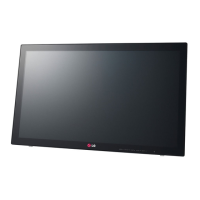
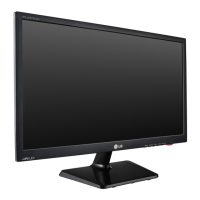
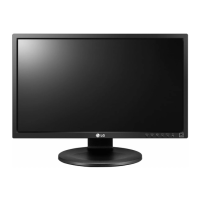
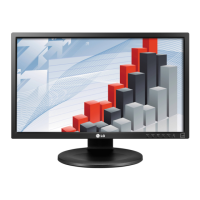
This document is the owner's manual for the LG LED Monitor (LED Touch Monitor) model 23ET63V. It provides comprehensive instructions for assembling, using, customizing, and troubleshooting the device, along with its technical specifications.
Function Description:
The LG 23ET63V is an LED monitor with multi-touch capabilities, designed for use with PCs. It supports both analog (D-SUB) and digital (HDMI) video and audio signals. The multi-touch feature is compatible with Windows 7 and Windows 8 systems, allowing for interactive use. The monitor is designed to be user-friendly, with touch-sensitive buttons for easy navigation of its on-screen display (OSD) menus. It also incorporates "SUPER ENERGY SAVING" functions to reduce power consumption and CO2 emissions.
Important Technical Specifications:
- Model: 23ET63V
- LCD Screen Type: 58.4 cm TFT (Thin Film Transistor) LCD (Liquid Crystal Display) Screen
- Diagonal Length of the Screen: 58.4 cm (23 inch)
- Pixel Pitch: 0.2652 mm x 0.2652 mm
- Maximum Resolution:
- D-Sub (Analog): 1920 x 1080 @ 60 Hz
- HDMI: 1920 x 1080 @ 60 Hz
- Recommended Resolution: 1920 x 1080 @ 60 Hz
- Horizontal Frequency: 30 kHz to 83 kHz
- Vertical Frequency:
- D-Sub: 56 Hz to 75 Hz
- HDMI: 56 Hz to 61 Hz
- Synchronization: Separate Sync. / HDMI
- Input Connector: 15 pin D-SUB Connector / HDMI Connector
- Power Voltage: 19 V --- 1.2 A
- Power Consumption (Typical):
- On mode: 25 W
- Power Saving Mode: ≤ 0.3 W
- Off Mode: ≤ 0.3 W
- AC/DC Adaptor Types: Multiple models from SHENZHEN HONOR ELECTRONIC and LIEN CHANG ELECTRONIC ENTERPRISE, and LG Innotek Co., Ltd. Output: 19 V --- 1.3 A.
- Monitor Size (Width x Height x Depth): 55.5 cm x 33.8 cm x 5.3 cm
- Weight (Without Packaging): 4.4 kg
- Stand Angle Adjustment: Forwards/Backwards: 15° to 58° (Head)
- Operating Condition Temperature: 10°C to 35°C; Humidity: 10% to 80%
- Storing Condition Temperature: -20°C to 60°C; Humidity: 5% to 90%
- VESA Compatibility: 75 x 75 mm, M4 standard screw, 4 screws.
- Multi-touch Support: Only for Windows 7 and Windows 8 systems. Windows 7 Starter and Home Basic versions do not support multi-touch by default.
Usage Features:
- Plug & Play: The monitor automatically connects and configures when connected to a PC.
- Connectivity:
- D-SUB Connection: For analog video input from a PC.
- HDMI Connection: For digital video and audio signals from a PC or A/V device. Supports PC input via HDMI, though some compatibility issues may arise.
- USB Cable-PC Connection: Essential for enabling the touch screen feature. Requires a USB 2.0 cable (A-B type). The USB port on the monitor is exclusively for touch screen functionality and cannot be used for other USB devices like keyboards or mice.
- Headphone Port Connection: For connecting peripheral audio devices. Straight-type plugs are recommended for easier connection.
- Power Indicator: Red when on, blinking red in power-saving mode, off when powered off.
- Self Image Setting Function: Automatically optimizes display settings upon first connection or when the monitor is turned on (Analog Mode only).
- AUTO Function: Improves resolution for blurry screens, blurred letters, screen flicker, or tilted screens (Analog Mode only).
- Kensington Security System: Connector located at the back for securing the monitor to a table.
- Proper Posture Guide: Provides recommendations for ergonomic use, including adjusting screen angle (15° to 58° tilt) and maintaining proper arm and hand positioning.
- OSD Menus:
- Picture Mode: Offers various presets (Custom, Text, Photo, Cinema, Game) and AV Mode options (Custom, Vivid 1, Vivid 2, Standard, Cinema) for optimizing visual display based on content.
- Customizing Settings: Allows adjustment of Brightness, Contrast, Wide/Original aspect ratio, Sharpness, Black Level, Over Scan, Gamma, Color Temp, Six Color, Color Reset, Horizontal/Vertical position, Clock, Phase, Volume (for HDMI input), Language, Power Indicator, Automatic Standby, and Response Time.
- OSD Lock/Unlock: Prevents accidental changes to control settings.
- SUPER ENERGY SAVING: Offers High, Low, and Off modes to reduce power consumption, with estimated power and CO2 reduction data.
- Touch Screen Functionality: Requires proper USB connection to the PC and installation of the latest Windows service pack. Multi-touch may not work when the desktop is extended to a second touch monitor. Configuration steps for extended touch monitors are provided for Windows 7 and 8.
- Windows Touch Keyboard: Can be opened/closed via Windows control panel, supporting keyboard input and handwriting.
Maintenance Features:
- Image Burn Prevention: Advises against displaying fixed images for prolonged periods and recommends using a screen saver.
- Troubleshooting Guide: Addresses common issues such as no display, power indicator status, "OUT OF RANGE" or "CHECK SIGNAL CONNECTION" messages, "OSD LOCKED" message, image sticking, flickering screen, abnormal display colors, and touch screen malfunctions.
- Driver Installation: Recommends installing the display driver from the supplied CD or LG's website to ensure proper functionality and Plug&Play support.
- Resolution Adjustment: Guides users to check and readjust display settings (frequency, resolution) via Control Panel to prevent blurred letters, dimmed screens, or truncated images.
- HDMI Scaling Options: For AMD/ATI video cards, advises setting Scaling Options to 0% Overscan in Catalyst Control Center to ensure full-screen display in HDMI mode.
The manual emphasizes safety precautions, such as using approved accessories, disconnecting power before moving the monitor, and avoiding strong shocks or vibrations. It also notes that product specifications and contents may change due to function upgrades.



 To Next Page
 General