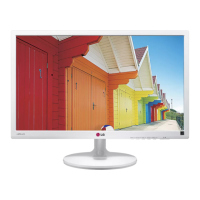
This document is an owner's manual for LG IPS LED monitors, specifically models 22EA63V, 23EA63V, and 27EA63V. It provides instructions for assembling, using, customizing settings, troubleshooting, and lists technical specifications for these monitors.
Function Description
The LG IPS LED monitors are designed for displaying video and audio signals from a PC or A/V equipment. They support various input signals including D-SUB (analog), DVI-D (digital), and HDMI (digital and audio). The monitors feature an IPS (In-Plane Switching) panel, which typically offers wide viewing angles and accurate color reproduction. Key functionalities include:
- Display Modes: Supports standard resolutions up to 1920 x 1080 at 60 Hz, with specific timing for HDMI inputs (480P, 576P, 720P, 1080i, 1080P).
- Customizable Settings: Users can adjust various display parameters such as brightness, contrast, color temperature, gamma, sharpness, black level, and response time.
- Picture Modes: Offers preset picture modes like Custom, Text, Photo, Cinema, and Game for PC mode, and Custom, Vivid 1, Vivid 2, Standard, and Cinema for AV mode, optimizing display for different content types.
- SUPER ENERGY SAVING: An energy-efficient function that helps reduce power consumption.
- DUAL DISPLAY: Allows the monitor to be used as a secondary monitor in either "Clone" (duplicate) or "Extended" mode, requiring the DUAL SMART SOLUTION software.
- DUAL WEB: Divides the screen in half to efficiently browse the web, also requiring the DUAL SMART SOLUTION software.
- Self Image Setting Function: Automatically adjusts display settings for optimal viewing, particularly for analog input signals.
- 'AUTO' Function: Improves resolution for blurry, flickering, or tilted screens, primarily for analog input.
- OSD Lock/Unlock: Prevents inadvertent changes to control settings.
Important Technical Specifications
Model 22EA63V (21.5 inch)
- Screen Type: 54.6 cm (21.5 inch) Flat Panel Active matrix-TFT LCD Anti-Glare coating. Visible diagonal size: 54.6 cm.
- Pixel Pitch: 0.247 mm x 0.247 mm.
- Horizontal Frequency: 30 kHz to 83 kHz (Automatic).
- Vertical Frequency: 56Hz to 75Hz (D-SUB, DVI-D), 56Hz to 61Hz (HDMI).
- Max Resolution: 1920 x 1080 @ 60 Hz (D-SUB, DVI-D, HDMI).
- Recommended Resolution: VESA 1920 x 1080 @ 60 Hz.
- Power Consumption: On Mode: 23 W (Typ.), Sleep Mode: ≤ 0.3 W, Off Mode: ≤ 0.3 W.
- Power Input: 19 V --- 1.3 A.
- Dimensions (With Stand): 50.0 cm (W) x 38.0 cm (H) x 17.8 cm (D).
- Weight: 2.7 kg.
- Tilt Range: -5° to 20°.
- VESA Wall Mount: 75 x 75 mm (M4 screws, 4 screws).
Model 23EA63V (23 inch)
- Screen Type: 58.4 cm (23 inch) Flat Panel Active matrix-TFT LCD Anti-Glare coating. Visible diagonal size: 58.4 cm.
- Pixel Pitch: 0.265 mm x 0.265 mm.
- Horizontal Frequency: 30 kHz to 83 kHz (Automatic).
- Vertical Frequency: 56Hz to 75Hz (D-SUB, DVI-D), 56Hz to 61Hz (HDMI).
- Max Resolution: 1920 x 1080 @ 60 Hz (D-SUB, DVI-D, HDMI).
- Recommended Resolution: VESA 1920 x 1080 @ 60 Hz.
- Power Consumption: On Mode: 29 W (Typ.), Sleep Mode: ≤ 0.3 W, Off Mode: ≤ 0.3 W.
- Power Input: 19 V --- 1.6 A.
- Dimensions (With Stand): 53.3 cm (W) x 39.8 cm (H) x 18.0 cm (D).
- Weight: 3.0 kg.
- Tilt Range: -5° to 20°.
- VESA Wall Mount: 75 x 75 mm (M4 screws, 4 screws).
Model 27EA63V (27 inch)
- Screen Type: 68.6 cm (27 inch) Flat Panel Active matrix-TFT LCD Anti-Glare coating. Visible diagonal size: 68.6 cm.
- Pixel Pitch: 0.3114 mm x 0.3114 mm.
- Horizontal Frequency: 30 kHz to 83 kHz (Automatic).
- Vertical Frequency: 56Hz to 75Hz (D-SUB, DVI-D), 56Hz to 61Hz (HDMI).
- Max Resolution: 1920 x 1080 @ 60 Hz (D-SUB, DVI-D, HDMI).
- Recommended Resolution: VESA 1920 x 1080 @ 60 Hz.
- Power Consumption: On Mode: 34 W (Typ.), Sleep Mode: ≤ 0.3 W, Off Mode: ≤ 0.3 W.
- Power Input: 19 V --- 1.6 A.
- Dimensions (With Stand): 62.3 cm (W) x 44.9 cm (H) x 19.3 cm (D).
- Weight: 4.6 kg.
- Tilt Range: -5° to 20°.
- VESA Wall Mount: 100 x 100 mm (M4 screws, 4 screws).
All models support DDC 2B (Analog, Digital, HDMI) for Plug & Play functionality.
Environmental Conditions (all models):
- Operating Temperature: 10°C to 35°C.
- Operating Humidity: 10% to 80%.
- Storage Temperature: -20°C to 60°C.
- Storage Humidity: 5% to 90% non-Condensing.
Usage Features
- Assembly: Instructions for attaching and detaching the stand base, and mounting the monitor on a table or wall. Wall mounting requires VESA-compatible brackets and specific screw lengths.
- Connectivity: Detailed diagrams for connecting to a PC via D-SUB, DVI-D, and HDMI. Notes on Mac adapter requirements for D-SUB.
- OSD Menu Navigation: Uses buttons on the bottom panel (MENU, MY KEY, FUNC., AUTO, INPUT/EXIT, Power Button) for navigating and adjusting settings.
- Power Indicator: Red light indicates On Mode, blinking red for Sleep Mode, and off for Off Mode.
- Kensington Security System: A connector is provided for securing the monitor to a table, an optional feature.
- Proper Posture Guidelines: Recommendations for adjusting monitor position and user posture for optimal viewing and comfort, including maintaining a 10 cm clearance from walls for ventilation.
Maintenance Features
- Troubleshooting Guide: Provides solutions for common issues such as no image, power indicator problems, "OUT OF RANGE" or "NO SIGNAL" messages, "OSD LOCKED" message, and incorrect or flickering display images.
- Display Driver Installation: Advises installing the display driver from the supplied CD or LG's website for optimal performance and Plug&Play functionality.
- Screen Care: Cautions against pressing the screen with fingers for extended periods to prevent distortion and recommends using a screensaver to avoid image burn.
- Power Cord Safety: Emphasizes unplugging the power cord before moving the monitor to prevent electric shock.
- Wall Mount Safety: Advises using authorized LG wall mounts and not overtightening screws to prevent damage or voiding warranty.
The manual also highlights LG's commitment to energy efficiency, with the monitors being ENERGY STAR certified. Product specifications are subject to change due to function upgrades.


 To Next Page
 General