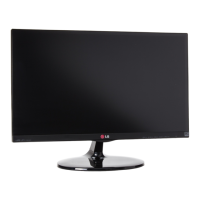
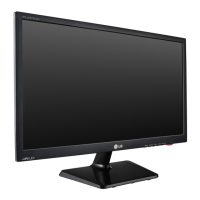
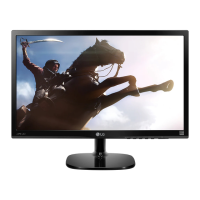
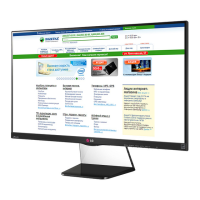
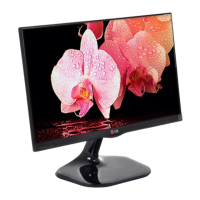
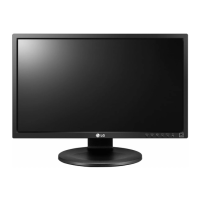
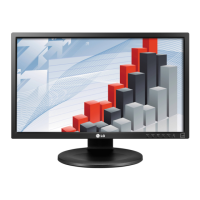
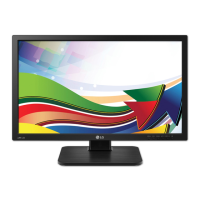
This document is an owner's manual for an LG LED LCD Monitor, model 23EA53VB.
Function Description
The LG LED LCD Monitor is designed for displaying video and audio signals from a PC or A/V equipment. It supports various input signals, including D-SUB (analog), DVI-D (digital), and HDMI (digital), allowing for versatile connectivity. The monitor is equipped with Plug & Play functionality, enabling automatic recognition by a PC without extensive configuration. It also features "Self Image Setting" and "AUTO" functions to optimize display settings for individual input signals, particularly in analog mode, to improve resolution and clarity.
Important Technical Specifications
Model: 23EA53VB
Display:
- Screen Type: 58.4 cm (23 inch) Flat Panel Active matrix-TFT LCD Anti-Glare coating
- Visible diagonal size: 58.4 cm
- Pixel Pitch: 0.265 mm x 0.265 mm (Pixel Pitch)
Sync Input:
- Horizontal Frequency: 30 kHz to 83 kHz (Automatic)
- Vertical Frequency: 56Hz to 75Hz (D-SUB, DVI-D), 56Hz to 61Hz (HDMI)
- Input Form: Separate Sync. Digital
Video Input:
- Signal Input: 15 pin D-SUB Connector / DVI-D Connector (Digital) / HDMI Connector
- Input Form: RGB Analog (0.7 Vp-p/ 75 ohm), Digital
Resolution:
- Max: D-SUB(Analog): 1920 x 1080 @ 60 Hz, DVI / HDMI (Digital): 1920 x 1080 @ 60 Hz
- Recommend: VESA 1920 x 1080 @ 60 Hz
Plug & Play: DDC 2B (Analog, Digital, HDMI)
Power Consumption:
- On Mode: 26 W (Typ.)
- Sleep Mode: ≤ 0.3 W
- Off Mode: ≤ 0.3 W
Power Input: 19 V ⎓ 1.3 A
AC-DC Adapter:
- Type ADS-40SG-19-3 19025G, manufactured by SHENZHEN HONOR ELECTRONIC
- Type ADS-40FSG-19 19025GPG-1, manufactured by SHENZHEN HONOR ELECTRONIC
- Type ADS-40FSG-19 19025GPBR-1, manufactured by SHENZHEN HONOR ELECTRONIC
- Type ADS-40FSG-19 19025GPI-1, manufactured by SHENZHEN HONOR ELECTRONIC
- Type ADS-40FSG-19 19025GPCU-1, manufactured by SHENZHEN HONOR ELECTRONIC
- Type ADS-40FSG-19 19025GPB-2, manufactured by SHENZHEN HONOR ELECTRONIC
- Type LCAP21, manufactured by LIEN CHANG ELECTRONIC ENTERPRISE
- Type LCAP26-A, manufactured by LIEN CHANG ELECTRONIC ENTERPRISE
- Type LCAP26-E, manufactured by LIEN CHANG ELECTRONIC ENTERPRISE
- Type LCAP26-I, manufactured by LIEN CHANG ELECTRONIC ENTERPRISE
- Type LCAP26-B, manufactured by LIEN CHANG ELECTRONIC ENTERPRISE
- Type PSAB-L203A, manufactured by LG Innotek Co., Ltd
- Type PSAB-L202B, manufactured by LG Innotek Co.,Ltd
- Type PSAB-L202C, manufactured by LG Innotek Co., Ltd
- Type PSAB-L202D, manufactured by LG Innotek Co.,Ltd
- OUTPUT: 19 V ⎓ 1.3 A
Dimensions (Width x Height x Depth):
- With Stand: 54.4 cm x 40.6 cm x 18.1 cm
- Without Stand: 54.4 cm x 33.2 cm x 5.5 cm
Weight: 3.1 kg
Tilt Range: -5° to 20°
Environmental conditions:
- Operating Temperature: 10°C to 35°C
- Operating Humidity: 10% to 80%
- Storage Temperature: -20°C to 60°C
- Storage Humidity: 5% to 90% non-Condensing
Stand Base: Attached ( ), Detached (O)
Power cord: Wall-outlet type
Usage Features
Assembly and Setup:
- The monitor comes with a stand body and stand base that need to be assembled. Instructions are provided for attaching and detaching the stand base using a coin to tighten/loosen screws.
- It can be mounted on a table, requiring a minimum 10 cm clearance from the wall for proper ventilation.
- Wall mounting is also supported, adhering to VESA standards (75 x 75 mm, M4 screws, 10 mm length). Specific instructions for wall mounting emphasize using authorized LG wall mounts and proper screw length to prevent damage or injury.
Connectivity:
- D-SUB Connection: Transmits analog video from a PC using a 15-pin signal cable. Mac users may need a separate plug adapter.
- DVI-D Connection: Transmits digital video signals from a PC.
- HDMI Connection: Transmits digital video and audio signals from a PC or A/V equipment. Note that HDMI PC connection might cause compatibility issues.
On-Screen Display (OSD) Menu:
- Accessed via buttons on the bottom panel of the monitor.
- MENU/t: Accesses main menus. Can lock/unlock OSD controls by holding for several seconds.
- MY KEY/◄: Enters MY KEY menu for custom shortcuts.
- FUNC./►: Enters Picture Mode, SUPER ENERGY SAVING, DUAL DISPLAY, DUAL WEB, and MY KEY Setting menus.
- AUTO/▼: Automatically adjusts display settings (Analog Mode only). Displays best resolution mode (1920 x 1080).
- INPUT/EXIT: Selects input signal (D-SUB/DVI/HDMI) and exits OSD.
- (Power Button): Turns the monitor on/off. Power indicator is red when on, blinks red in Sleep Mode, and off when powered off.
Customizing Settings:
- Picture: Adjusts Sharpness, Black Level (for HDMI input), Overscan (for HDMI input with AV equipment), Gamma, Color Temp, Horizontal, Vertical, Clock, and Phase.
- Color: Allows customization of Gamma (0, 1, 2) and Color Temp (Warm, Medium, Cool) or custom Red, Green, Blue levels.
- Display: Adjusts Horizontal and Vertical position, Clock, and Phase to minimize visual artifacts and sharpen characters.
- Volume: Adjusts headphone/earphone volume (HDMI input only).
- Others: Sets Language, Power Indicator (On/Off), and Response Time (Off/High) for displayed pictures.
FUNC. Settings:
- Picture Mode (PC Mode & AV Mode): Offers various presets like Custom, Text, Photo, Cinema, Game (PC Mode) and Custom, Vivid 1, Vivid 2, Standard, Cinema (AV Mode) to optimize display for different content.
- SUPER ENERGY SAVING: Enables/disables energy-efficient mode, showing estimated power and CO2 reduction.
- DUAL DISPLAY: Requires "DUAL SMART SOLUTION" software. Allows using a secondary monitor in "Clone" or "Extended" mode.
- DUAL WEB: Requires "DUAL SMART SOLUTION" software. Divides the screen in half for efficient web browsing and window arrangement.
MY KEY Setting:
- Allows users to designate a favorite FUNC. feature (Picture Mode, SUPER ENERGY SAVING, DUAL DISPLAY, DUAL WEB) as a quick access shortcut.
Maintenance Features
Troubleshooting:
- No image: Check power cord connection, power button, brightness/contrast, and PC status.
- Power indicator flickering: Indicates power saving mode; move mouse or press key to wake up.
- "OUT OF RANGE" message: Signal is outside horizontal/vertical frequency range; adjust PC display settings to recommended specifications.
- "NO SIGNAL" message: Monitor enters DPM mode after 5 minutes without signal.
- "OSD LOCKED" message: OSD controls are locked; hold MENU button for several seconds to unlock.
- Incorrect display position/vertical bars/horizontal noise: Use the AUTO button to automatically adjust the display.
- Incorrect screen color/abnormal color: Check signal cable, video card insertion, and set color depth to higher than 24 bits.
- Screen blinks: Check if interlace mode is set; change to recommended resolution.
- "Unrecognized monitor, Plug&Play (VESA DDC) monitor found" message: Install display driver from CD or LG website; ensure video card supports Plug&Play.
- Screen flickering: If using HDMI 1080i 60/50 Hz, change resolution to recommended 1080P.
General Care:
- Avoid pressing the screen with fingers for long periods to prevent temporary distortion.
- Avoid displaying fixed images for extended times to prevent image burn; use a screensaver.
- Unplug the power cord before moving the monitor to prevent electric shock.
- When adjusting the monitor angle, do not hold the bottom frame to avoid finger injury.
- Do not carry the product upside down holding only the stand base, as it may fall and cause damage or injury.
- The Kensington security system connector is available for securing the monitor to a table (optional accessory).


 To Next Page
 General